Enable Disable Vpn Connection
1. Disable VPN Connection
To disable a VPN connection, select Disable VPN connection from the Action menu. 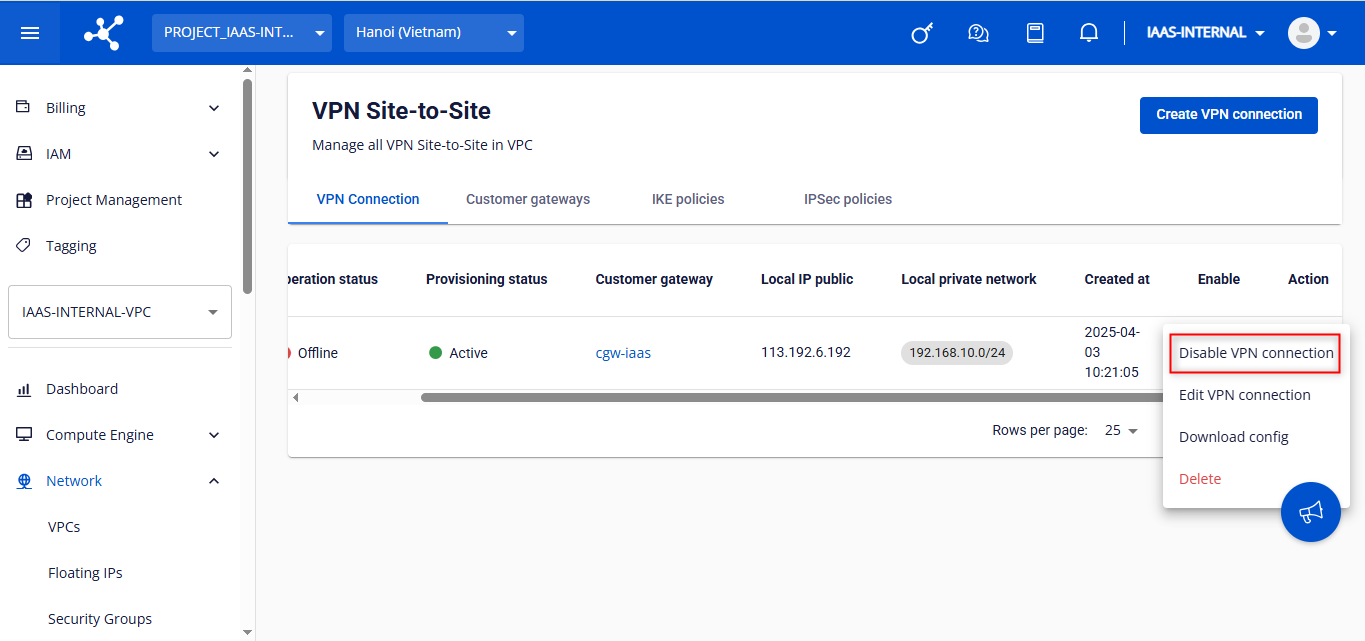 A dialog box will appear — click Disable VPN connection to proceed, or Cancel to abort.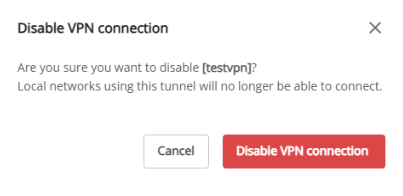
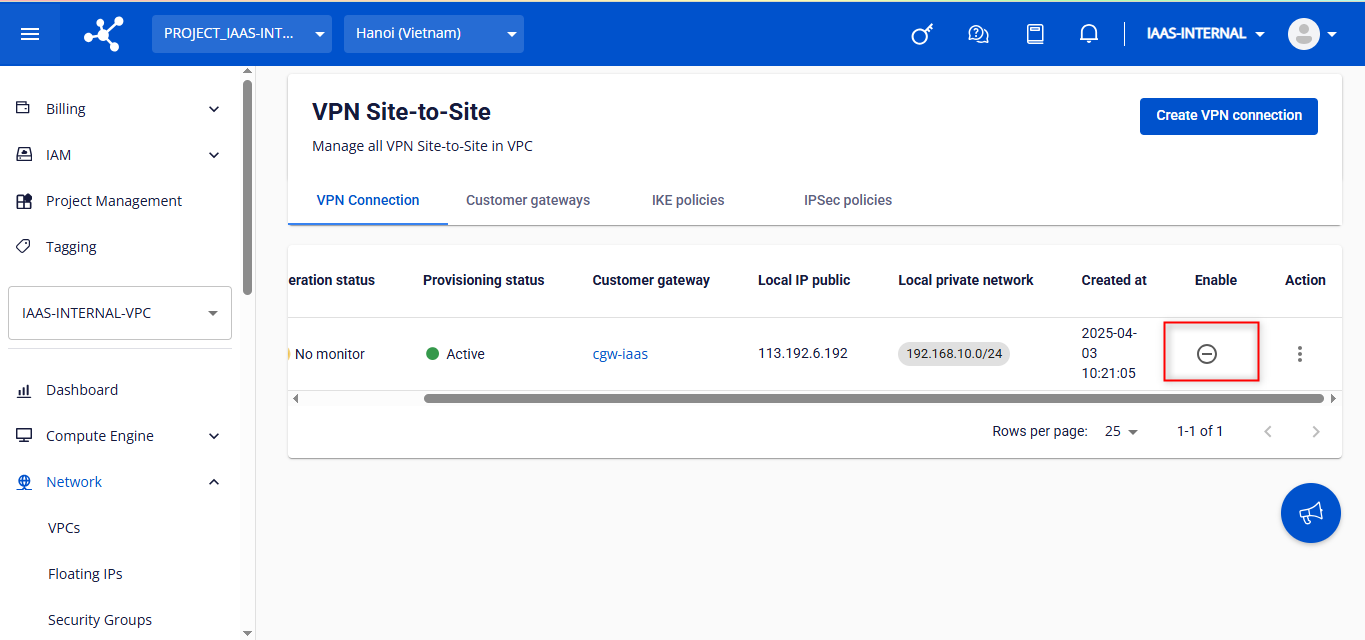
Warning: Disable a VPN connection may take some time. Please wait until the process is completed before performing further actions. Check the VPN connection status once it has been successfully disabled:
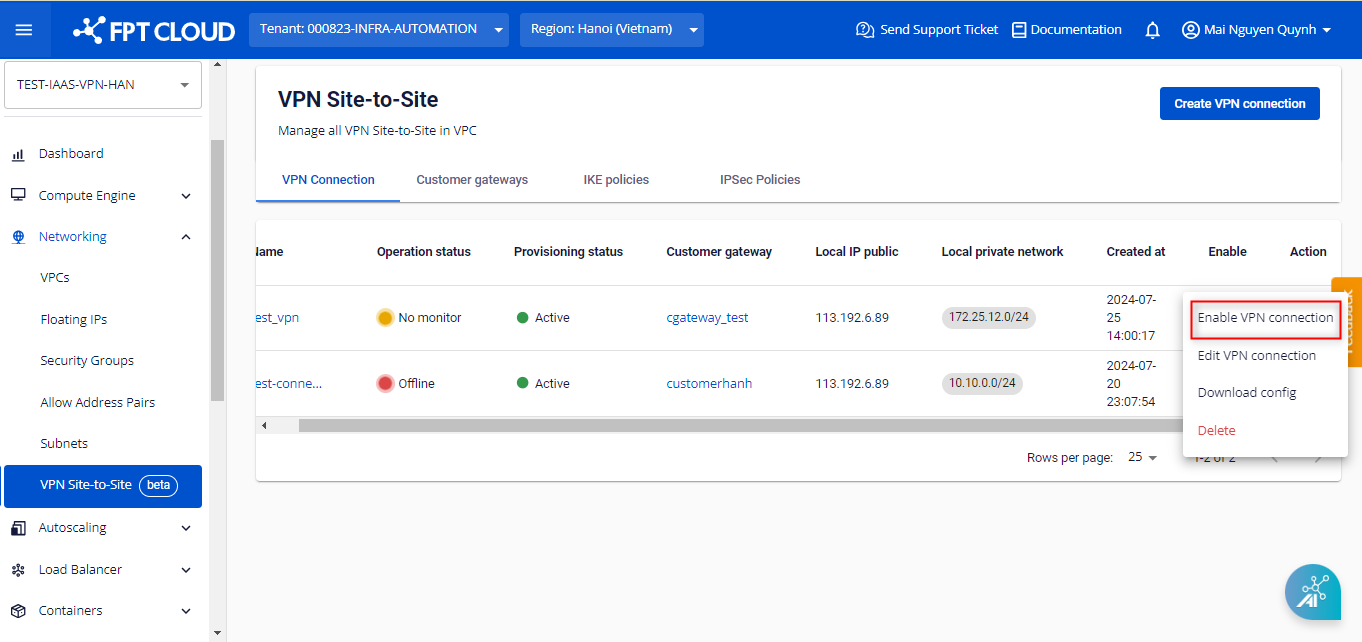
2. Enable VPN Connection To enable a VPN connection, select Enable VPN connection from the Action menu.
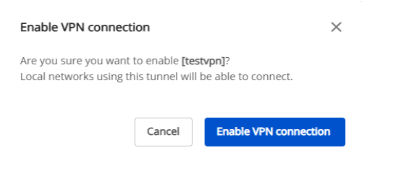
A dialog box will appear — click Enable VPN connection to proceed, or Cancel to abort.
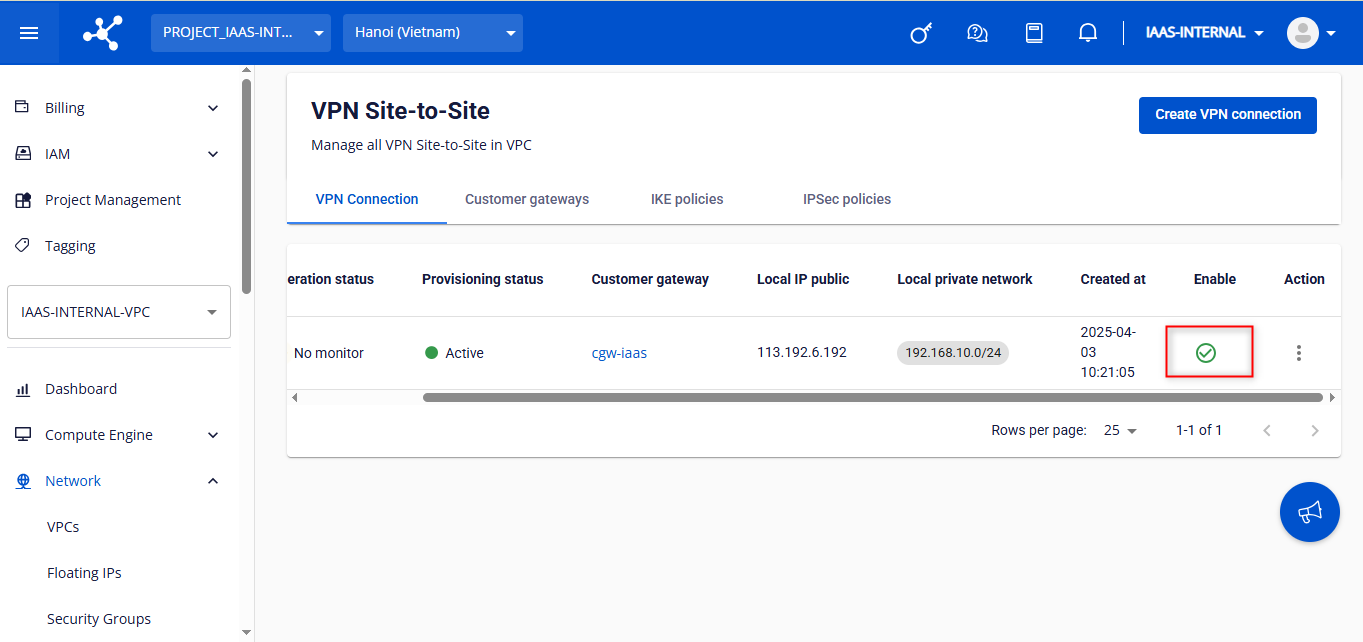
Warning: Enable a VPN connection may take some time. Please wait until the process is completed before performing further actions. Check the VPN connection status once it has been successfully enabled: