Create Vpn
Step 1 : In the Networking menu, select the VPN tab .
 Step 2 : Select Create.
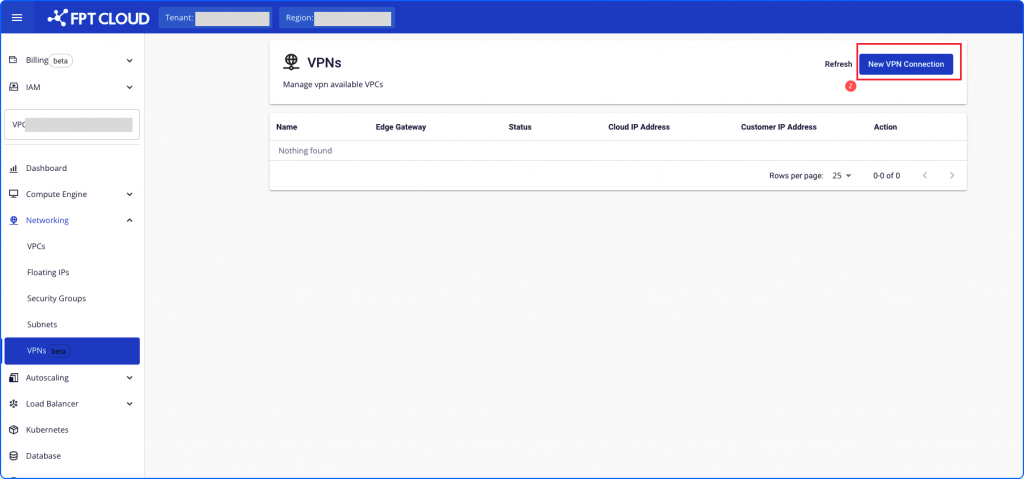 Step 3 : On the Config page when initializing the VPN, declare the required information fields
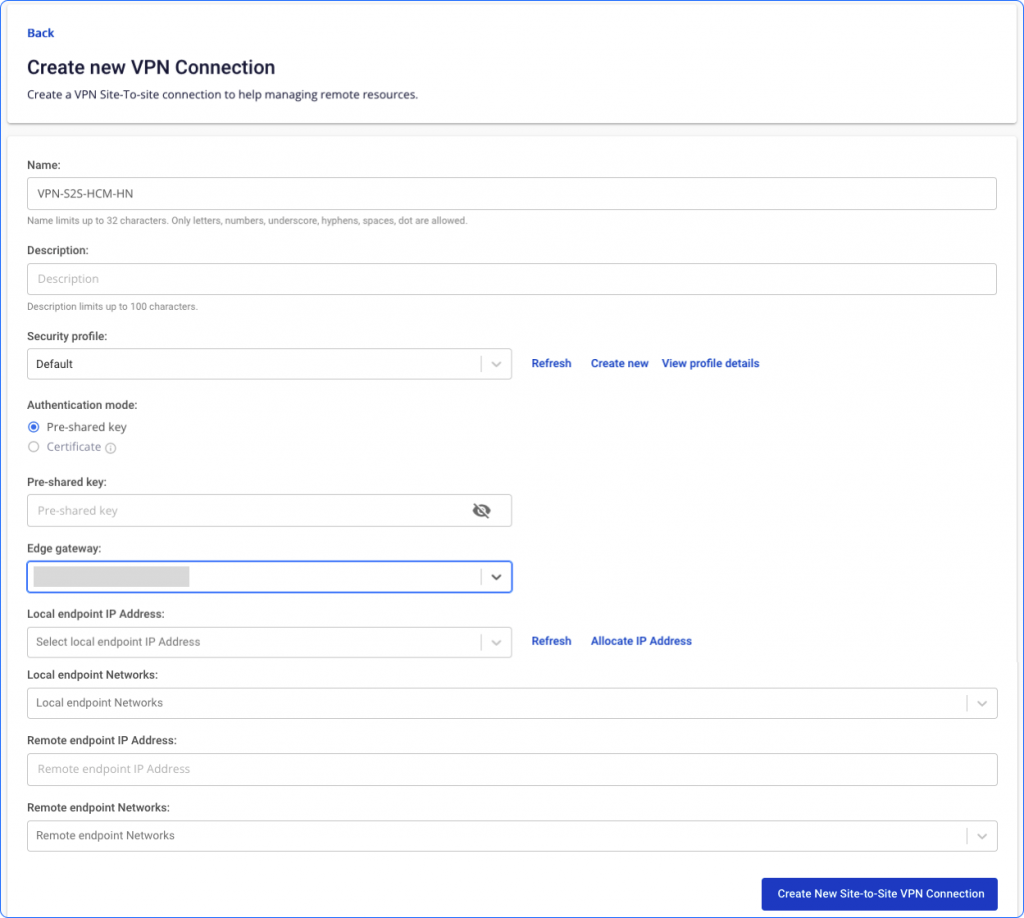 Parameters include:
| Field | Explain | Limit |
|---|---|---|
| Name | Name VPN Site-to-Site | GLimit up to 32 characters. Only letters, numbers, underscores, dashes, spaces, and dots are allowed. |
| Description | Site-to-Site VPN connection explained | 100-character limit |
| Security Profile | Connection security type | |
| Authentication mode | Authentication methods | - Currently, Unify Portal does not support Certificate authentication. |
| Pre-shared key | A secret key is included in each peer. | There must be 8-32 characters. Valid characters: A-Z, a-z, 0-9, _ and. |
| Edge gateway | - Edge gateways are responsible for handling the workload of enterprise applications. - Besides, there is the ability to perform network functions such as protocol compilation. It also adds firewall protection or wireless connectivity. | Choose from the list |
| Local endpoint IP Address | IP public is issued from the FPT Cloud system | - This IP is not attached to any VPC or any other service - Can use 1 IP address for multiple VPN connections |
| Local endpoint Networks | Network on the Cloud. | These networks must not overlap each other (if there are many other VPN connections, the VPN connections must not overlap with each other, must not overlap with remote endpoint networks Can manually enter Local endpoint Network addresses Có thể nhập thủ công địa chi Local endpoint Network |
| Remote endpoint IP Address | IIP public direction On- | IP address version 4 |
| Remote endpoint Networks | Network direction On-premises | These networks must not overlap with each other (if there are many other VPN connections, the VPN connections must not overlap with each other, must not overlap with local endpoint networks |