Edit Customer Gateway
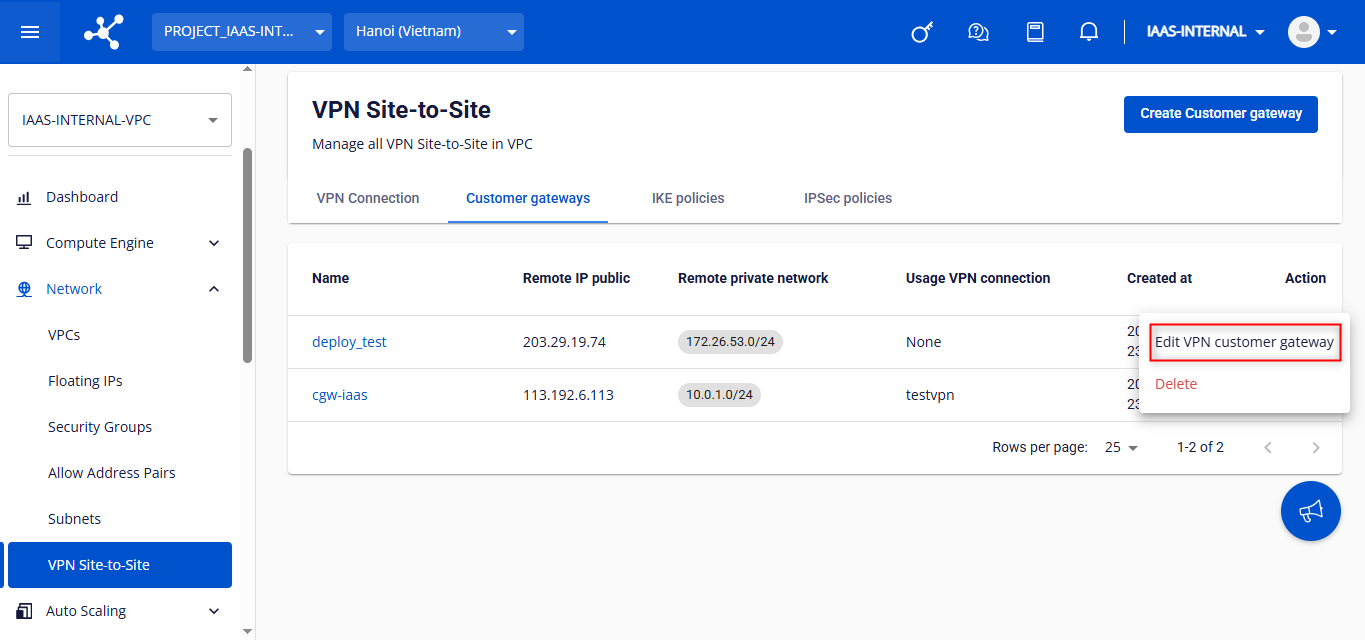
Note: A Customer Gateway can only be edited when it is not assigned to any VPN Connection. To edit a Customer Gateway, follow the steps below: Step 1: On the Customer Gateway list screen, click Edit Customer Gateway in the Action column of the Customer Gateway you want to modify.
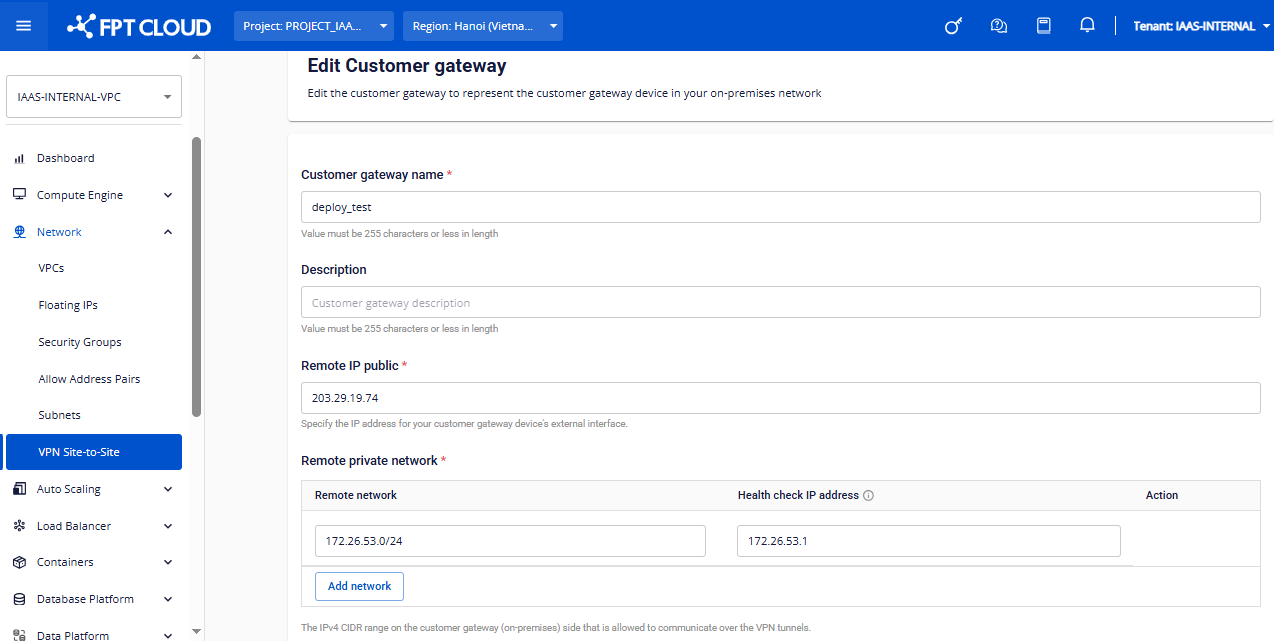
Step 2: Edit the following information:
| | Field | Description |
| --- | --- | --- |
| Customer gateway name | Name of the Customer Gateway. |
| Description | Description of the Customer Gateway. |
| Remote IP public | Public IP address of the on-premise VPN connection. |
| Remote network | Subnet of the on-premise network. |
| Healthcheck IP address | IP address used to monitor the health status of the VPN connection between the two sites. |
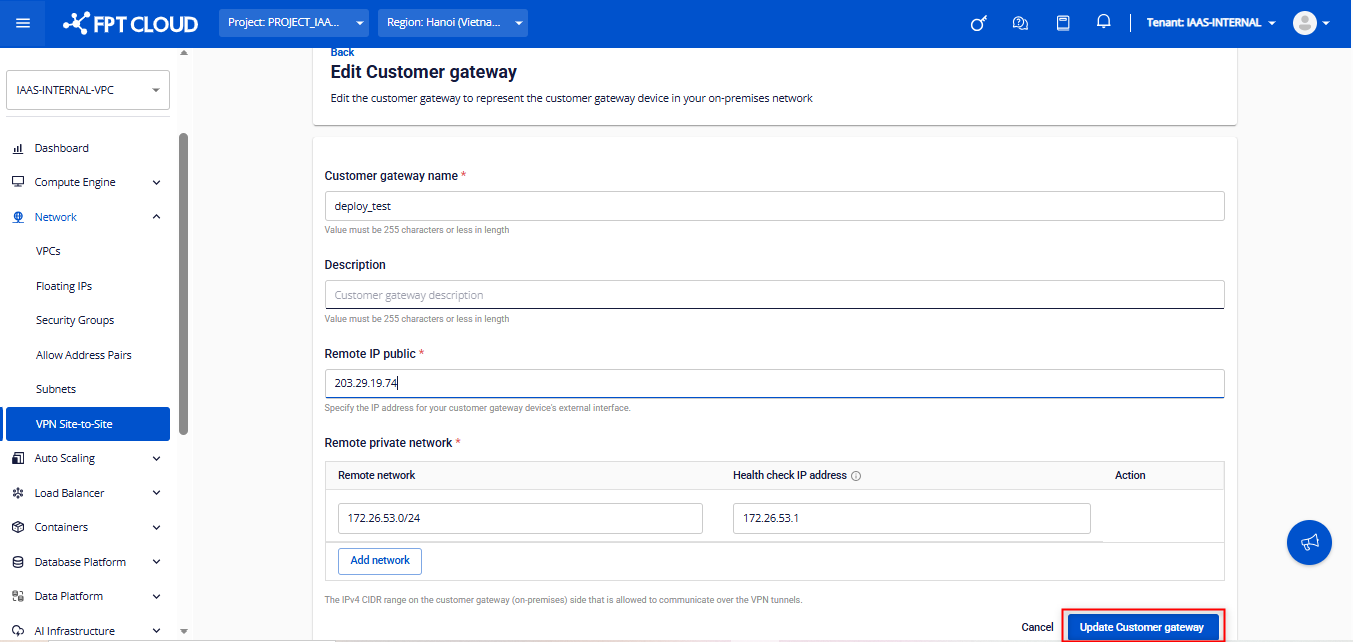
Step 3: Click Update Customer Gateway to save the changes, or Cancel to discard.