View Vpn
Step 1 : Click on the VPN name on the VPN management page.
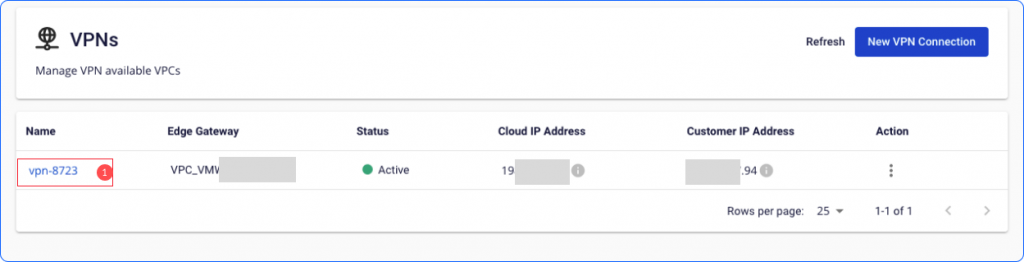 Step 2 : The VPN's information will appear in the Status Tab, including:
- Connection information.
- Error information.
- Traffic.
- Connection instructions, VPN test.
To sync at the current time, please click the Refresh button. By default, the system will update periodically.
 Step 3: Connection configuration information at the Connection Info Tab
Click Download Config if you need to save information about the *.txt file
Step 3: Connection configuration information at the Connection Info Tab
Click Download Config if you need to save information about the *.txt file
