Create A Vpn Connection
Step 1: On the VPN Connection List screen, click Create VPN Connection to create a new connection. 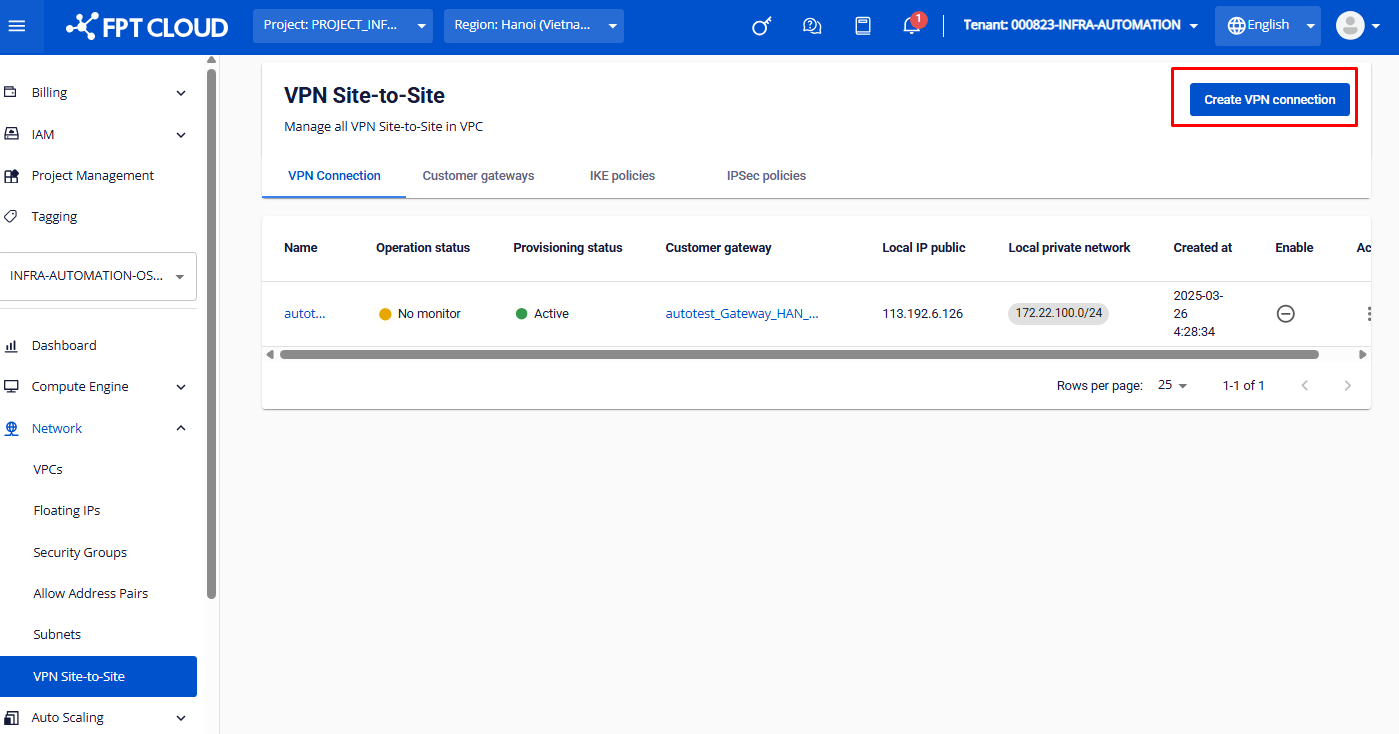 Step 2: Initialize the VPN Gateway and click
| Field | Description |
|---|---|
| VPN name | Name of the VPN connection. It’s recommended to use an easy-to-remember name (e.g., vpn_to_aws). |
| Description | Short description (optional) to help distinguish between different connections. |
| Pre-shared key | Shared security key between both sides (can be manually defined or system-generated). |
| Local IP Public | Public IP address on the FPT side. |
| Local private networks | Internal network ranges to be connected (enter in CIDR format; multiple entries supported). |
| IPSec policy | Encryption policy for Phase 2 |
| IKE policy | Encryption policy for Phase 1 |
| Customer gateway name | List of Customer Gateways you have created (to add a new Customer Gateway, please follow the guide here). |
| Delay | Waiting time between retry attempts (in seconds). |
Note: To ensure stable connectivity and minimize interruption risks, we recommend configuring the DPD Delay and Max Failure parameters on the FCI side to match those on your partner device (e.g., AWS, Fortigate...) in the VPN connection.
For providers:
AWS:
| Delay | Max failure |
|---|---|
| 15 | 3 |
Fortigate:
| Delay | Max failure |
|---|---|
| 15 | 3 |
| If you adjust configuration parameters on the provider side, please update the corresponding settings on the FCI side to ensure compatibility and maintain optimal VPN connection stability. | |
| Max failures | Maximum number of retry attempts before the connection is marked as failed. |
Step 4: Click Create VPN Connection to complete the setup. 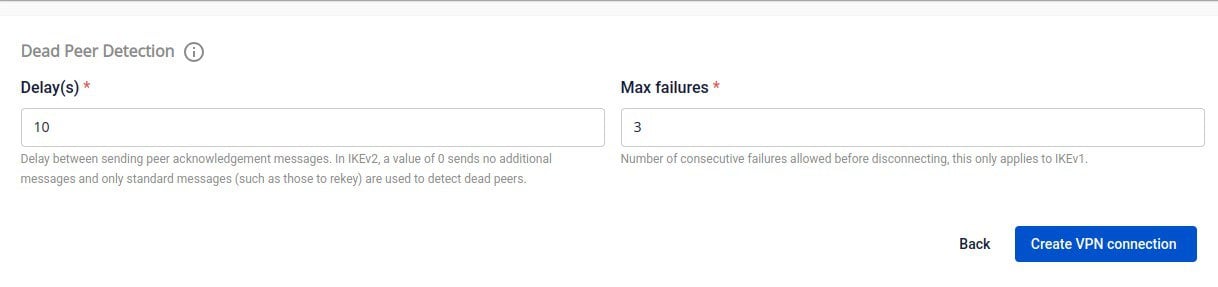 |