Monitoring Service Through Logging Feature Guide
Step 1: On the display screen, select Logging from the horizontal menu bar.
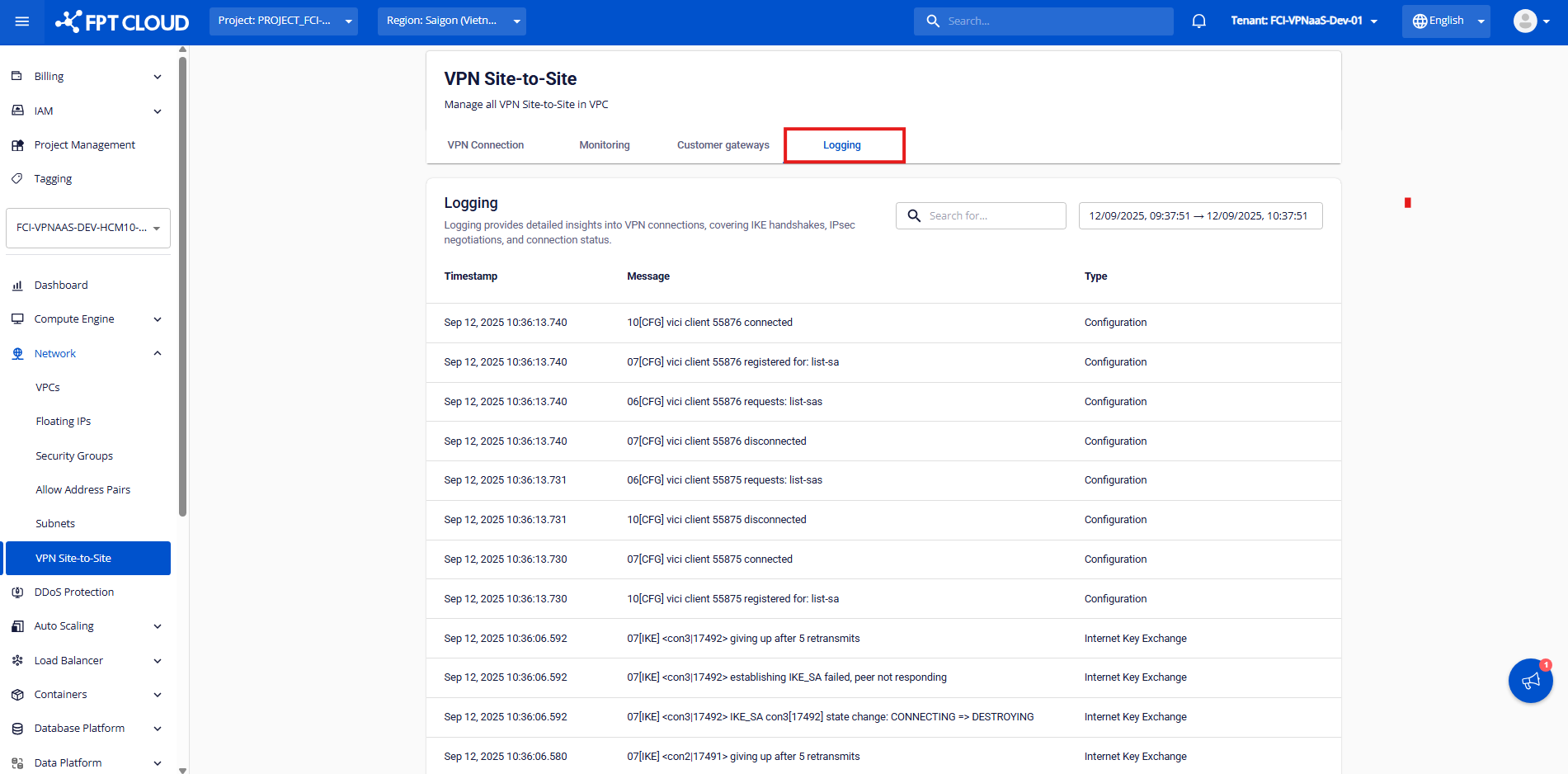 Step 2: You can monitor the service activity history.
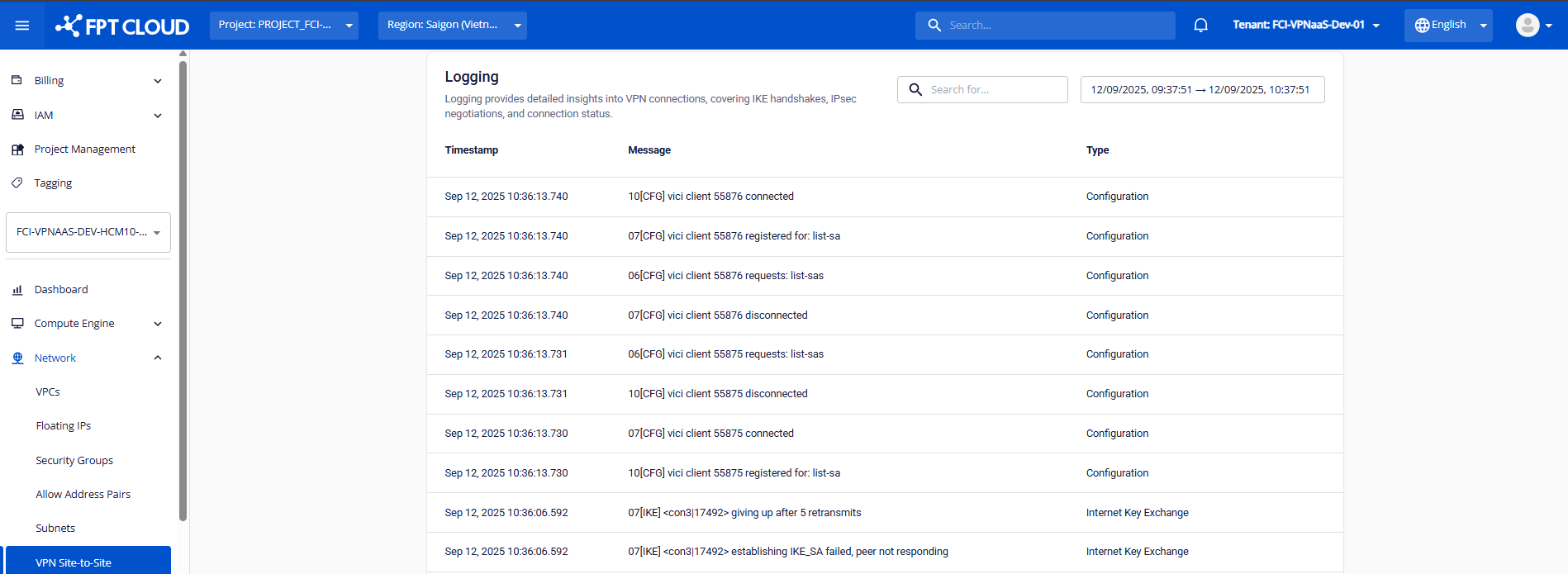
- Currently, FPT Smart Cloud provides the following system log types:
| Type | Description |
|---|---|
| IKE (Internet Key Exchange) | Information about Phase 1 setup – key exchange. |
| CFG (Configuration) | Information about Phase 2 setup – tunnel configuration. |
| NET (Network) | Information about communication between peers via UDP 500/4500. |
| KNL (Kernel) | Information about route or route policy configuration. |
| ENC (Encryption) | Information about encryption/decryption during handshake. |
| DPD (Dead Peer Detection) | Information about peer health checks. |
| LIB (Library) | Information about internal library calls within the Charon engine. |
| ESP (Encapsulating Security Payload) | Information about Security Association (SA) setup using IPsec. |
| TRC (Traffic) | Information about sending encrypted traffic packets. |
| System | Information about other system logs. |
| Common log messages | |
| Content | Message logs |
| --- | --- |
| Successful log samples | N/A |
| IKE Phase 1 successful | [IKE] IKE_SA established between 192.0.2.90[192.0.2.90]...192.0.2.74[192.0.2.74] |
| IPSec Phase 2 successful | [IKE] CHILD_SA established with SPIs cf4973bf_i c1cbfdf2_o and TS 192.168.48.0/24/0 === 10.42.42.0/24/0 |
| Traffic successful | [NET] sending packet: from x.x.x.x[4500] to x.x.x.x[4500] (80 bytes) |
[NET] received packet: from x.x.x.x[4500] to x.x.x.x[4500] (80 bytes) | Data packets were successfully transmitted through the tunnel. Port 4500 indicates that NAT-T is being used. The presence of both send and receive logs confirms stable peer communication. |
| Rekey successful | CHILD_SA con4{97} state change: REKEYING => REKEYED |
| Reauthentication successful | IKE_SA reauthentication completed |
| PSK authentication successful | authentication of 'IP' with pre-shared key successful |
| Failure log samples | N/A |
| Incorrect negotiation mode in IKE Policy – Phase 1 | Initiator side logs: |
[IKE] initiating Aggressive Mode IKE_SA con2[1] to 203.0.113.5 | |
[IKE] received AUTHENTICATION_FAILED error notify | |
[ENC] parsed INFORMATIONAL_V1 request 1215317906 [ N(AUTH_FAILED) ] |
Responder side logs:
Aggressive Mode PSK disabled for security reasons
Generating INFORMATIONAL_V1 request 2940146627 [ N(AUTH_FAILED) ] | The negotiation mode in Phase 1 is mismatched between both peers. Please recheck the Phase 1 negotiation mode setting in the VPN connection details. |
| Incorrect information in IKE Policy – Phase 1 | Initiator side logs:
[ENC] parsed INFORMATIONAL_V1 request 4216246776 [ HASH N(AUTH_FAILED) ]
[IKE] received AUTHENTICATION_FAILED error notify
Responder side logs:
[CFG] looking for pre-shared key peer configs matching 203.0.113.5...198.51.100.3[someid]
[IKE] no peer config found | Phase 1 authentication failed. Please verify the IKE Policy configuration on both sides. |
| Mismatched Pre-shared Key between peers | Connection logs:
charon: 09[ENC] invalid HASH_V1/ID_V1 payload length, decryption failed?
charon: 09[ENC] could not decrypt payloads
charon: 09[IKE] message parsing failed | Authentication failed. Please verify that both peers are using the same pre-shared key. |
| Incorrect IKE Policy configuration – Phase 1 | Connection logs:
[IKE] no proposal found
[ENC] generating INFORMATIONAL_V1 request 3851683074 [ N(NO_PROP) ]
[IKE] received NO_PROPOSAL_CHOSEN error notify | Incorrect encryption or algorithm settings in Phase 1. Please recheck the IKE Policy configuration on both ends. |
| Incorrect IPsec Policy configuration – Phase 2 | Connection logs:
[IKE] no matching CHILD_SA config found
[ENC] generating INFORMATIONAL_V1 request 1136605099 [ HASH N(INVAL_ID) ]
[IKE] received NO_PROPOSAL_CHOSEN error notify | Phase 2 authentication failed. Please review the IPsec Policy configuration on both sides.
This may also occur if the remote subnet declared in the Customer Gateway is incorrect. |
| Mismatched peer ID information | Connection logs:
[IKE] remote host is behind NAT
[IKE] IDir '192.0.2.10' does not match to '203.0.113.245' | Peer ID mismatch detected. If NAT IP is used, please verify Local/Remote ID configuration. For VPN connections using NAT IP, refer to the corresponding setup guide. |