Access Clusters Detail Information
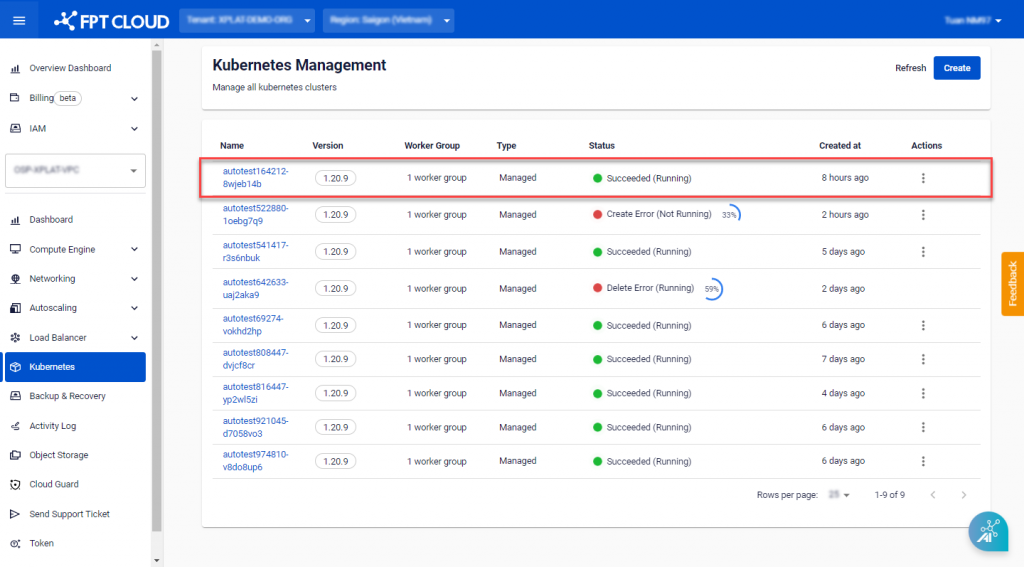
Step 1 : In the menu, select Kubernetes , and the system will display the Kubernetes Management page. Choose the Managed tab. Select the Cluster you want to view detailed information about.
 Step 2 : The Overview tab will show various details about the Cluster.
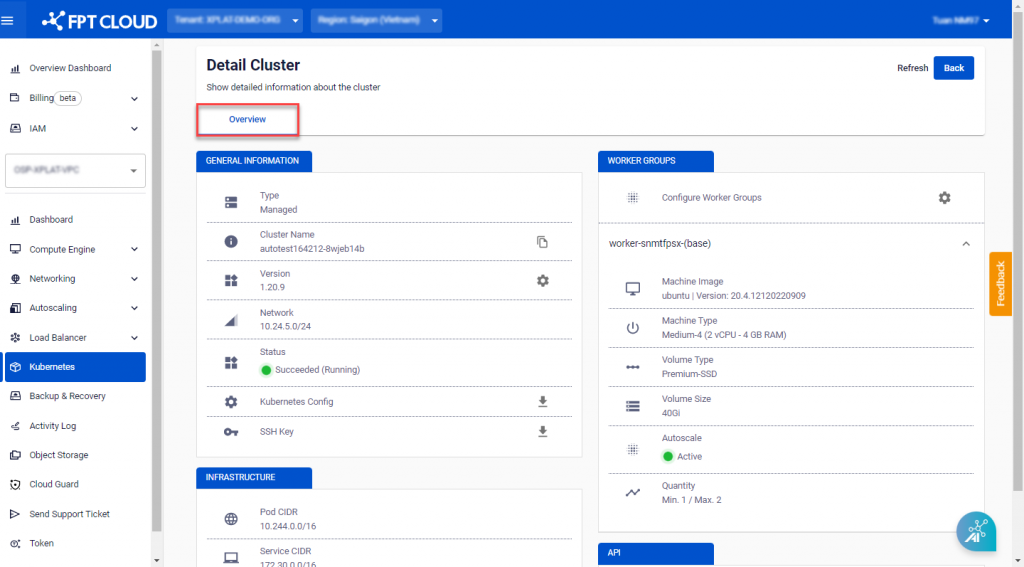
- GENERAL INFORMATION : Basic information about the cluster, including Cluster Name, Kubernetes Version, Network, and Status.
- Worker Groups Config : A list of Worker Groups and the configuration of Worker Nodes, including Min/Max quantity, CPU, Memory, and Disk.
- Advance Config : Advanced parameters of the Kubernetes Cluster (Pod-network, Service-network, etc.).
- API : API URL.
- Kubernetes Config : Download the .kubeconfig file for accessing the cluster.
- SSH Key : Download the ssh-key file for accessing worker nodes.