Enable Cluster Autoscale
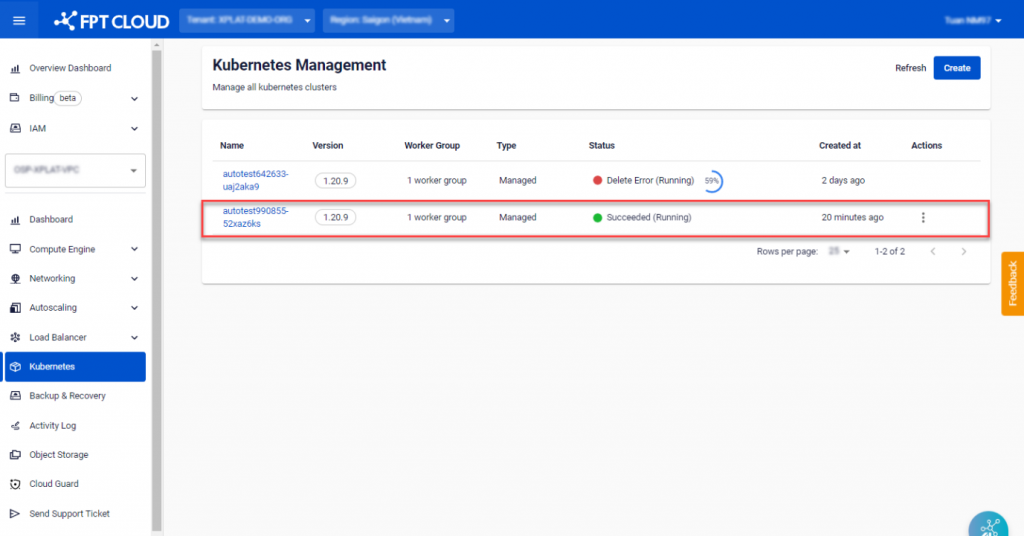
Step 1 : In the menu, select Kubernetes , and the system will display the Kubernetes Management page. Choose a Cluster that you want to enable Cluster Autoscale.
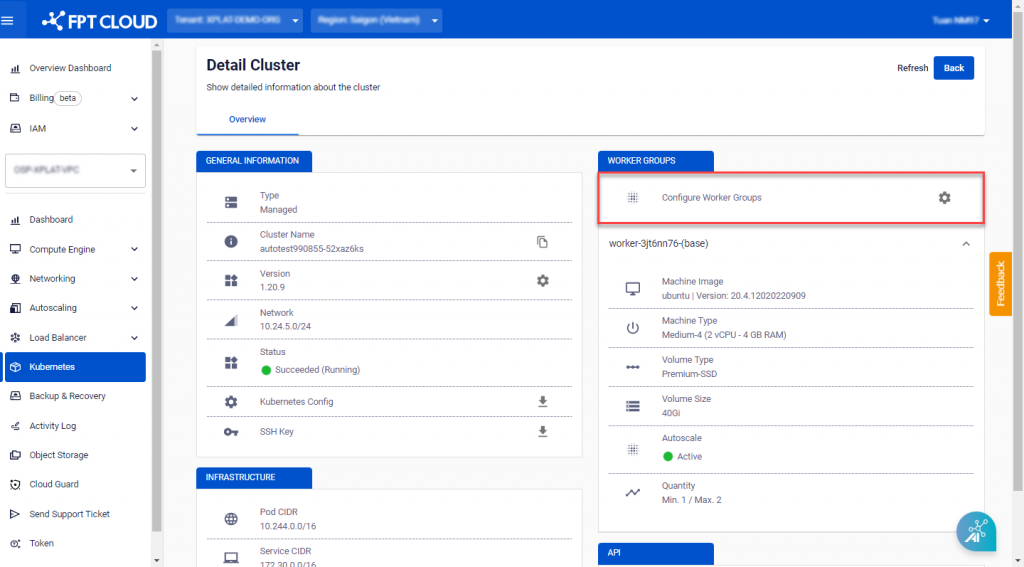
 Step 2 : Click Configure Worker Groups.
 Step 3 : Adjust the minimum and maximum number of workers based on the chosen sizing.
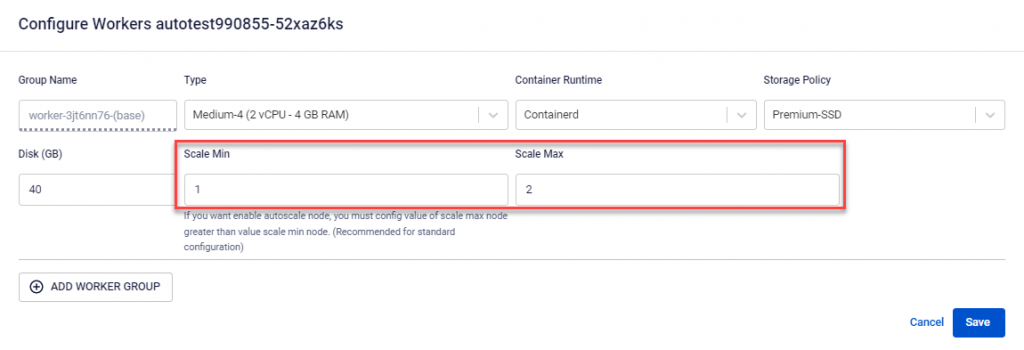 Note: When the maximum worker count is greater than the minimum worker count, the Cluster Autoscale feature will be automatically enabled.
Step 4 : Verify the information and click Save to enable the Cluster Autoscale feature.
Note: When the maximum worker count is greater than the minimum worker count, the Cluster Autoscale feature will be automatically enabled.
Step 4 : Verify the information and click Save to enable the Cluster Autoscale feature.