Addding Gpu Worker Group
Prerequisites:
- CPU, GPU, RAM, Storage, and Instances Quota : enough for the extra Worker Group specifications. If you plan to use auto-scale, you must have enough GPU quota for the maximum amount of nodes that you desire.
- 01 Network Subnet : Network for the Kubernetes Nodes, with a static IP Pool.
Steps to configure
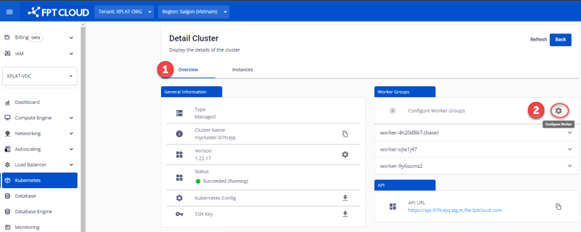
Step 1 : Login to the FPT Cloud Portal. From the sidebar menu, choose Kubernetes > Choose the cluster to config. In Detail Cluster > Worker Group > click the Config Icon
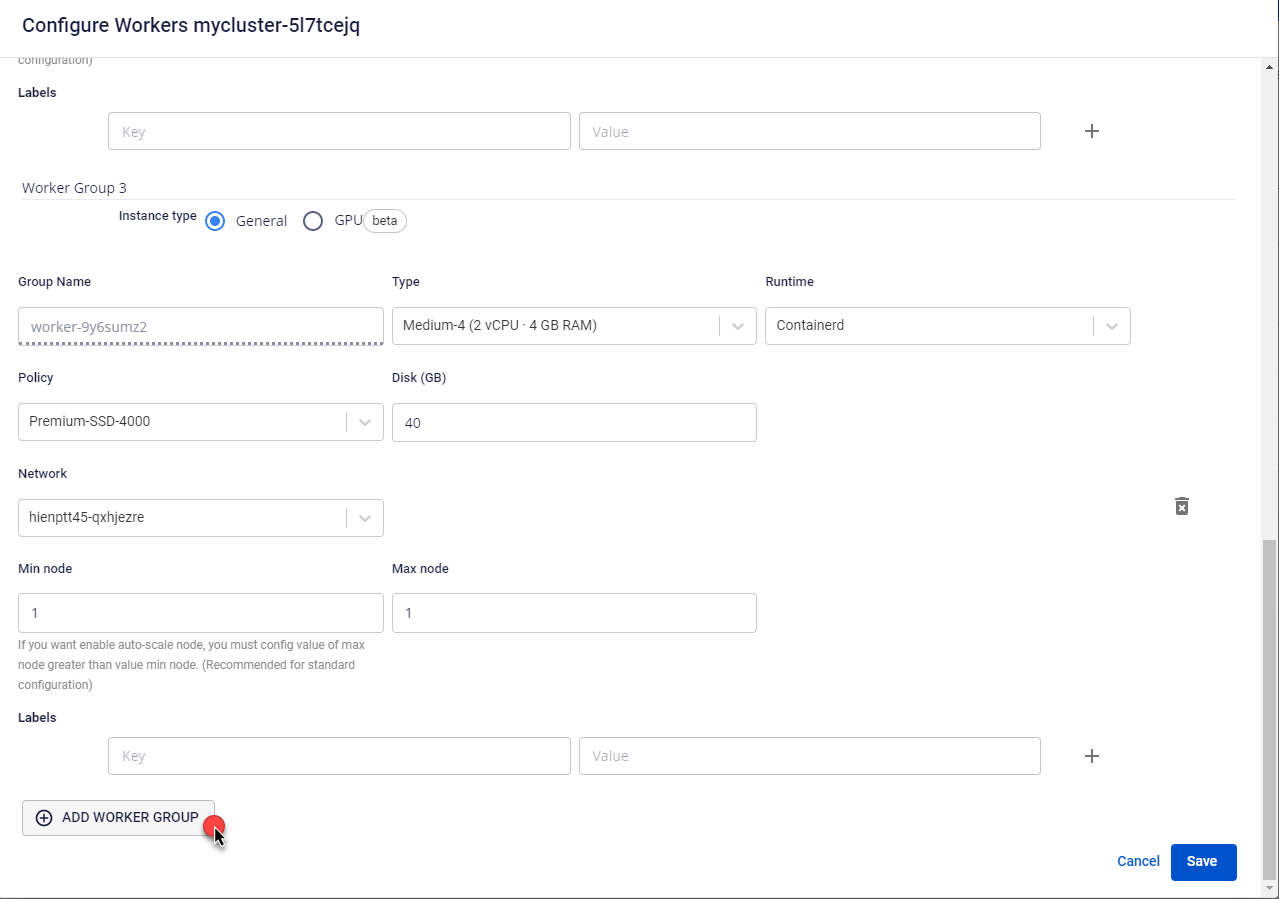
 Step 2 : Click Add Worker Group to add a new Worker Group.
 Step 3 : Select GPU specs in the Worker Group.
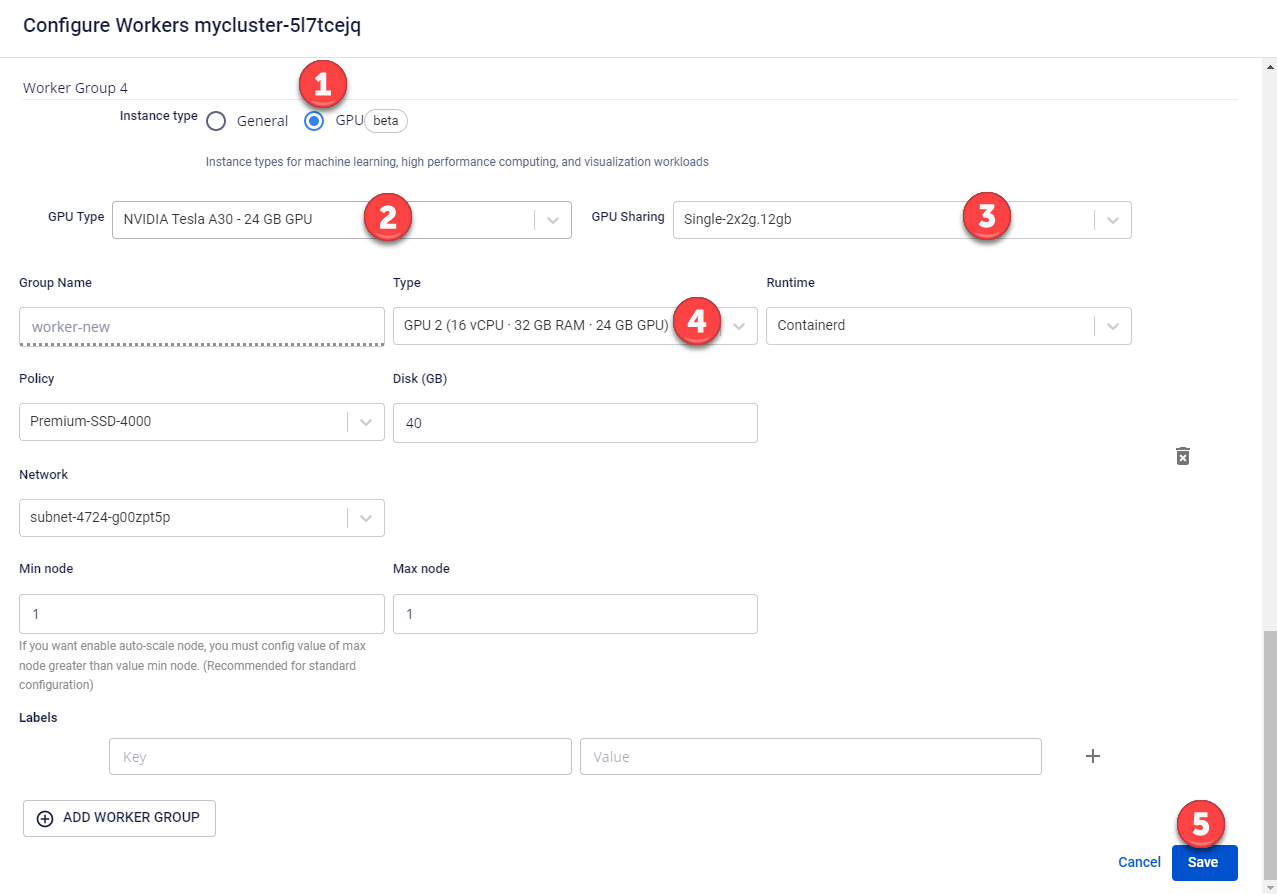
- Choose Instance type : GPU
- Choose GPU type : A30, A100, etc…
- Choose GPU Sharing configuration : None, Single, Mixed, etc…
- Choose Specs type : CPU – RAM – GPU
Step 4 : Click Save and verify the initialization information. Step 5 : Wait until the cluster succeeds initialize (status: Running) > Ready to use.