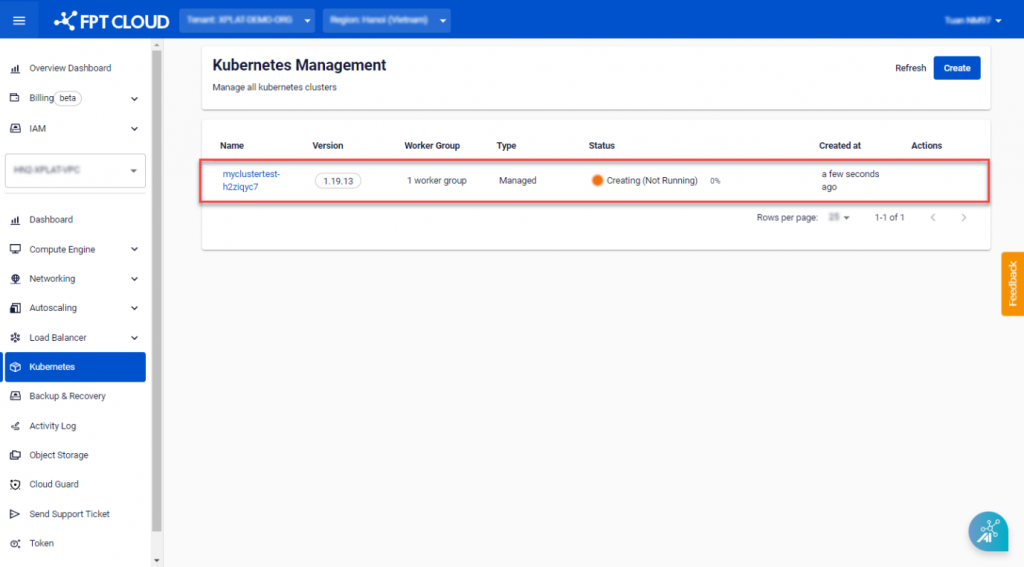
Create New K8S Cluster
Note: Some mandatory conditions for performing this operation:
- CPU, RAM, Storage , and Instance quotas must be sufficient for the desired Cluster configuration.
- 01 Public IP Available: Used for the Kubernetes API.
- 01 Standard LB : Used for M-FKE management.
- 01 VM Network : Network used for Kubernetes Nodes. Create a Subnet with a Static IP Pool as instructed here.
Step 1 : In the FPT Portal menu, select Kubernetes > Create.
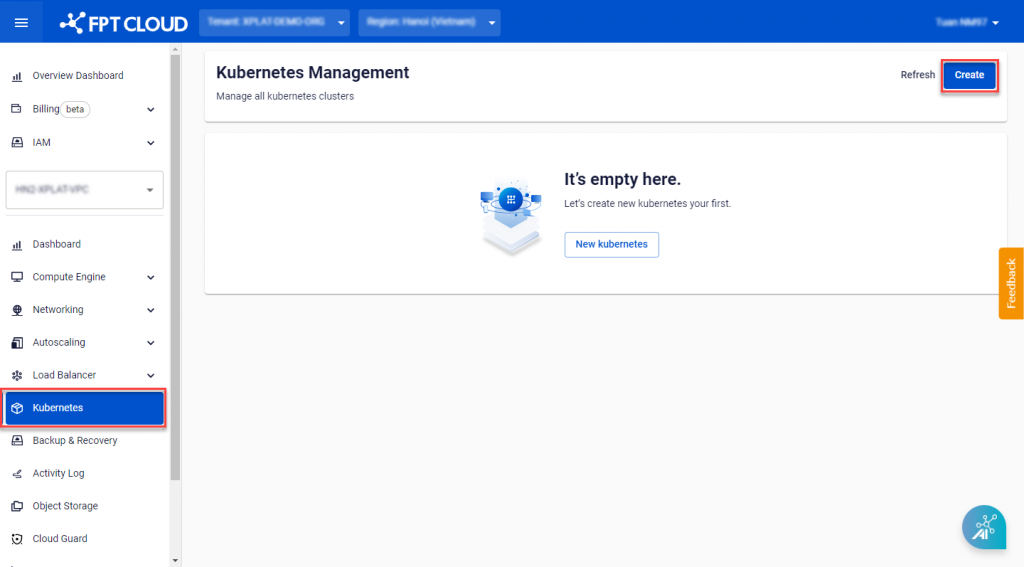 Step 2 : Configure the Cluster according to your needs.
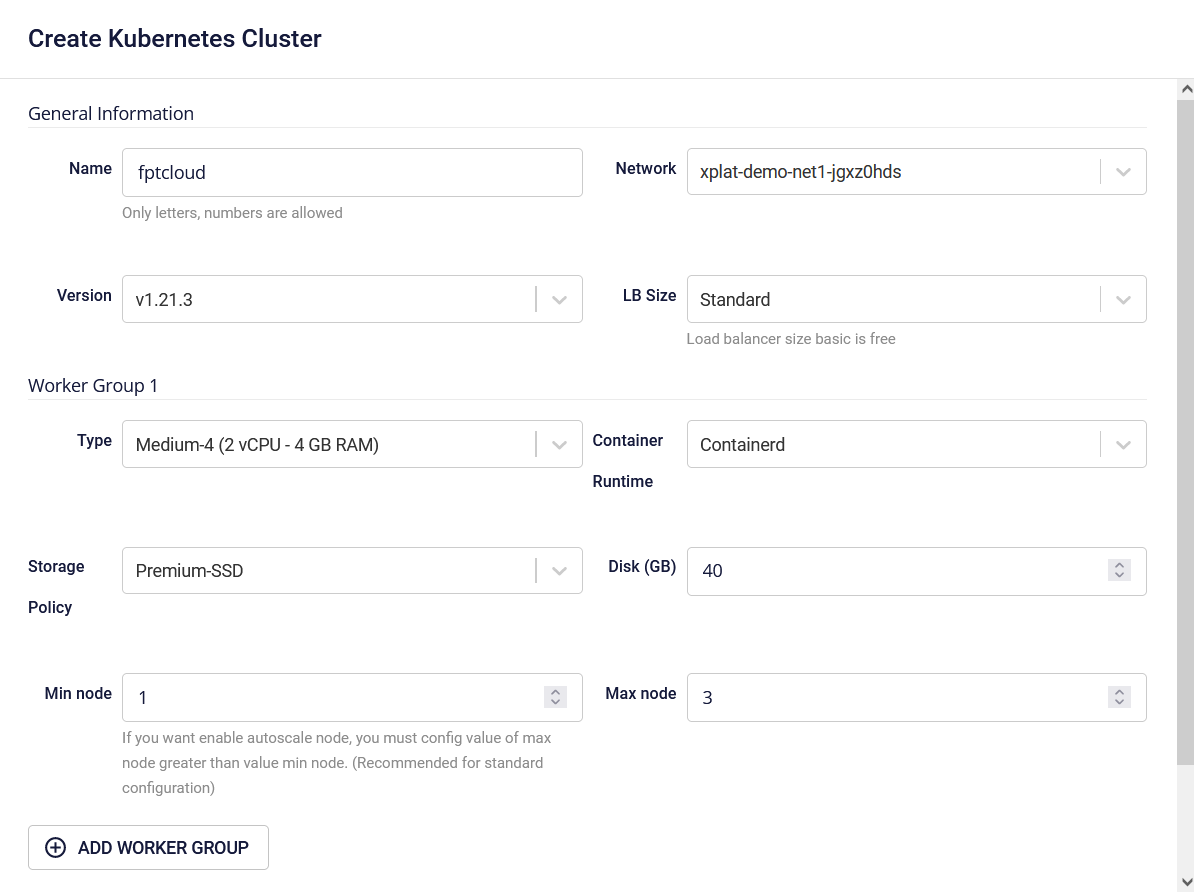
A. General Information:
- Name : Enter the Cluster name.
- Version : Choose a Kubernetes version.
- Network : Subnet used to deploy VMs for the Kubernetes Cluster.
B. Worker Group Configuration:
M-FKE manages worker nodes through Worker Groups , a group consisting of worker nodes with similar configurations. Users can divide worker groups for suitable applications. The system requires a minimum of 01 Worker Group (Base), and users cannot remove this base worker group.
B.1 Worker Group 1:
- Type : Choose the configuration (CPU & Memory) for the Worker Node.
- Container Runtime : Containerd.
- Storage Policy : Choose the Storage Policy type (corresponding to IOPS) for the Worker Node Disk.
- Disk (GB) : Select the root disk capacity for the Worker Node. (Minimum requirement is 40GB)
- Min Node : The minimum number of VM instances for the Worker Node in the K8s cluster. It is recommended to have at least 03 Nodes for a production environment.
- Max Node : The maximum number of VM instances for a worker group in the K8s cluster.
B.2 Worker Group n:
You can add additional worker groups when initializing the K8s cluster.
C. Advanced Config:
Settings for advanced users. If you do not understand these parameters, leave them as is.
- Pod Network : Network used for Pods in the cluster.
- Service Network : Network used for Services in the cluster.
- Network Node Prefix : Subnet Prefix for Pods in the Node.
- Max Pod per Node : Maximum number of Pods on each Kubernetes Node.
Step 3 : Click Create.
The system will configure, check for resources quota, and initiate the process of creating the Kubernetes Cluster based on the selected configuration.