Upgrade K8S Version
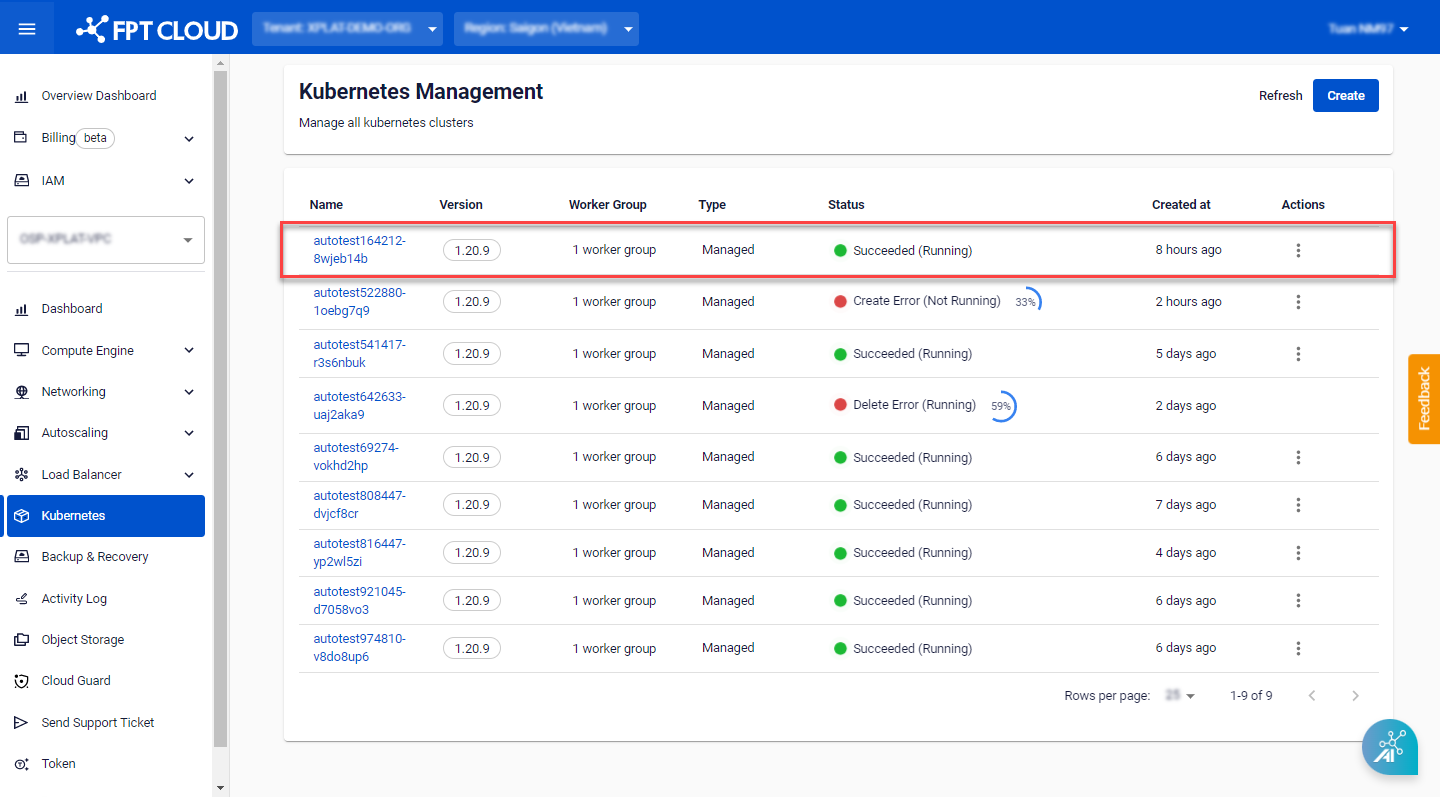
Step 1 : In the menu, select Kubernetes , and the system will display the Kubernetes Management page. Choose a Cluster that you want to upgrade the K8s version.
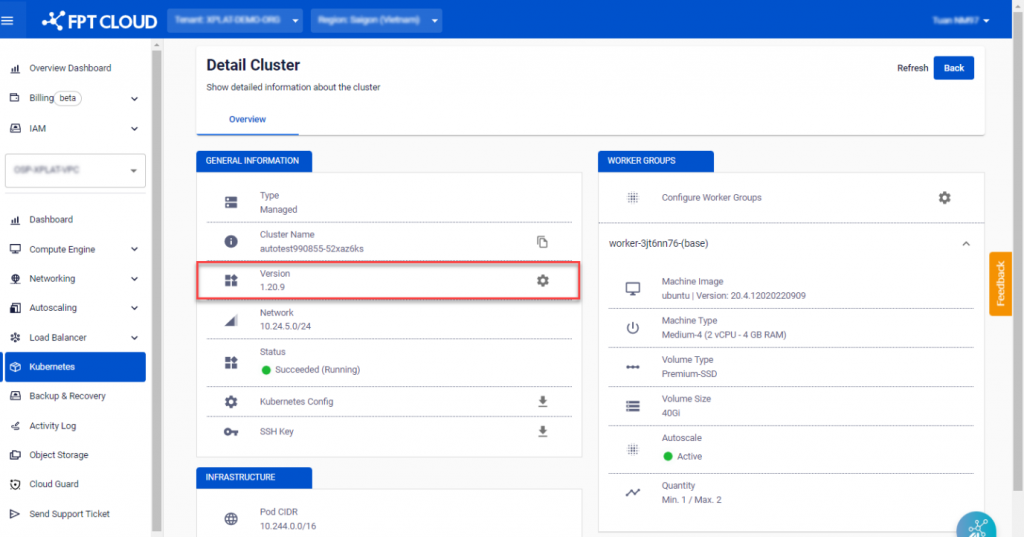
 Step 2 : In the GENERAL INFORMATION > Version section, click on the Setting icon.
 Step 3 : Choose the desired Version and click Upgrade.
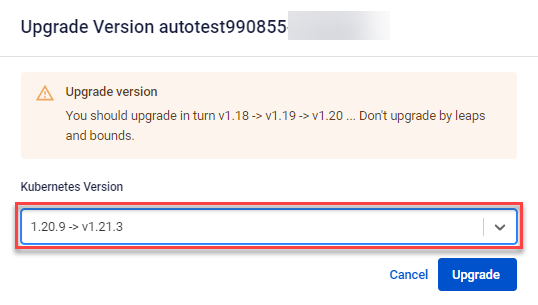 Note : Only version upgrades are possible; downgrading is not supported.
To avoid issues during the processing, it is recommended to upgrade versions sequentially in order.
Note : Only version upgrades are possible; downgrading is not supported.
To avoid issues during the processing, it is recommended to upgrade versions sequentially in order.