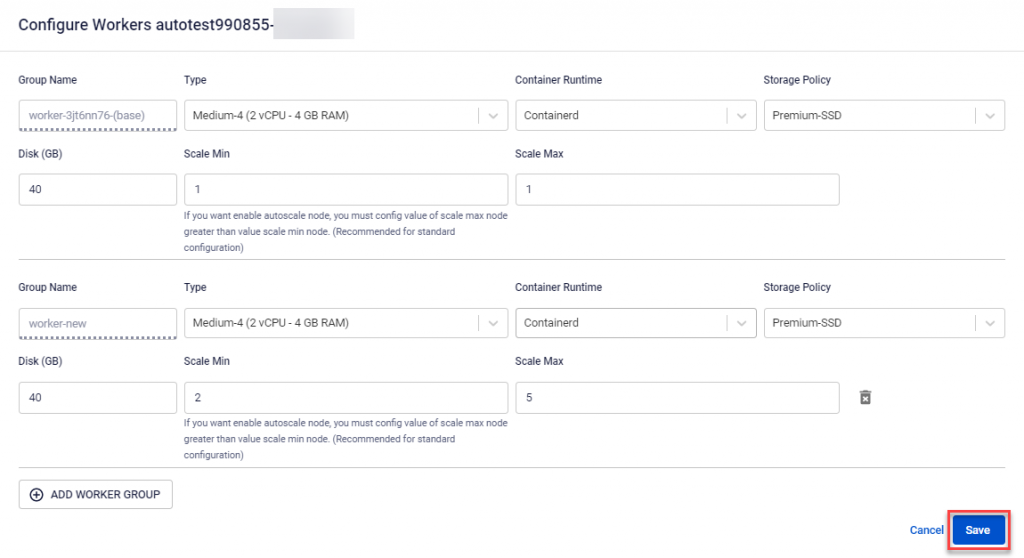
Modify Cluster Autoscale Configuration
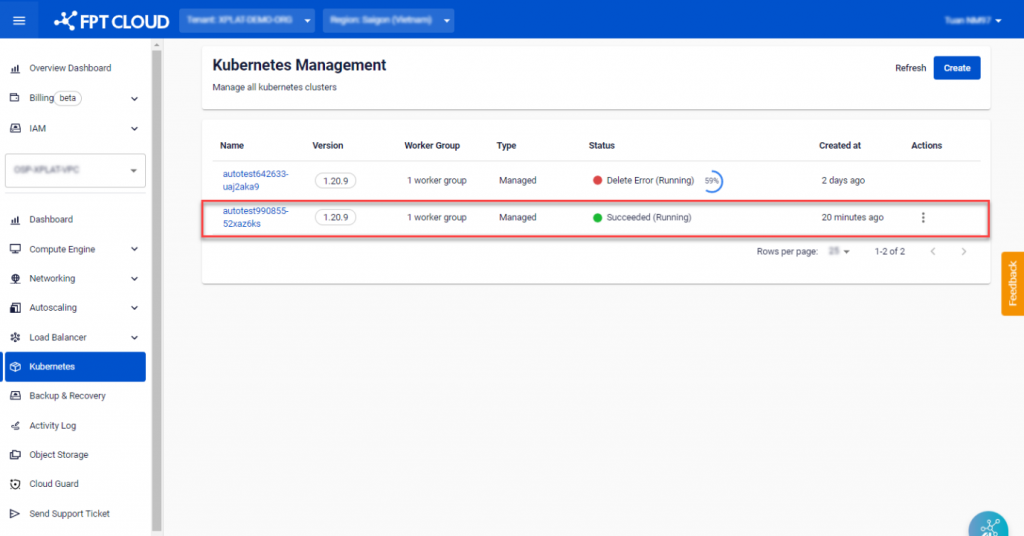
Step 1 : In the menu, select Kubernetes , and the system will display the Kubernetes Management page. Choose a Cluster that you want to customize the Cluster Autoscale configuration.
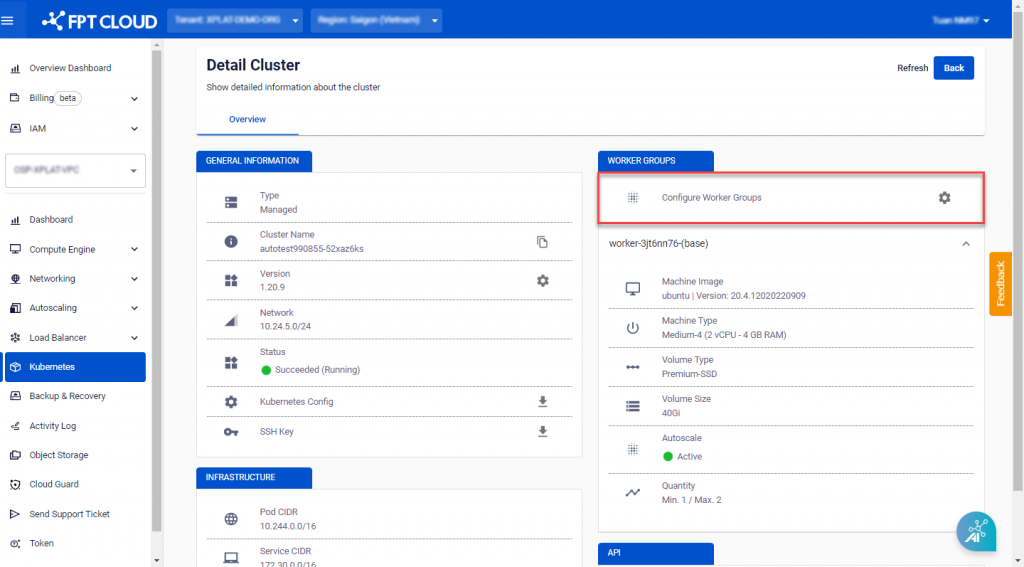
 Step 2 : Click Configure Worker Groups.
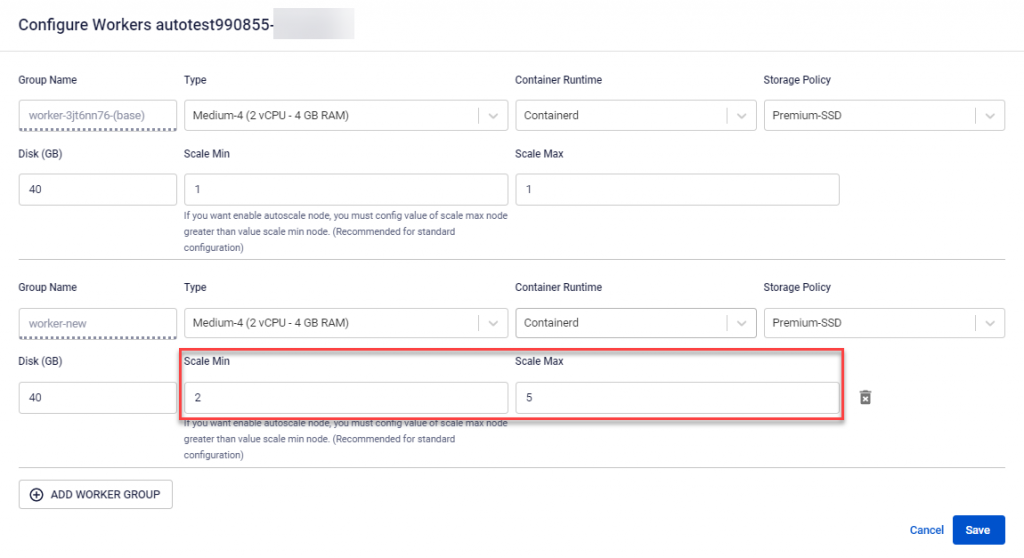
 Step 3 : Adjust the number of workers as per your usage requirements.
 Step 4 : Verify the information and click Save.