Create Version
Purpose : Create a version to save the training information of a model into the system.
To create a new version, follow these steps:
Step 1 : Click on a model to view its details > Select the Version tab.
Step 2 : Click the New version button to open the create form
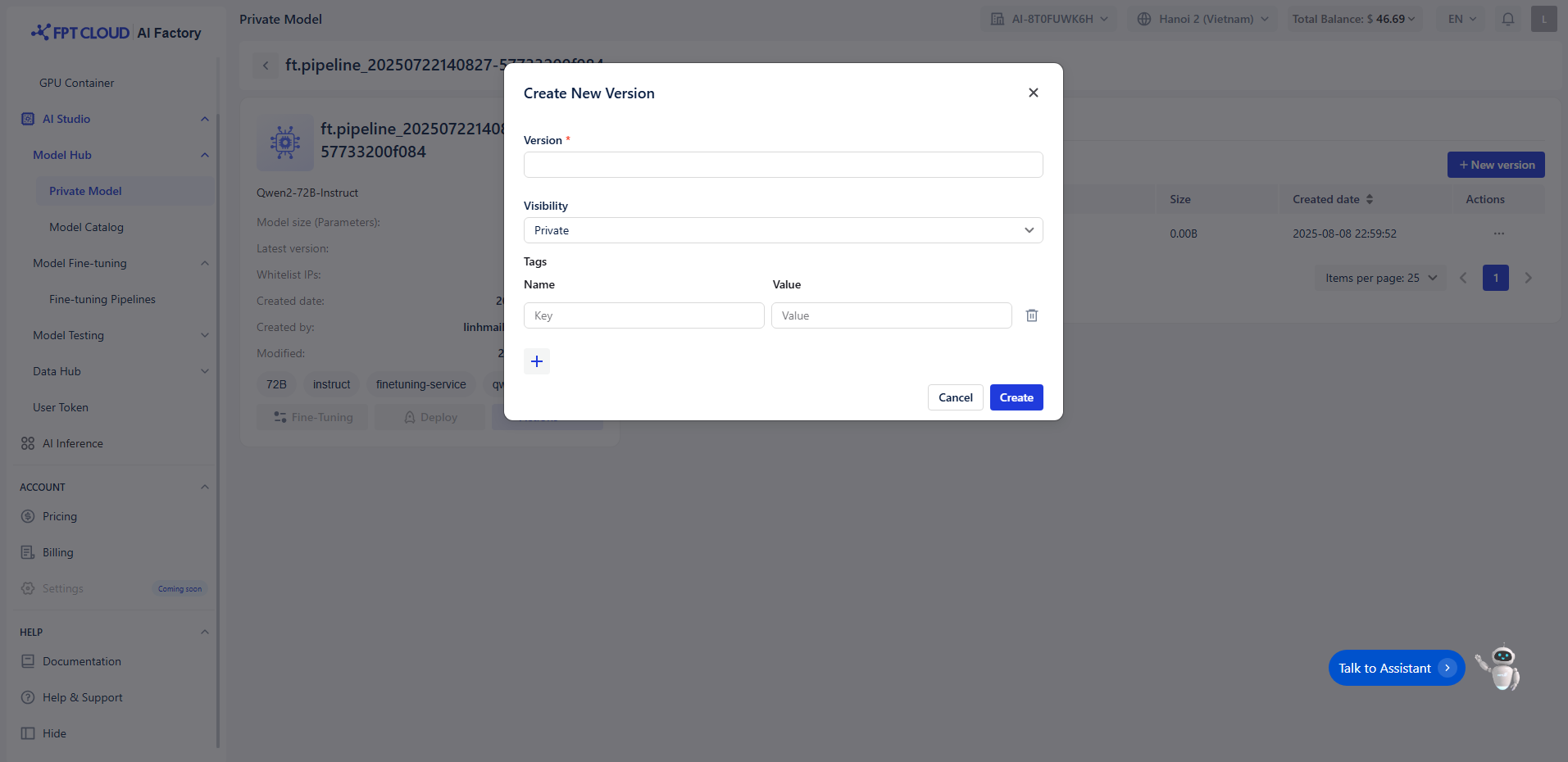 Step 3 : The create version form will appear. Enter the following information:
Version : The version name
Step 3 : The create version form will appear. Enter the following information:
Version : The version name
- Note : The version name can include a-z, A-Z, numbers, "-", "_", ".", and can be up to 20 characters. The version name must be unique for each model.
Version visibility : The visibility status of the version, including: Private or Public. Tags : Add key-value pairs to help categorize or describe this version.
- Key : The tag name
- Value : The tag value
Step 4 : Click Create to create the version.