Delete File
Purpose: Delete the files associated with a version.
To delete files, follow these steps:
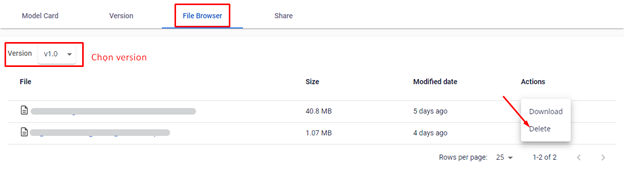
Step 1: Click on a model to view its details > Select the File Browser tab.
Step 2: Click the three dots in the Action column > Select Delete
 Step 3 : A confirmation dialog will appear. To confirm deletion, type "delete" into the text box. The Delete button will be enabled once the text is entered.
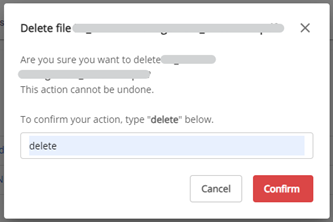 Step 4 : To delete, click the Confirm button. To cancel the action, click Cancel.