View Model Details
A model includes the following components: 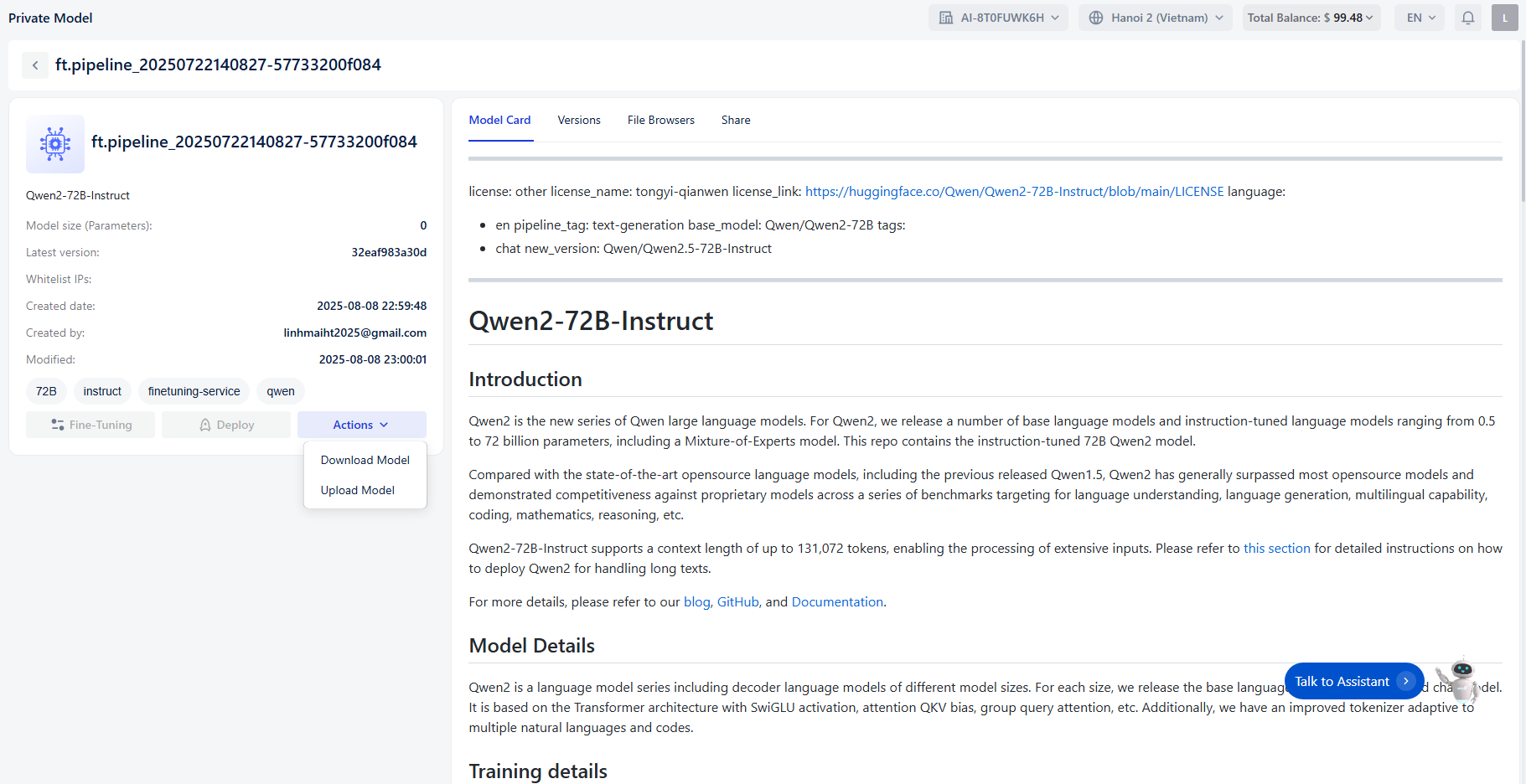
- Model title: The name of the model
- Base model: The base model used
- Model size (Parameters): The total size of the model
- Latest version : The most recent version, created closest to the time of viewing details
- Created date: The date the model was created
- Created by: The user account that created the model
- Modified : The most recent date the model information was updated
- Tags : Tags associated with the model
- Actions : Available actions for the model
- Fine-Tuning
- Deploy
- Download Model
- Upload Model
Model card
Model card: Overview information about the model
Versions
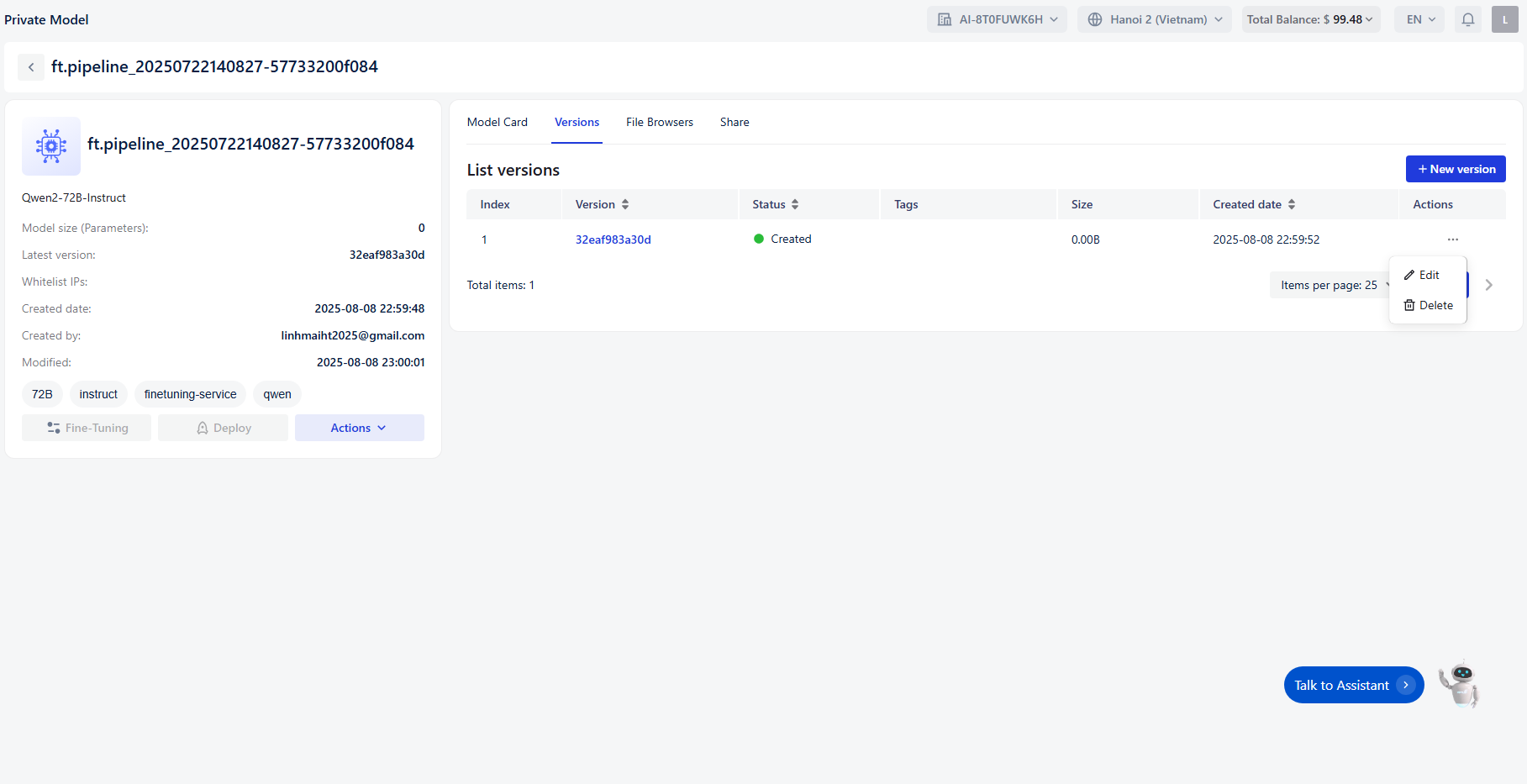
- Index : The order number of the version.
- Version : Unique identifier for the version (clickable for more details).
- Status : Current state of the version (e.g., Created , Training , Deployed), indicated with a colored dot.
- Tags : Optional labels for categorization.
- Size : File size of the version.
- Created Date : Timestamp of when the version was created.
- Actions : Options to interact with the version (e.g., edit, delete).
File Browsers:
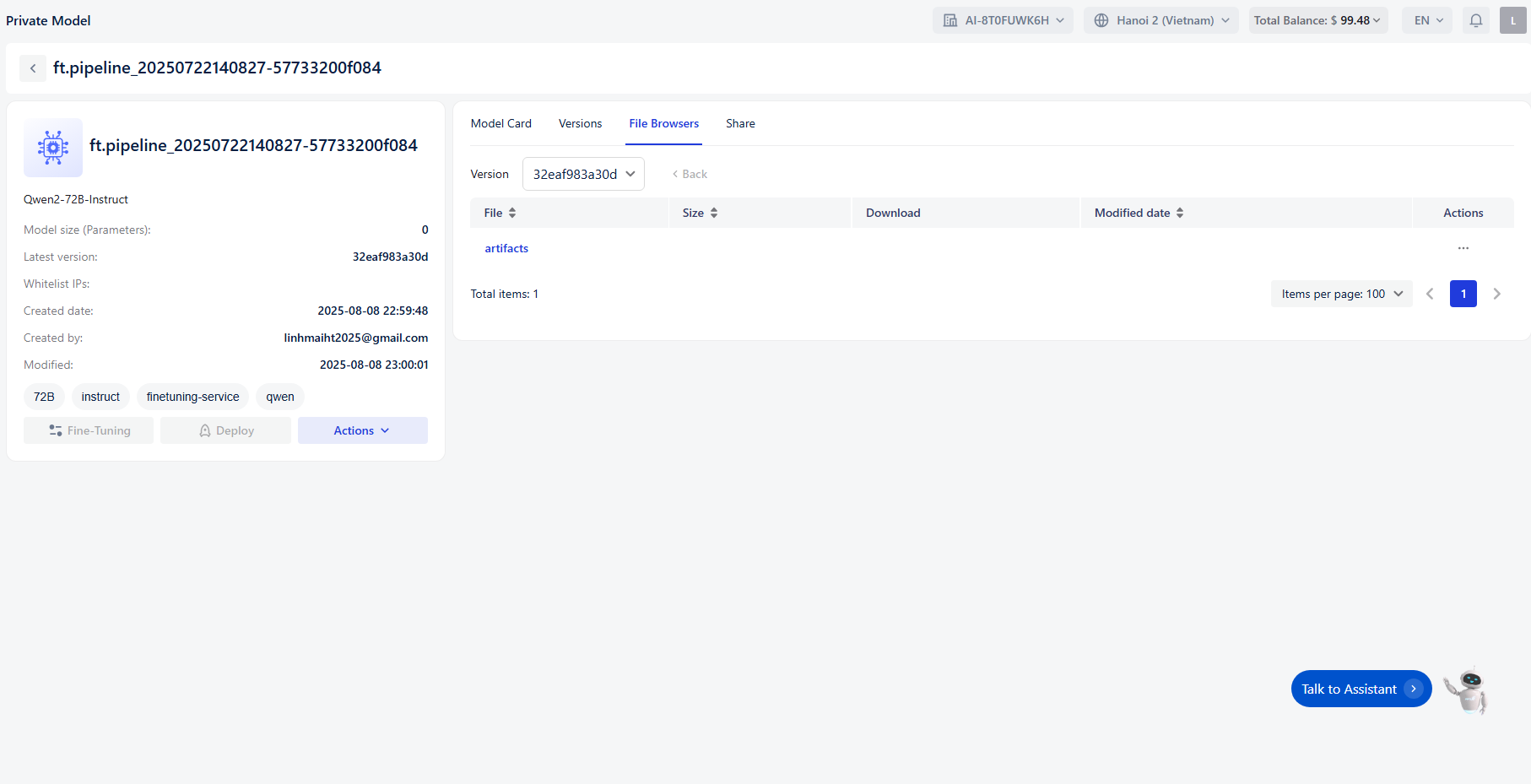 Displays the uploaded files corresponding to each version
- File : Name of the file or folder (e.g.,
artifacts). - Size : File size.
- Download : Option to download the file.
- Modified Date : Timestamp of the last modification.
Share
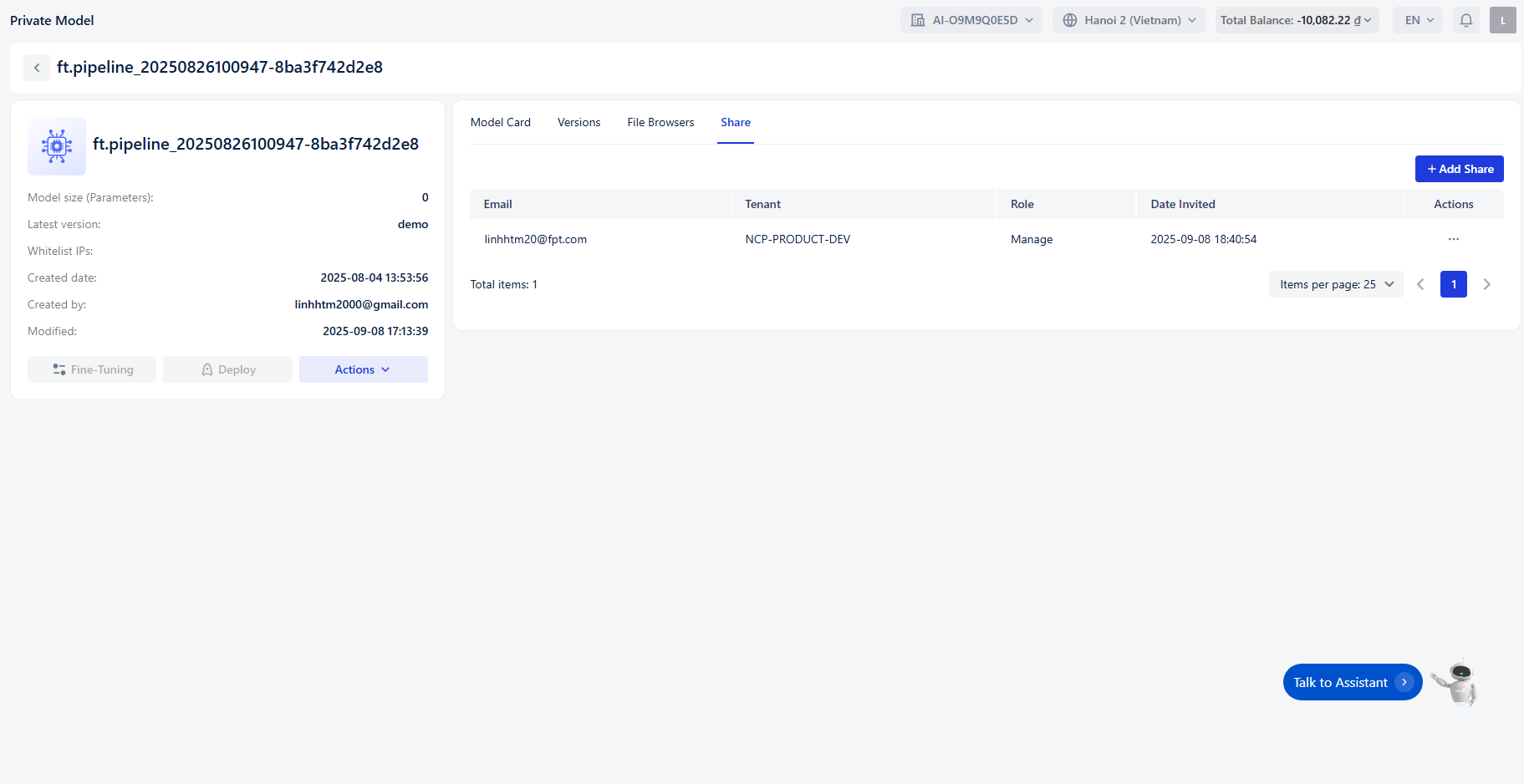 Allows sharing the model with others
- Email : The email address of the person the model is shared with
- Tenant : The tenant associated with the owner’s email
- Role : The role of the person the model is shared with
- Date invited : The date the user was added to the model
- Action : Options to update or remove the user from the model