Add Share
Purpose: Update the permissions of a shared user.
To update a user's permissions, follow these steps:
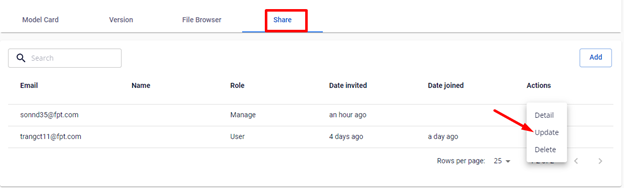
Step 1 : Click on a model to view its details > Select the Share tab.
Step 2 : Click the three dots in the Action column > Select Update.
 Step 3 : The update form will appear, and you can edit the following information:
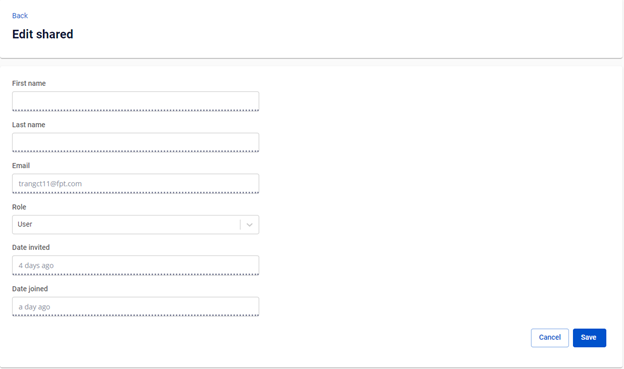
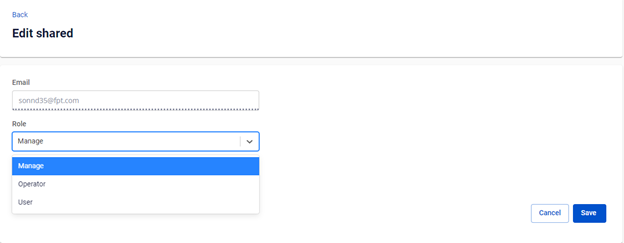
- Role : Modify the permissions for the user by changing their role.
(Images illustrating the update process may be displayed here, showing the statuses of "invited" and "joined" users)