View List Model 2
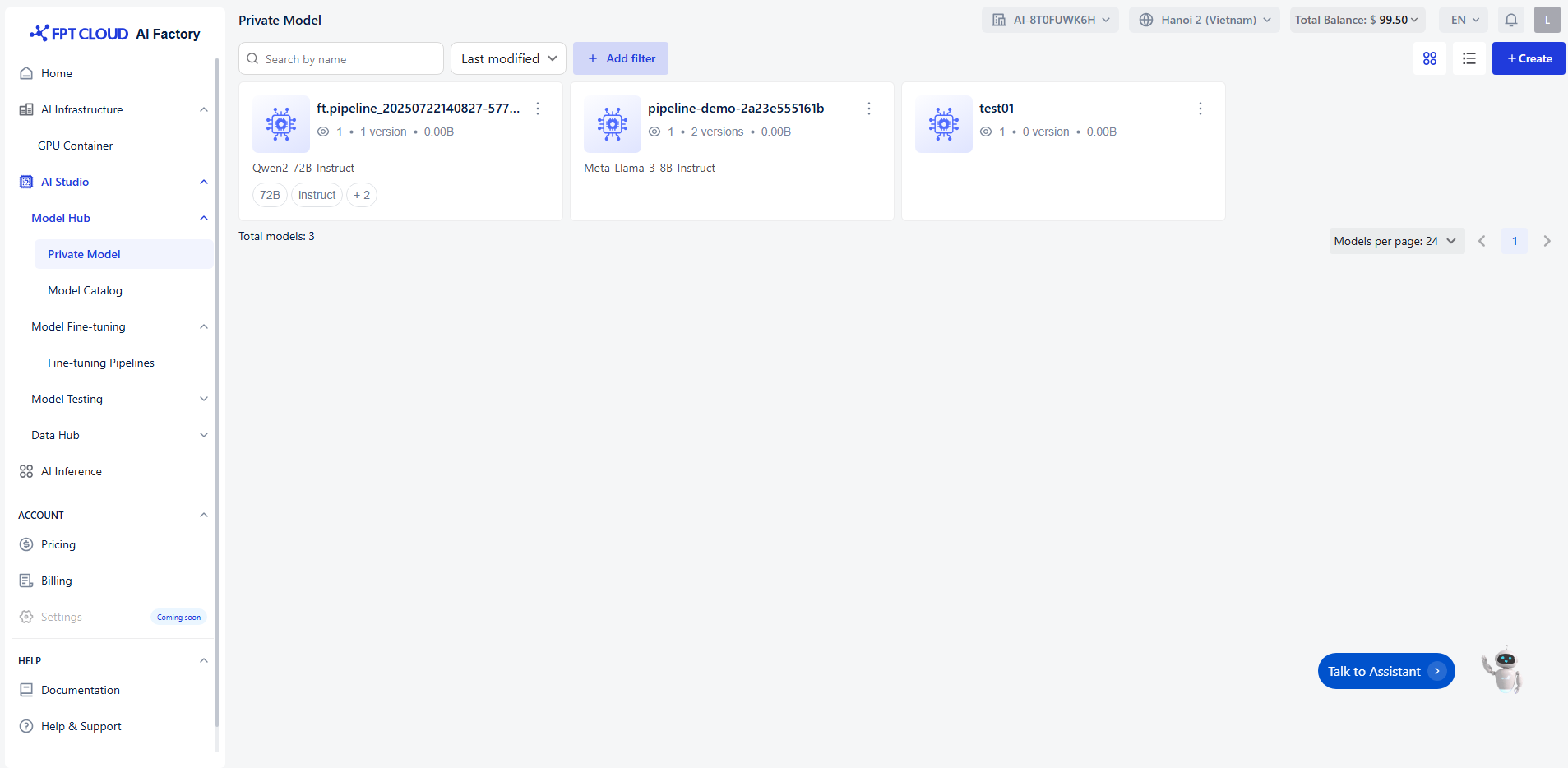
Each model card shows:
- Model name (e.g.,
pipeline-demo-xxxx) - Base model used (e.g.,
Qwen2-72B-Instruct,Meta-Llama-3-8B-Instruct) - Number of versions
- Model size (storage usage)
- Access & usage info (e.g., number of viewers)
Click the three-dot menu (⋮) on a model card to access more actions such as:
- Playground Test the model directly in the Playground interface. You can interact with it before deployment.
- Create API Endpoint Generate an API endpoint for the model so it can be integrated into your applications or services.
- Fine-tune Customize the model using your own dataset to improve performance for your specific use case.
- Delete
Delete a model
Browsing and Filtering Models
- Use the search bar (top left) to quickly find a model by name.
- Use the filter menu to sort models by:
- Last modified
- Model size
- Other attributes (you can add filters by clicking + Add filter).
- Adjust Models per page (bottom right) to show 4, 8, or more models.