Atlassian Jira
Integration with Atlassian Jira helps maintain accurate and reliable project status when dealing with system’s incident response. A bug issue will automatically be created in the Jira story if you have a declared incident.
Integration
Step 1 : After clicking Integration , the information form pops up.
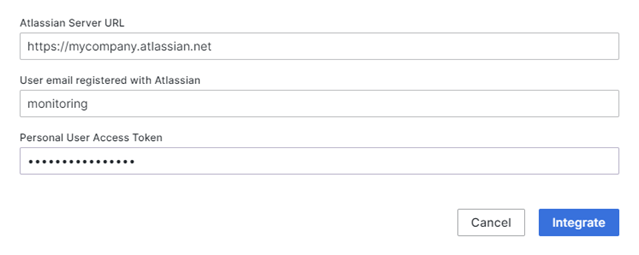 Step 2 : Enter the necessary information:
- Atlassian Server URL : URL to access the Atlassian Jira system.
- User email : Email of the account registered with Atlassian Jira
- Access Token : Access Token of the specified account
Note : See instructions for creating or obtaining an Access Token here Step 3 : After filling in the information, click Integrate to integrate Jira into the incident system.
Create a Trigger
Step 1 : First, click Show details to view details information of the Jira integration.
Step 2 : Click + Run when an event fires to create a trigger. The information form will shows up:
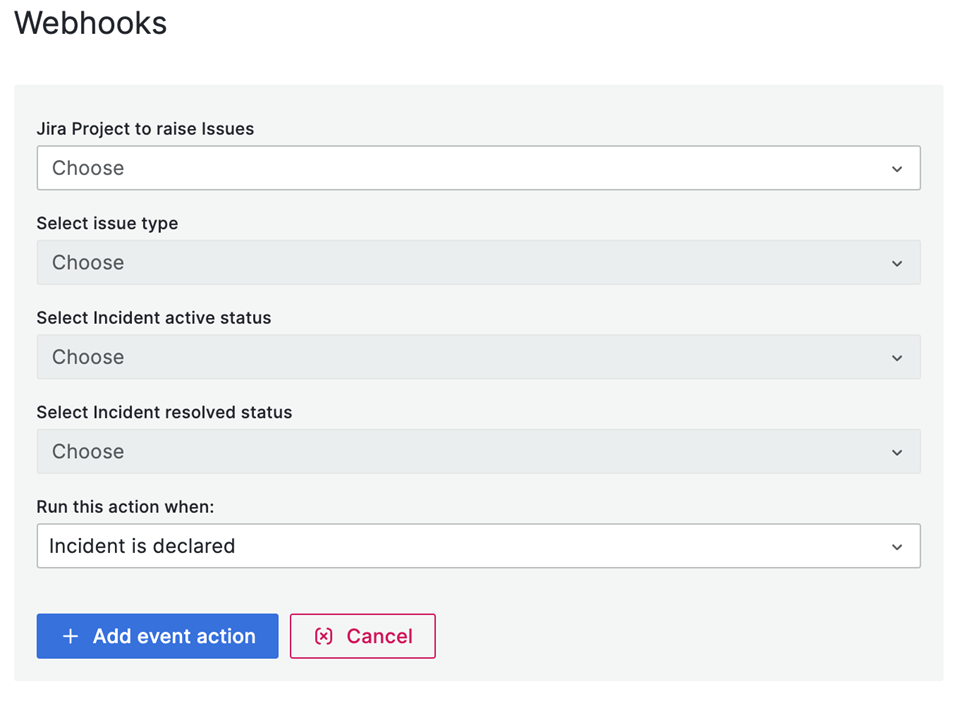 Step 3 : Enter the necessary information:
- Jira Project : Choose a desired Jira project to initiate a trigger
- Issue Type : Type of issue
- Incident active status : The initial status of the issue when the incident is active.
- Incident resolved status : The initial status of the issue when the incident is resolved
- Run this action when : Incident is declared
Step 4 : After filling all the information, click Add event action to create a trigger Note : You can create multiple triggers.
Delete a trigger
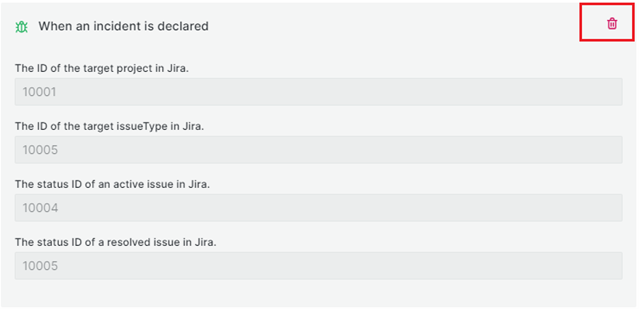
To delete a trigger, Click the Trash icon.