Create Incident
You can create a new incident in two ways, either directly from the system through the Declare Incident feature, or via an Incoming Webhook.
Declare Incident
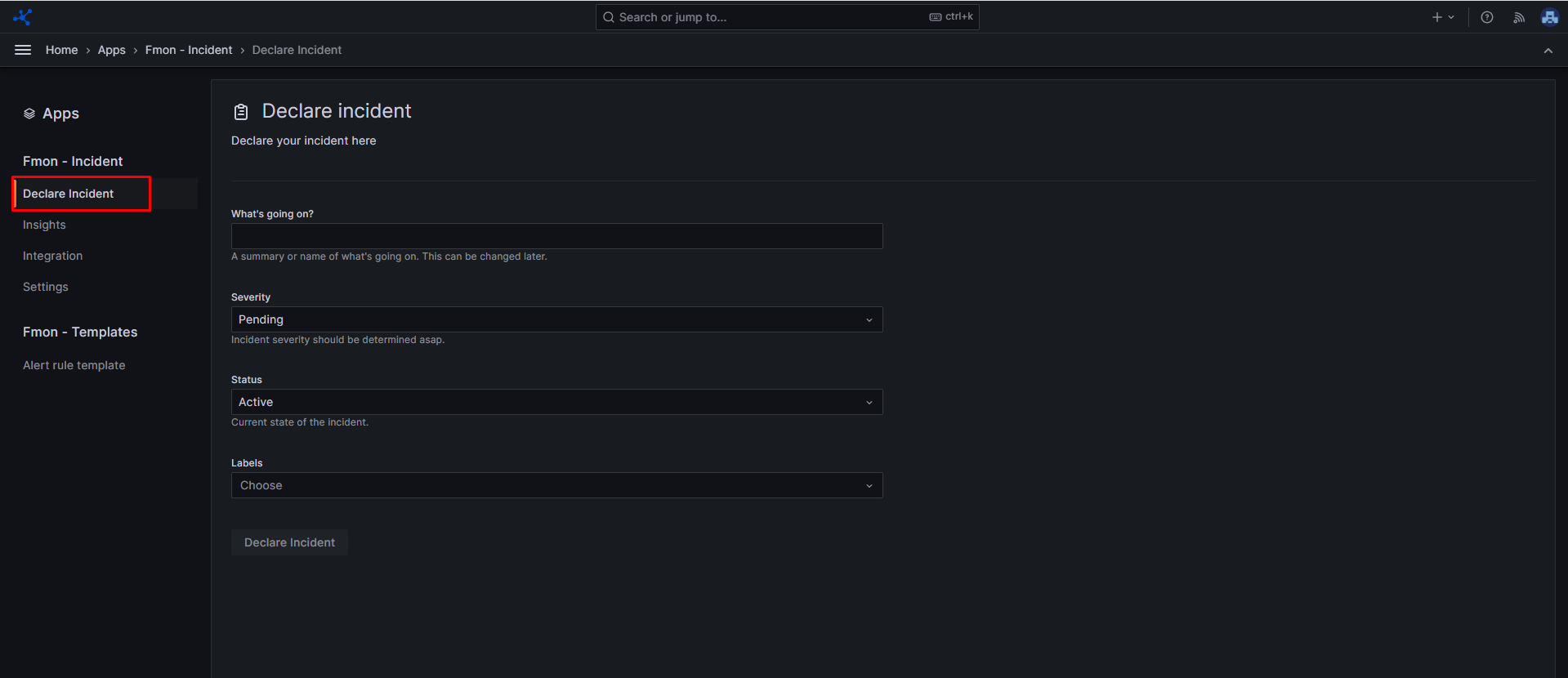
Step 1 : From the sidebar menu, choose Apps , then click FMON - Incident Step 2 : Click Declare Incident Step 3 : Enter the necessary information for the incident:
- What's going on? : Describe or name the ongoing incident.
- Severity : Select the severity level of the incident.
- Status : The current status of the incident.
- Labels : List of labels assigned to the incident.
Step 4 : Click Declare incident
Incoming Webhook
Step 1 : From the sidebar menu, choose Apps , then click FMON - Incident Step 2 : Click Integration Step 3 : Set up Incoming webhook as mentioned here Step 4 : After integrating the Incoming webhook integration, view its details by clicking Show details. The system will provide you with:
- Token
- URL : Incoming webhook URL, used to POST incidents.
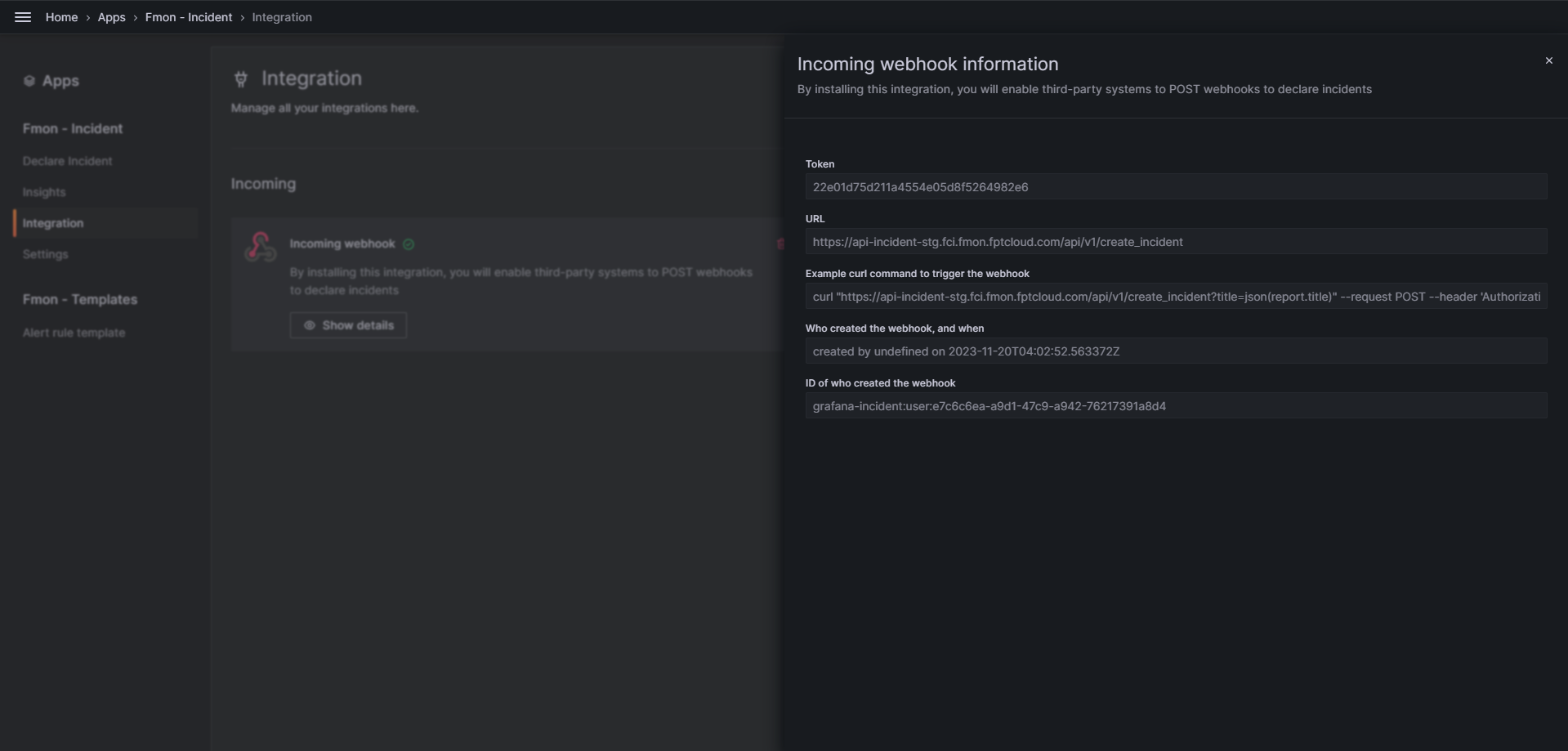 To push an accident to an incoming webhook, send a POST request to the webhook. An example using curl :
Copycurl "https://api-incident-stg.fci.fmon.fptcloud.com/api/v1/create_incident?title=json(report.title)" --request POST --header 'Authorization: a9210eeee765e209c6a81a13e957574e' --header 'Content-Type: application/json' --data '{"report":{"title":"cool that this title comes from the json"}}'