Outgoing Webhook
Outgoing webhook allows users to receive real-time notifications and real-time updates. When an incident is created, updated or closed, it will trigger events, and the incident will be notified to the declared URL.
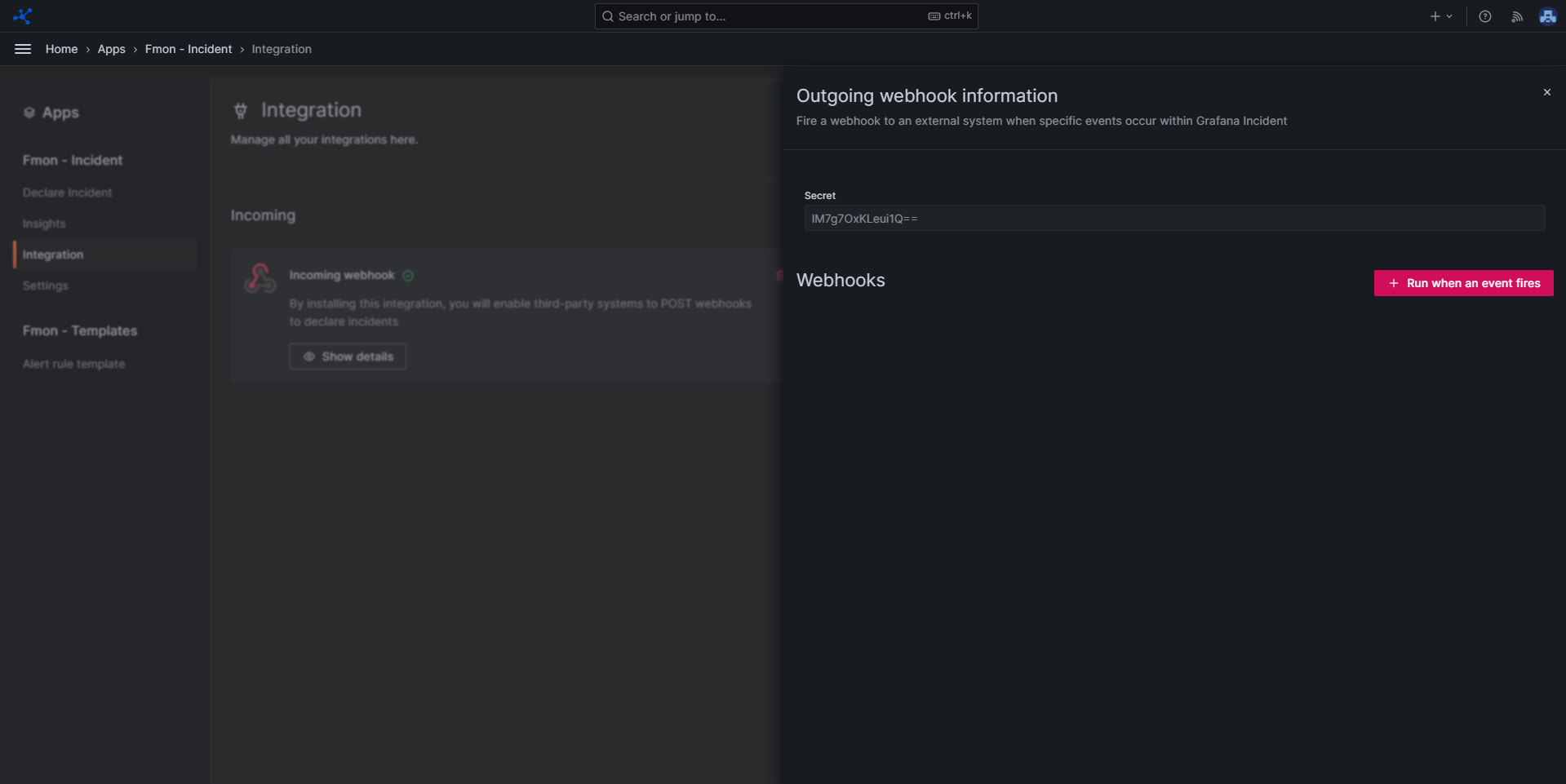
After integrating the Outgoing webhook integration, view its details by clicking Show details.
Create a Trigger
Step 1 : Click + Run when an event fires.
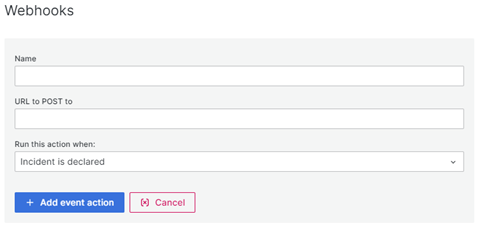 Step 2 : Enter the necessary information:
- Name : Name of the trigger event.
- URL : Webhook URL to POST the event to.
- Run this action when : Incident is declared or Incident changes
Step 3 : After filling in the information, click Add event action to create a trigger Note : You can create multiple triggers.
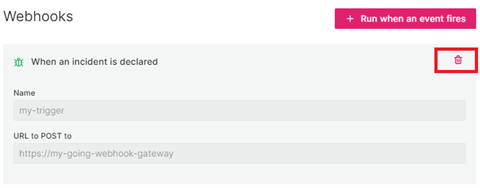
Delete a Trigger
To delete a trigger, Click the Trash icon.