Manage Stream Host
Streams is a new feature of Nginx used to forward TCP/UDP traffic directly to another computer in the network.
To configure/add a new Streams, follow these steps:
Step 1: Select Hosts > Streams in the menu to open the Stream Host management screen.
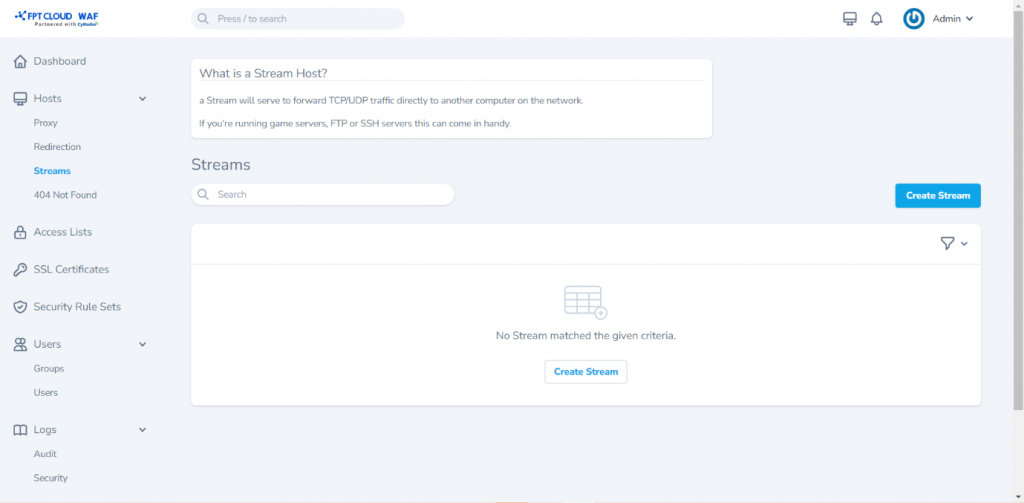 Step 2: Click Create Stream to open the screen for adding a new Stream Host and enter the information as follows:
- Incoming Port
- Forward Host
- Forward Port
Some additional features:
- TCP Forwarding
- UDP Forwarding
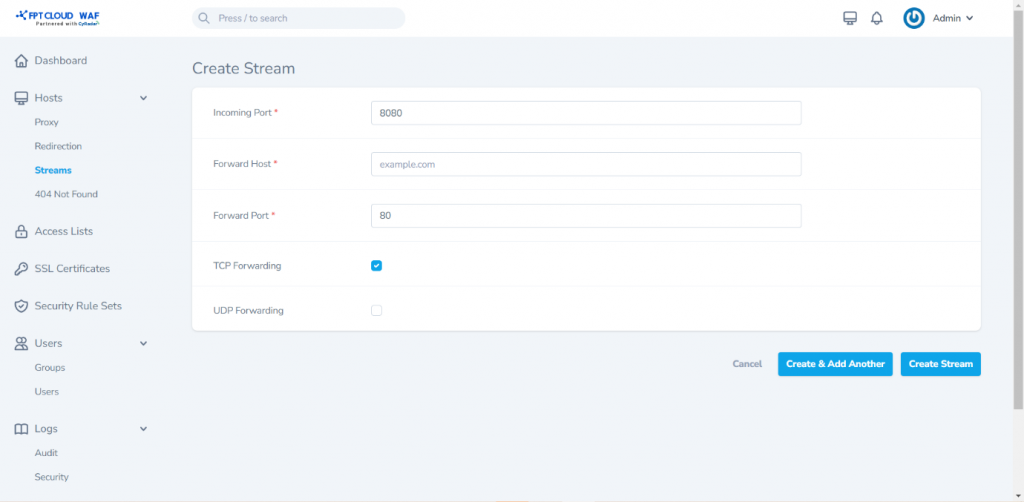 Step 3: Click Create Stream to add the new Stream Host with the entered information
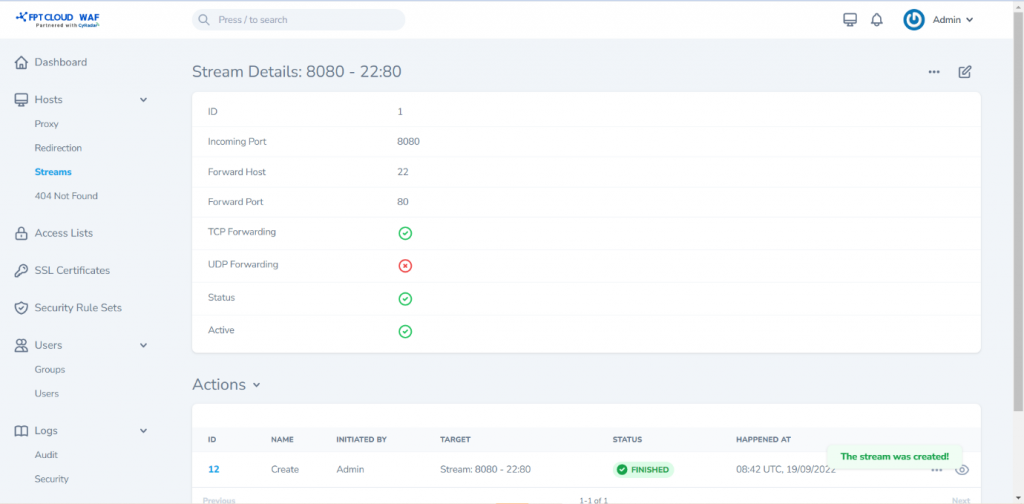
The detailed view screen of the Stream Host is as follows:
Step 3: Click Create Stream to add the new Stream Host with the entered information
The detailed view screen of the Stream Host is as follows: