Edit Role And Permissions
You can modify the information and permissions of Custom Roles as follows:
Step 1 : From the menu, select IAM > Roles. The system will display the Role Management page.
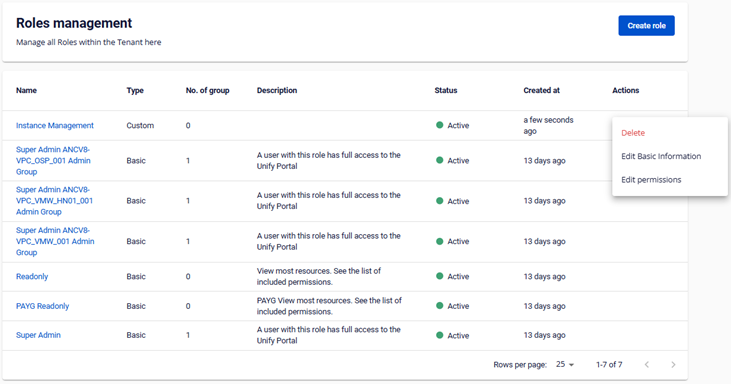 Step 2 : Select Action at the end of the Custom Role you want to update from the list.
- Choose Edit Basic Information or Edit Permissions.
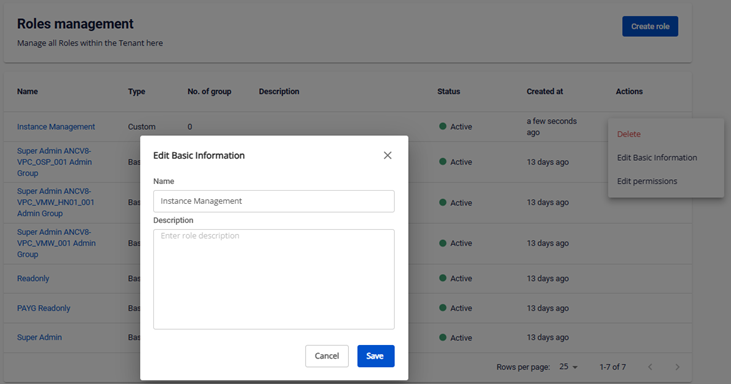
Step 3 : Modify the Role information.
- Step 3.1 Edit Basic Information.
- Step 3.2 Edit Permissions.
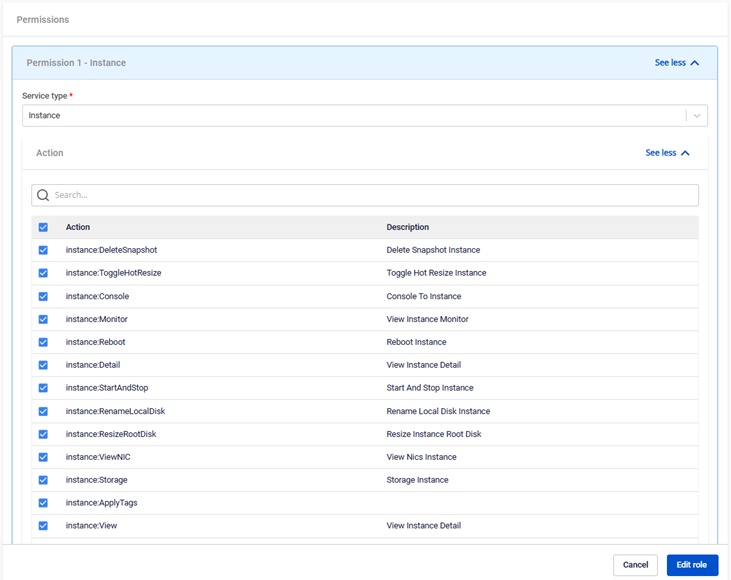 Note : When a role is modified, it will affect the access permissions of all users in the user groups that have that role assigned.