Access Clusters Detail Information
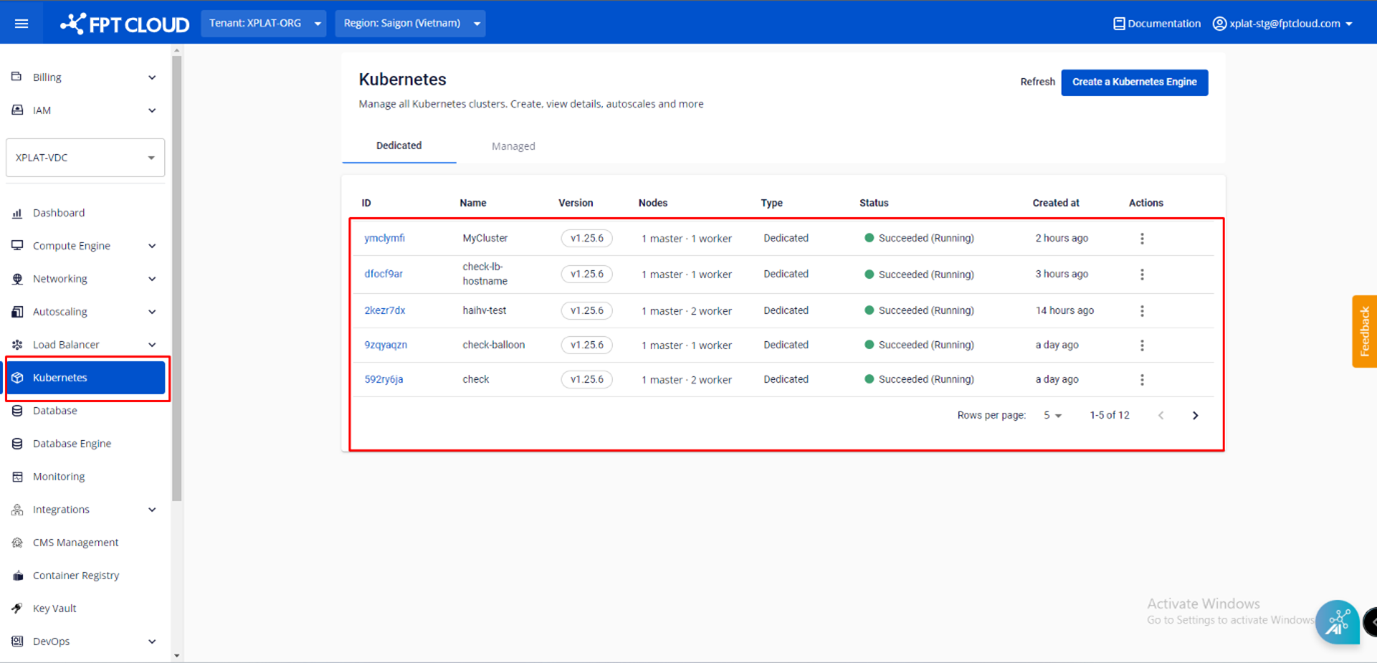
Step 1 : In the menu, select Kubernetes , and the system will display the Kubernetes Management page.
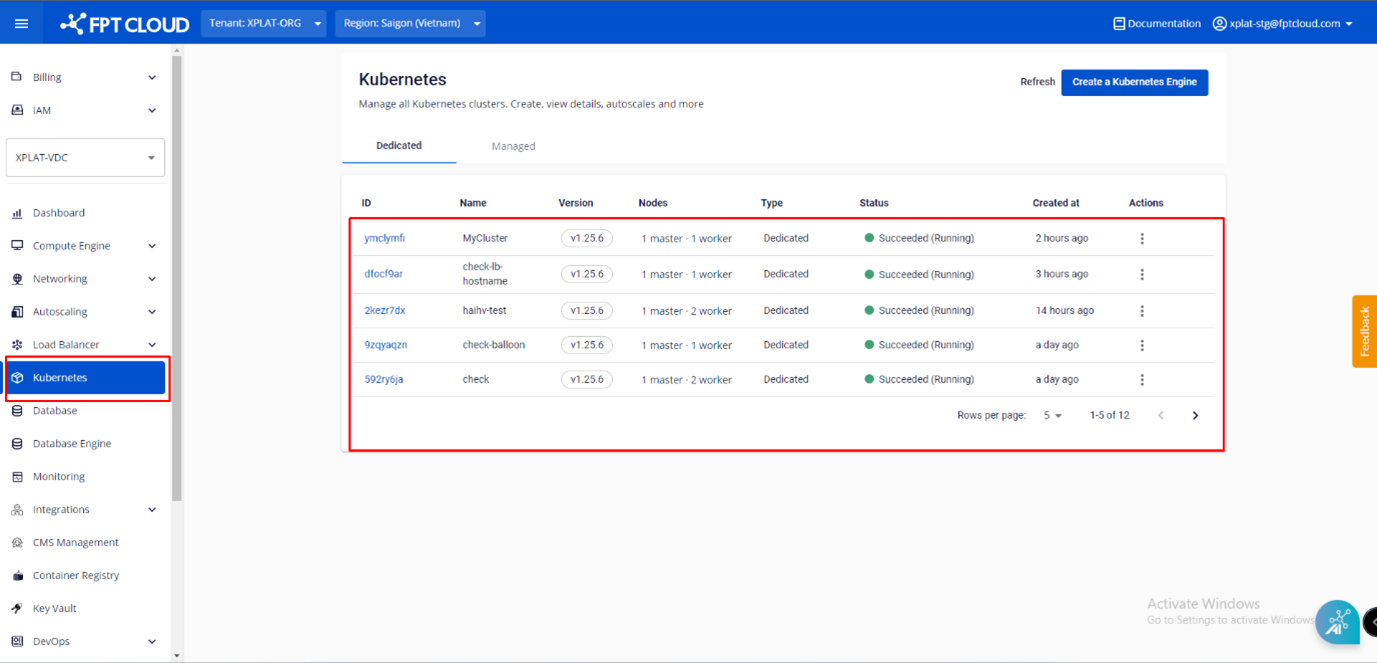 Step 2 : Select the Cluster you want to view detailed information about.
 Step 3 : Switching between tabs to view corresponding information
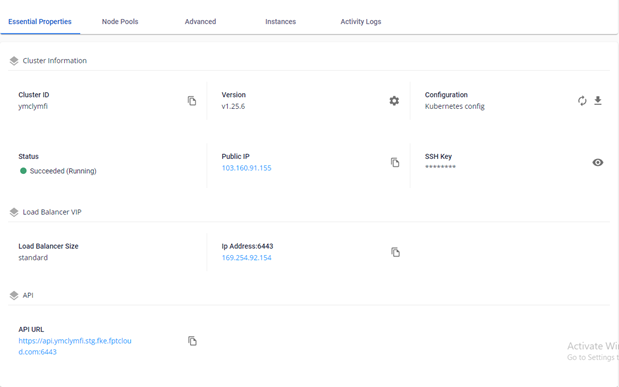
3.1. Essential Properties Tab : Display information of Cluster Information, Load Balancer VIP, API.
Step 3 : Switching between tabs to view corresponding information
3.1. Essential Properties Tab : Display information of Cluster Information, Load Balancer VIP, API.
- Cluster Information : Basic information about the Cluster, including Cluster ID, Version, Kubernetes Config, Status, Public IP, and SSH Key.
- Load Balancer VIP : Virtual IPs of LB which is used for the K8s API and Ingress.
- Dashboard & API: API URL
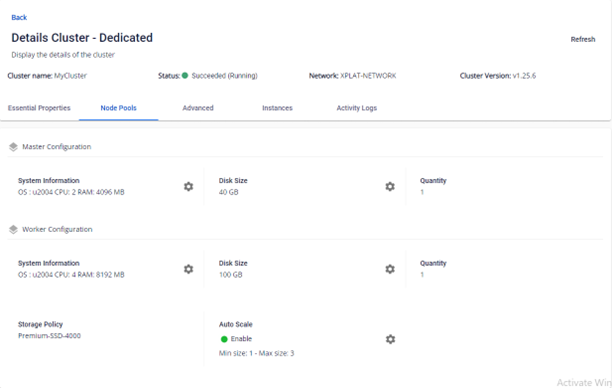
 3.2. Node Pools Tab : Configuration information of Master Nodes and Worker Nodes.
- Master Configuration : Master Node configuration: Node Count, CPU, Memory, Disk
- Worker Configuration : Worker Node configuration: Node Count, CPU, Memory, Disk, Storage Policy, Auto Scale
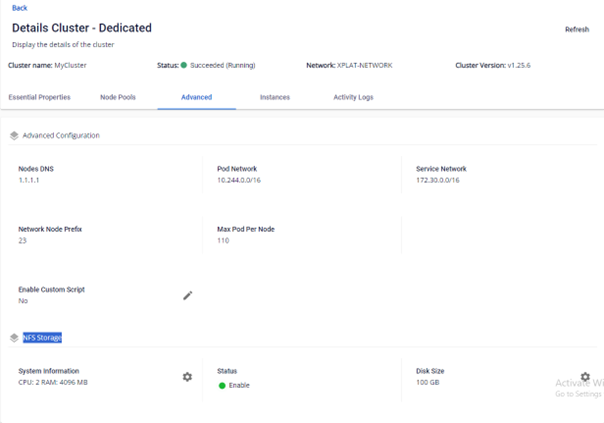
 3.3. Advanced Tab : Advanced parameters of the Kubernetes Cluster
- Advanced Configuration : Advanced parameters of Kubernetes Cluster (Node DNS, Pod Network, Service Network, Network Node Prefix, Max Pod Per Node, Enable Custom Script)
- NFS Storage : NFS status (Enable/Disable), and disk capacity of NFS Storage.
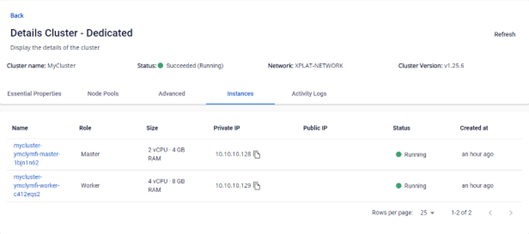
 3.4. Instances Tab : List virtual machines that belong to this Kubernetes Cluster, both Master Nodes and Worker Nodes
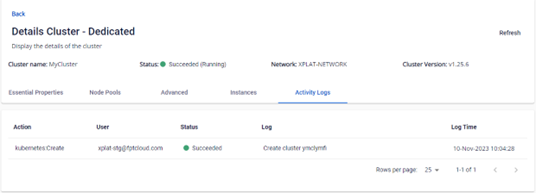
 3.5. Activity Logs Tab : Action Logs of this Kubernetes Cluster.