Scale Worker Nodes
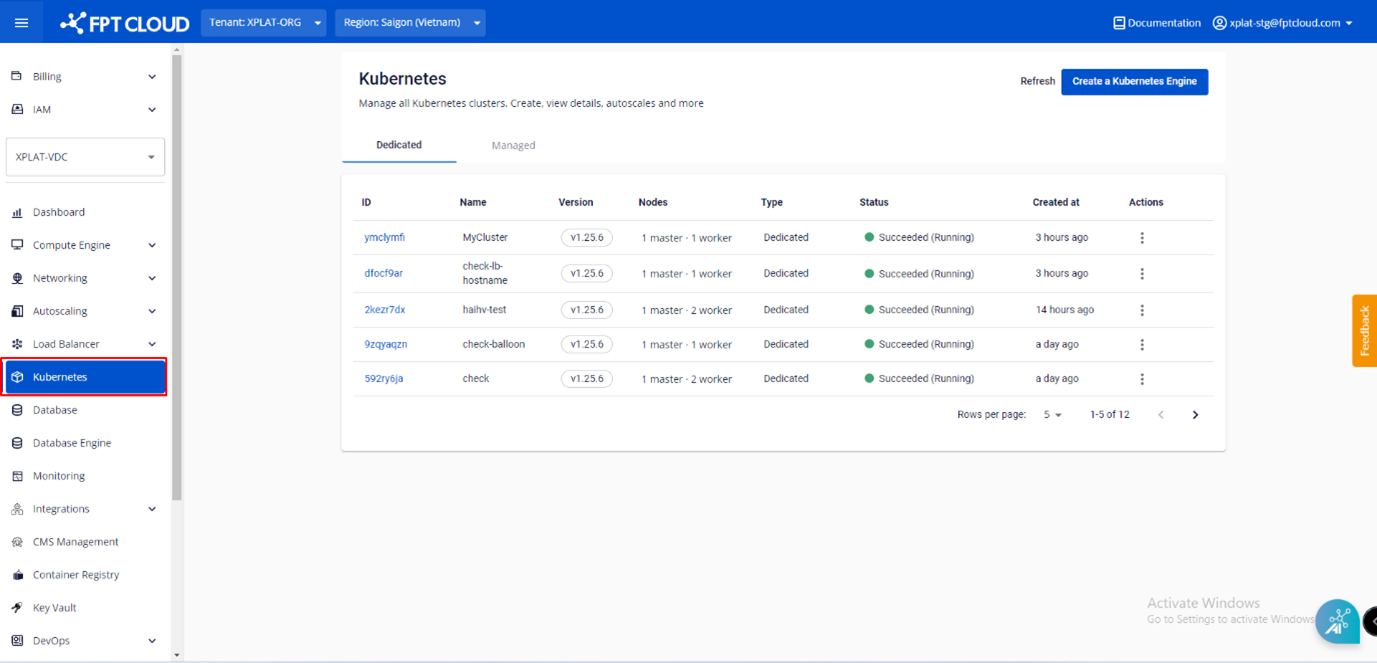
Step 1 : In the FPT Cloud Portal menu, select Kubernetes , and the system will display the Kubernetes Management page.
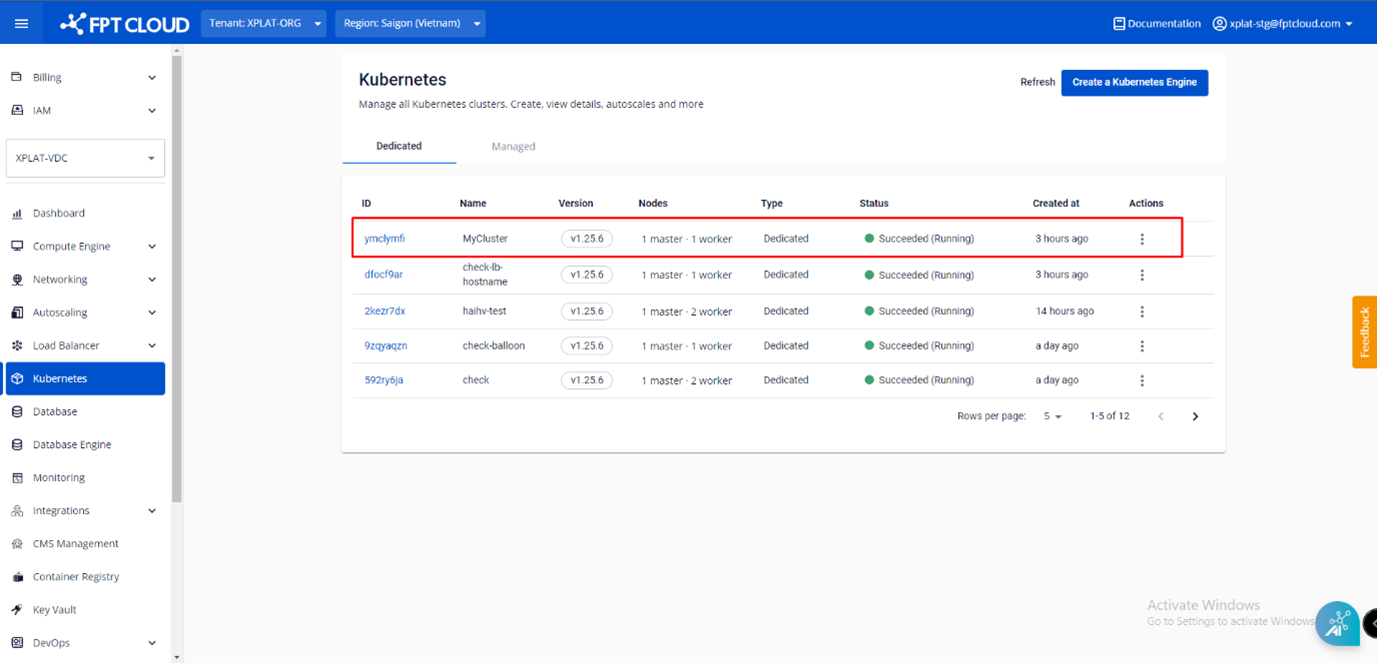
 Step 2 : Choose a Cluster that you want to adjust number of worker nodes from the list.
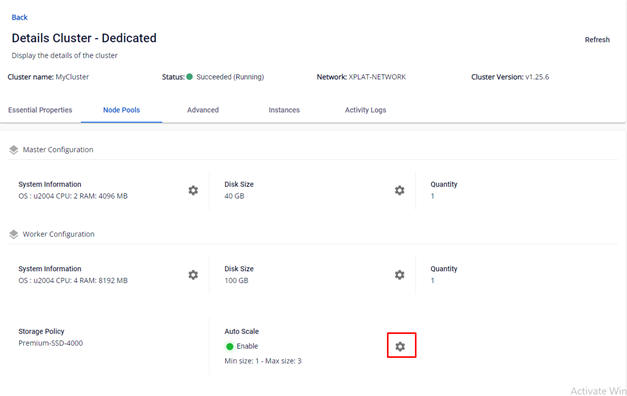
 Step 3 : In the Node Pools tab > Auto Scale select the Setting icon
 Step 4 : Enter the required information into the Auto Scale Nodes Of Cluster popup:
- Min node/Max node : Enter the number of worker nodes that user want to add/remove
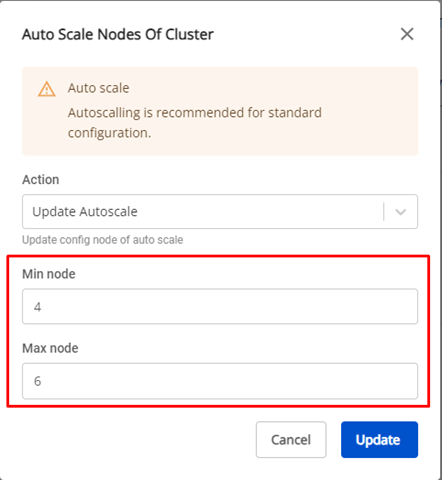 After clicking Update , Cluster Scaling will be executed, and the user cannot interact with the Cluster until the process is completed.