Manage Tag To Storage Disk
1. Managing Tags for a Storage Disk
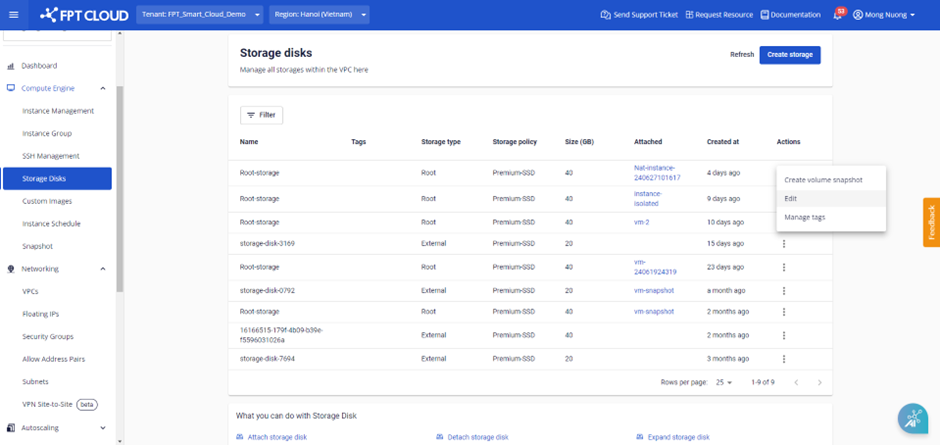
Step 1 : On the Storage Disk screen, select a disk, click Actions , then choose Manage tags.
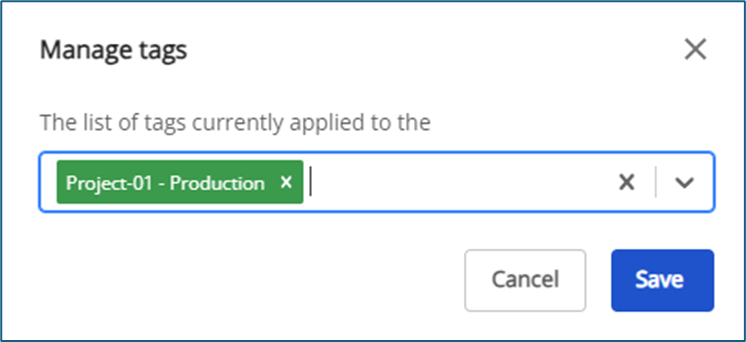
 Step 2 : A dialog box will appear, allowing users to select tags to assign to the storage disk.
 Step 3 : Removing Tags from a Storage Disk.
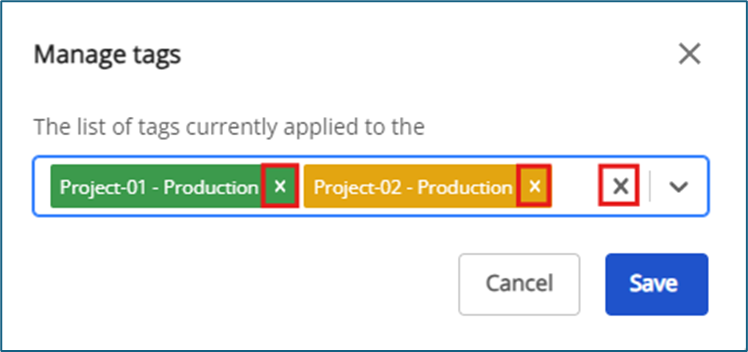
To remove a tag, click the “x” next to the tag name. Users can also click the “x” at the end of the list box to remove all tags at once. Then, click Save to confirm the changes.
Note: When a storage disk is deleted, the system will automatically remove all associated tags and update the tag list on the Tagging screen.
Step 3 : Removing Tags from a Storage Disk.
To remove a tag, click the “x” next to the tag name. Users can also click the “x” at the end of the list box to remove all tags at once. Then, click Save to confirm the changes.
Note: When a storage disk is deleted, the system will automatically remove all associated tags and update the tag list on the Tagging screen.