Edit Tags
The user does the following:
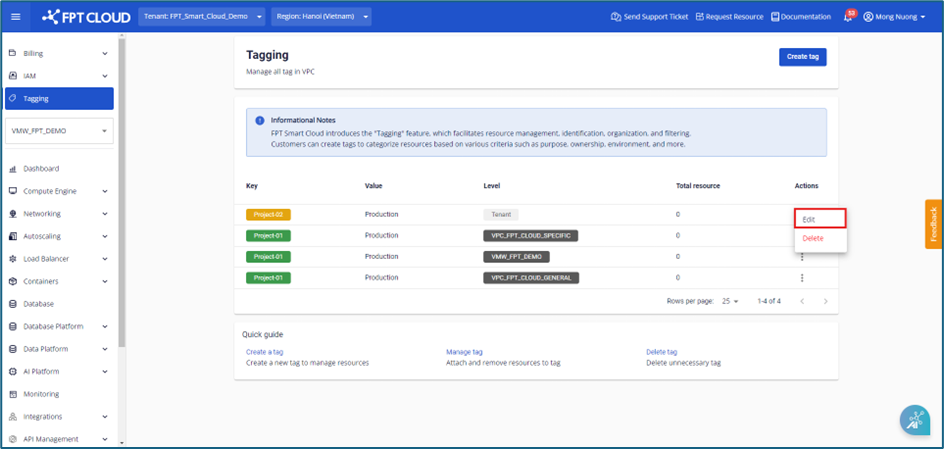
Step 1 : In the Tagging menu, in the tag to be adjusted, select Actions > select Edit
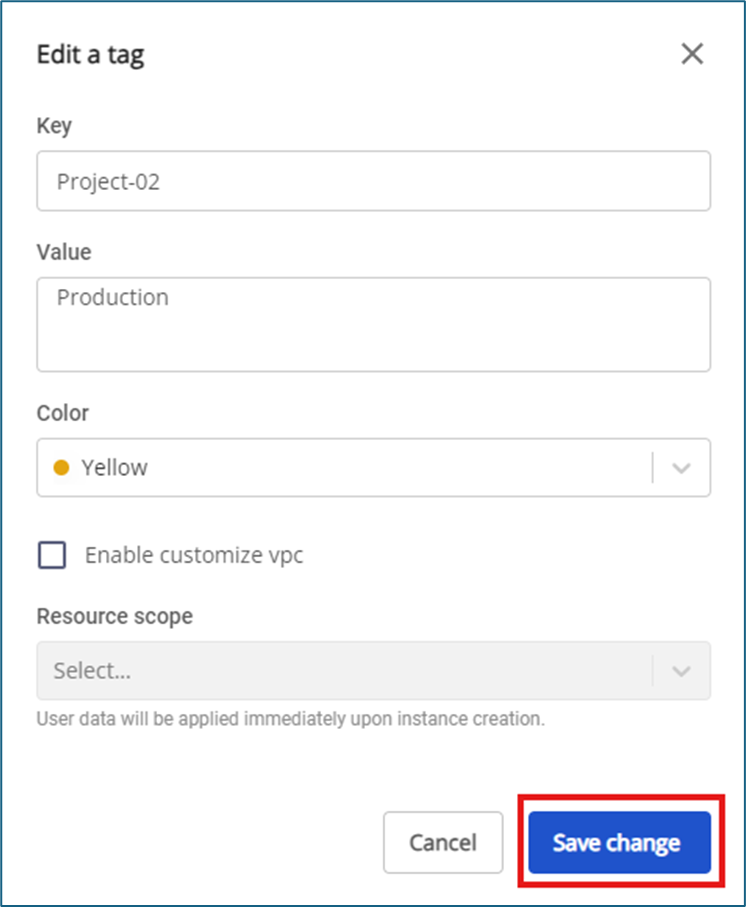
 Step 2 : The user corrects the information and then presses the Save change button to apply the changes
For users with tag permissions on the Tenant : the tags that are currently applied in the Tenant (across all VPCs) users can change to select certain VPCs by checking the box "Enable customize VPCs"
Note:
Step 2 : The user corrects the information and then presses the Save change button to apply the changes
For users with tag permissions on the Tenant : the tags that are currently applied in the Tenant (across all VPCs) users can change to select certain VPCs by checking the box "Enable customize VPCs"
Note:
- The system does not yet support users to switch from applying certain VPCs to applying to tenants (all VPCs)
- When removing a VPC in the resource scope, or a user switches from applying to a specific VPC, the system will automatically remove the Tags on the resources attached to the removed VPCs.