Delete Tag
Note: This will simultaneously remove the resource from the tags associated with it. Deleting this tag is irreversible
The user does the following:
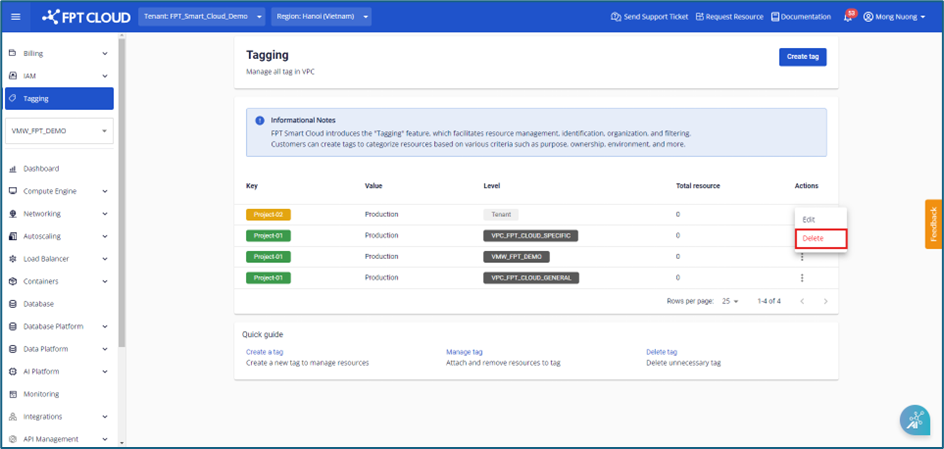
Step 1 : In the menu select Tagging , then select Actions > Select Delete
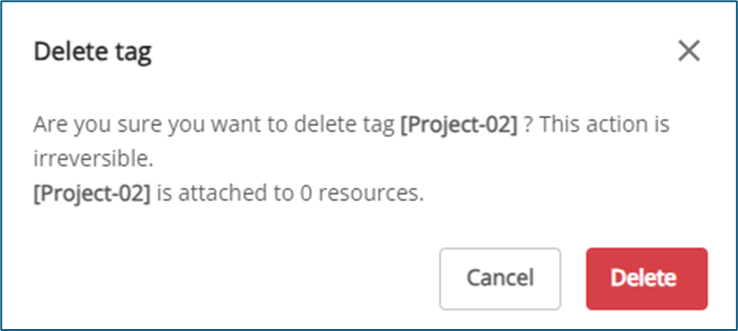
 Step 2 : A warning dialog, displaying the tag name and the number of resources attached to the tag , will appear to confirm the removal action. The user confirms by tapping the Delete button. The system will remove the resources attached to the tag and delete the tag.