Connect Kubernetes Cluster To Argocd Instance
In order to deploy an application via the provisioned ArgoCD instance, it is necessary to connect a K8s cluster where the application would be deployed. FPT Cloud supports users to connect a new cluster via the interface instead of the ArgoCD CLI command.
Step 1 : From the sidebar menu select Cluster Management > Select Connect a Cluster.
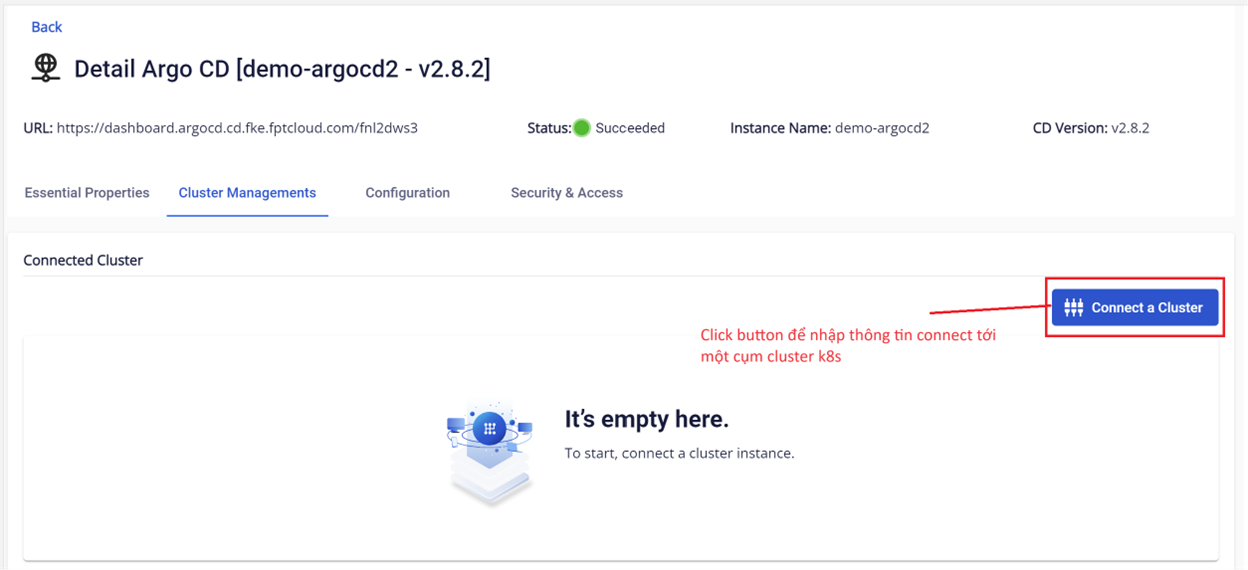 Step 2 : Fill in the information to connect to the Kubernetes cluster. This information will be taken in the .kubeconfig file.
Note: Information used to connect to the Kubernetes cluster requires administrator privileges.
Step 2 : Fill in the information to connect to the Kubernetes cluster. This information will be taken in the .kubeconfig file.
Note: Information used to connect to the Kubernetes cluster requires administrator privileges.
- Cluster Name (required) : Enter a name for the cluster (can be named according to the usage environment, for example: dev env, prod env, staging env, qa env,...)
- Server (required) : Information is taken from .kubeconfig file (Kubernetes' API Server URL)
For example:https://api.xxxxx.fke.fptcloud.com:6443
CA Data (required) : certificate-authority-data field information in the .kubeconfig file
Bearer Token (required) : Token field information in .kubeconfig file
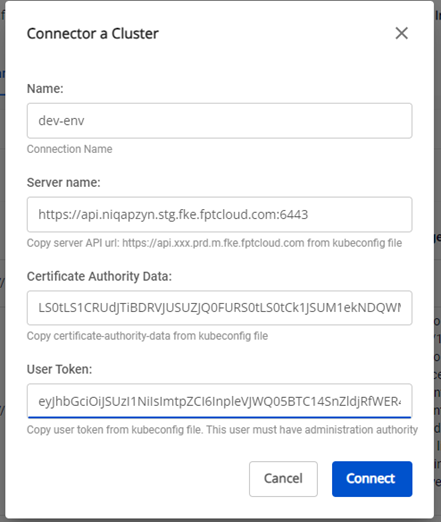 Step 3 : Click Connect to finalize.
Step 4 : Verify the connected Kubernetes Cluster Status
Step 3 : Click Connect to finalize.
Step 4 : Verify the connected Kubernetes Cluster Status
- K8s cluster information is managed through the FPT Cloud Portal:
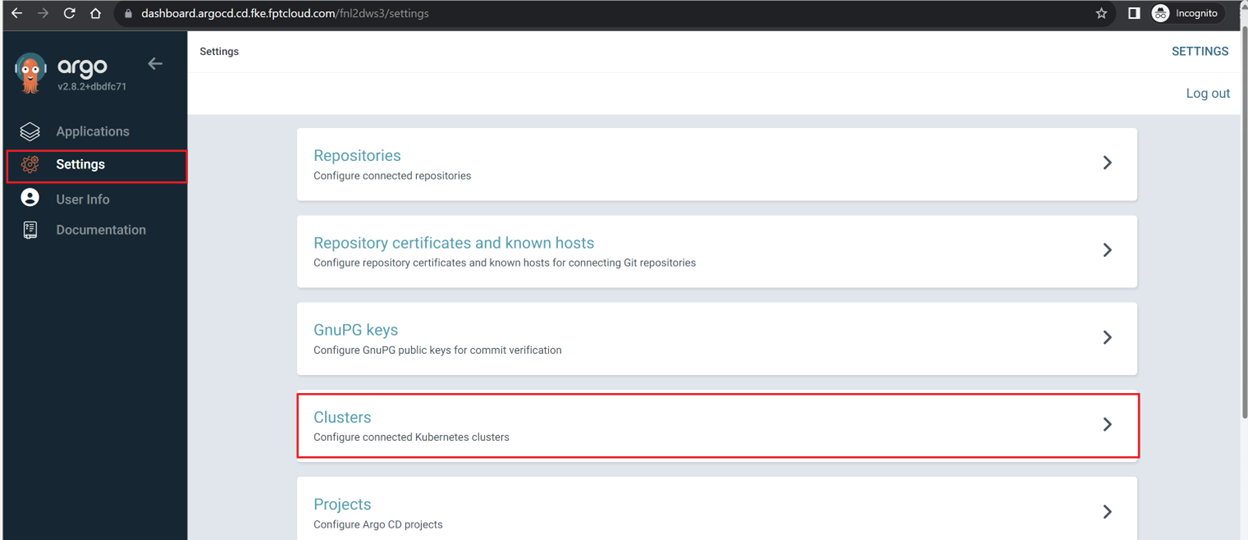
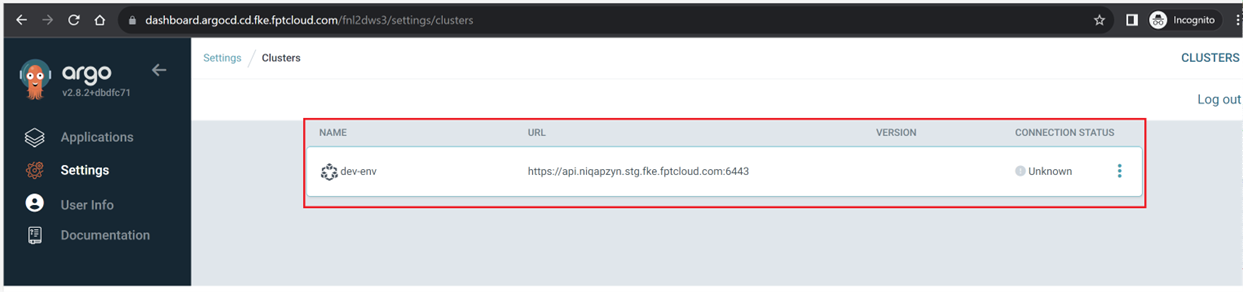
- Verify the Kubernetes cluster information on the ArgoCD instance: Go to ArgoCD > Settings > Clusters :
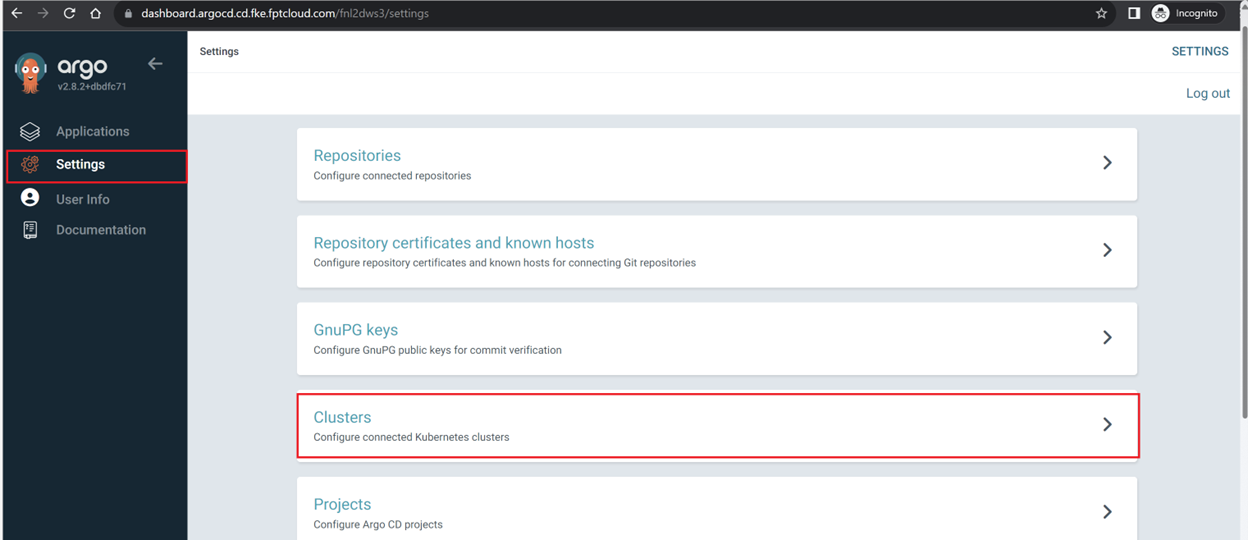 Cluster information has been configured to the ArgoCD instance: