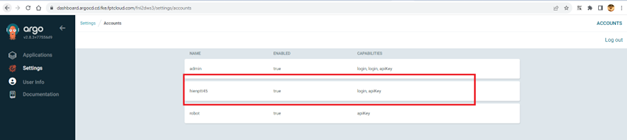
Create New Account On Fpt Cloud Portal
Step 1 : From Security & Access > Local Account > Add Account :
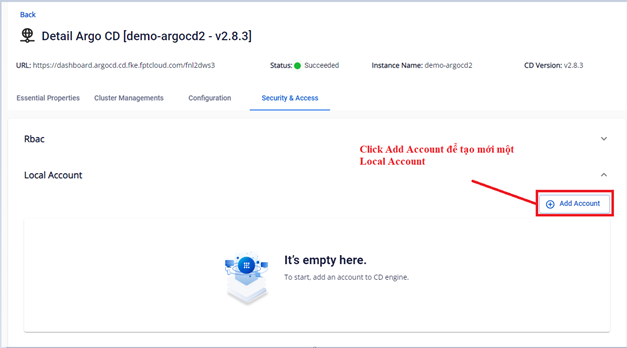 Step 2 : Fill in the information to create a new account:
- Username (Required)
Note: Username is unique, do not create duplicate usernames
- Password (Required)
- Capability : Select at least one of the two tickboxes apiKey or login
- Status : Select enable or disable
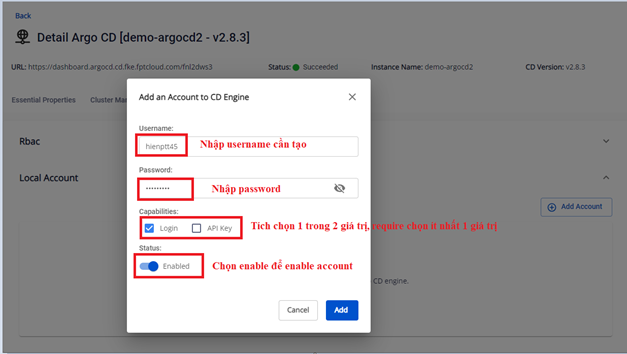 Step 3 : Click Add button to create a new account
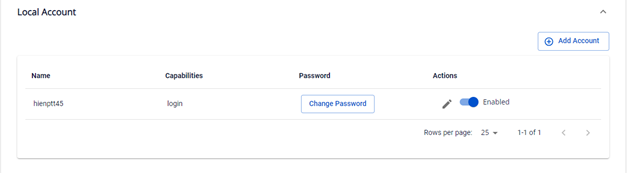 Step 4 : Check the newly created account on AgroCD: