Change Password
The system allows users to change the password for the created account:
Note: Users can only create a new password when they forget their password. They cannot copy the password from the portal.
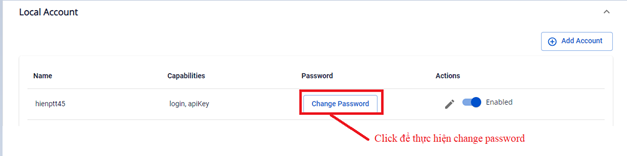
Step 1 : From Security & Access > Local Account > Change Password
 Step 2 : Enter a new password for the account:
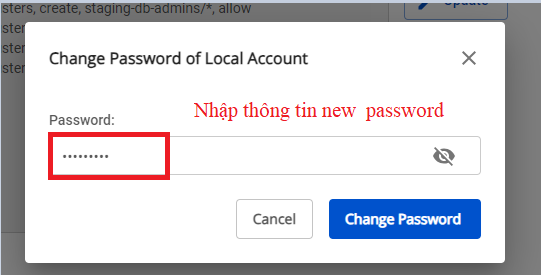 Step 3 : Click Change Password to submit the new password for the account.