Connect Vyos 1.5
Bài viết này hướng dẫn build thiết bị Router để đấu nối VPN_S2S với dịch vụ VPN Site-to-Site của FPT Smart Cloud.
Cần đảm bảo các điều kiện sau:
- VPNAAS trên trang Portal
- Vyos 1.5 đã được download và boot image trên cloud với tên: Vyos 1.5
- Public IP, giảm độ phức tạp thì gắn trực tiếp vào VM, không dùng Floating IP
- 1 VM Pfsense để phục vụ debug( Optional )
Bước 1: Build Vyos1.5 for Cloud
- Trên Horizon ta tiến hành tạo VM từ image với các thông số keypair của user và network provider {
IP PUBLIC} bất kì.
Bước 2: Cấu hình cho VPN Site-to-Site
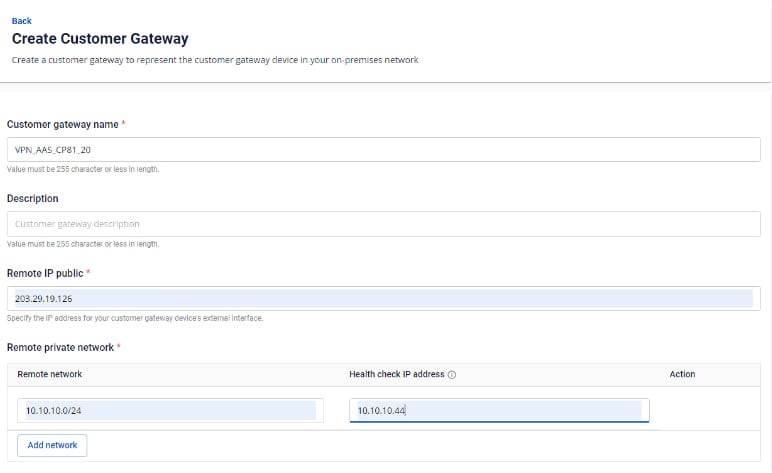
Truy cập và tạo VPN Site To Site trên trang https://console.fptcloud.com/ - Tạo Customer Gateway:
- Remote private network: dãy Lan Subnet cần peering của Vyos
- Remote IP public: IP public của Vyos
-
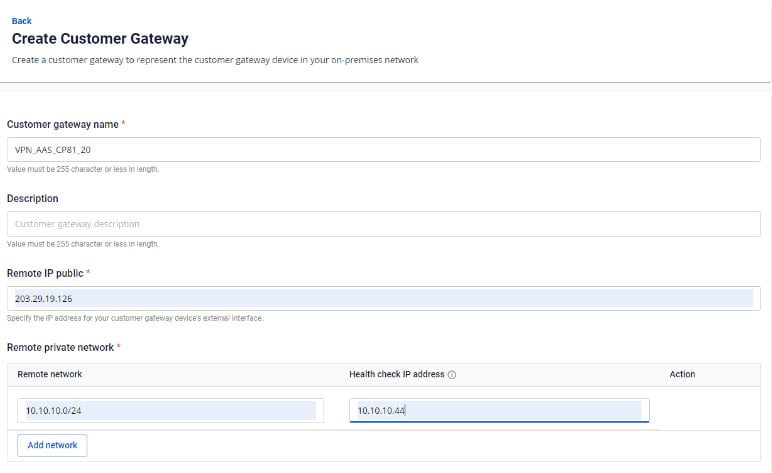
Tạo Customer Gateway:
-
Tạo VPN Connection: Thông số của VPN Connection sẽ bao gồm 3 mục chính:
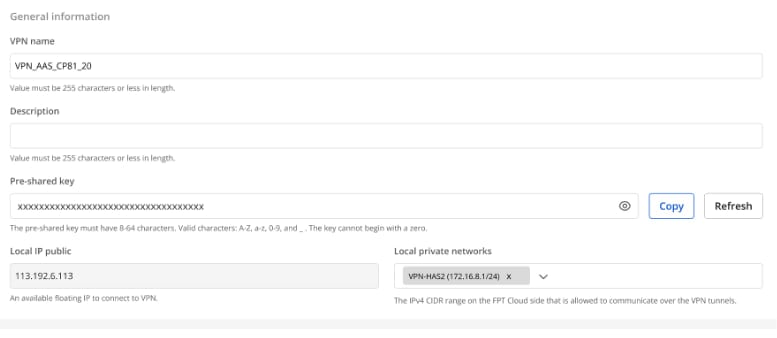
- General information (chứa các thông tin chung của kết nối VPN)
- Remote VPN Information (chứa các thông tin mã hóa và thông tin của quý khách hàng)
- Dead Peer Detection (số lần hệ thống tự động retry kết nối khi bị vấn đề)
Phần 1: General information
Lưu ý: Thông số Pre-shared-key cần lưu lại để kết nối với Vyos
 Phần 2: Remote VPN information
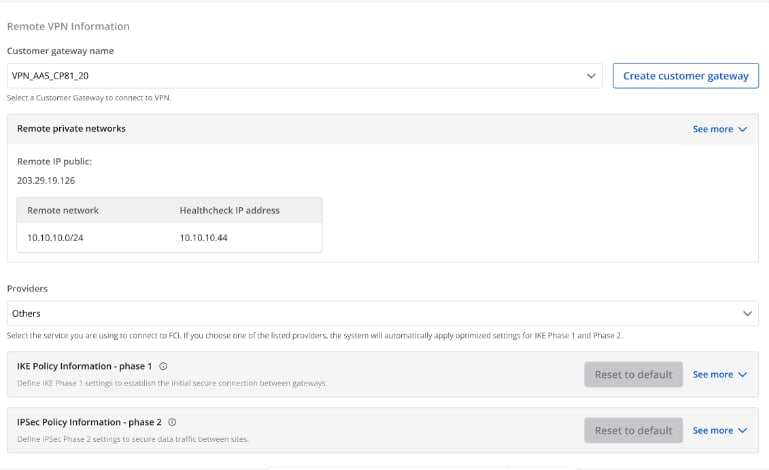 Quý khách hàng lựa chọn Providers = “others" sau đó làm theo các bước sau:
- Bước 1: Điền providers name = "Vyos"
- Bước 2: Điền thông tin cho IKE và IPSec cụ thể như sau:
Đối với IKE:
- Authorization algorithm: sha256
- Encryption algorithm: aes 256
- IKE version: ikev2
- DH group: group14
- Lifetime: 3600 seconds
- Phase1 negotiation mode: main
Đối với IPsec:
- Authorization algorithm: sha256
- Encryption algorithm: aes 256
- Encapsulation mode: tunnel
- Transform protocol: esp
- Perfect Forward Secrecy (PFS): group14
- Lifetime: 3600 seconds
Phần 3: Dead peer detection
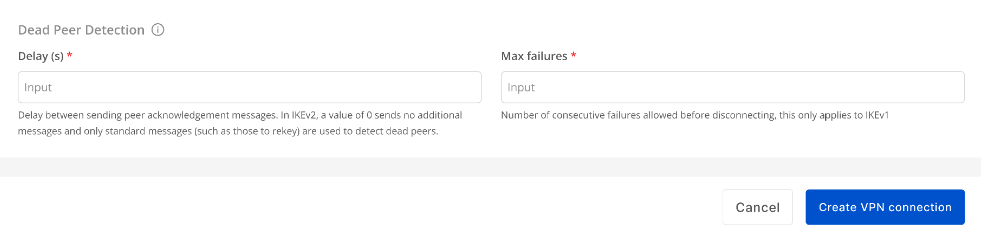 Điền thông số Delay và max failure và chọn khởi tạo VPN Connection
Bước 3: Cấu hình cho Vyos
- Đăng nhập ssh vào Vyos theo key đã tạo trên
- Đăng nhập ssh theo địa chỉ IP: {
IP PUBLIC} với user là: "vyos" . Minh họa: ssh vyos@{IP PUBLIC} Chạy các lệnh sau( thay các tham số vào):
Copyconfigure
Copyset interfaces ethernet eth0 address '{`IP Public Vyos`}'
set interfaces ethernet eth1 vif 111 address '{`IP LAN Vyos`}/24'
set protocols static route 0.0.0.0/0 next-hop {`IP-Remote`}
set vpn ipsec authentication psk RIGHT id '{`IP Public Vyos`}'
set vpn ipsec authentication psk RIGHT id {`IP-Remote`}
set vpn ipsec authentication psk RIGHT secret ' {`Pre-Share-Key`}'
set vpn ipsec esp-group ESP-GROUP mode 'tunnel'
set vpn ipsec esp-group ESP-GROUP proposal 1 encryption 'aes256'
set vpn ipsec esp-group ESP-GROUP proposal 1 hash 'sha256'
set vpn ipsec ike-group IKE-GROUP key-exchange 'ikev2'
set vpn ipsec ike-group IKE-GROUP proposal 1 dh-group '14'
set vpn ipsec ike-group IKE-GROUP proposal 1 encryption 'aes256'
set vpn ipsec ike-group IKE-GROUP proposal 1 hash 'sha256'
set vpn ipsec interface 'eth0'
set vpn ipsec site-to-site peer RIGHT authentication mode 'pre-shared-secret'
set vpn ipsec site-to-site peer RIGHT connection-type 'initiate'
set vpn ipsec site-to-site peer RIGHT default-esp-group 'ESP-GROUP'
set vpn ipsec site-to-site peer RIGHT ike-group 'IKE-GROUP'
set vpn ipsec site-to-site peer RIGHT local-address '{`IP Public Vyos`}'
set vpn ipsec site-to-site peer RIGHT remote-address {`IP-Remote`}
set vpn ipsec site-to-site peer RIGHT tunnel 0 local prefix '{`Sunet LAN Vyos`}/24'
set vpn ipsec site-to-site peer RIGHT tunnel 0 remote prefix '{`Sunet LAN Remote`}/24'
Save and commit
Copycommit
save