Create By Incoming Webhook
Bước 1 : Từ bên menu trái, Click Apps , sau đó chọn Incident
Bước 2 : Click Integration
Bước 3 : Cài đặt Incoming webhook (nếu chưa cài đặt, xem mục Cài đặt và quản lý integrations)
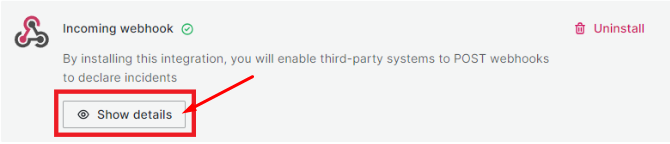
Bước 4 : Sau khi cài đặt thành công Incoming webhook, xem chi tiết thông tin incoming webhook, click Show details
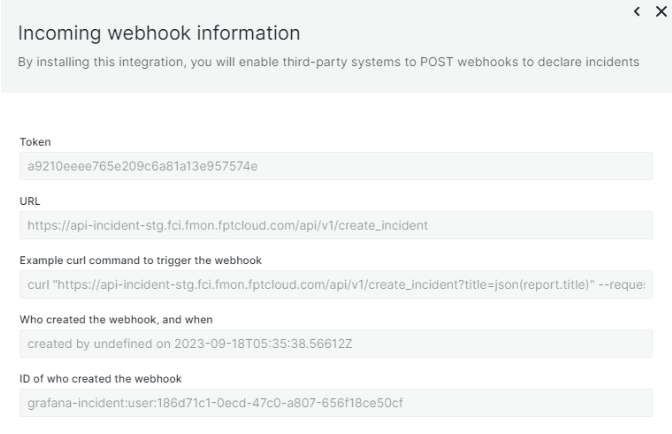 Các thông tin chính yếu bao gồm:
- Token : chuỗi ký tự dùng để xác thực
- URL : incoming webhook url, dùng để POST incident
Ví dụ sau minh họa cách đẩy 1 incident bằng incoming webhook: $ curl "api-incident-stg.fci.fmon.fptcloud.com/api/v1/create_incident?title=json(report.title)" --request POST --header 'Authorization: a9210eeee765e209c6a81a13e957574e' --header 'Content-Type: application/json' --data '{"report":{"title":"cool that this title comes from the json"}}'