Create Policy
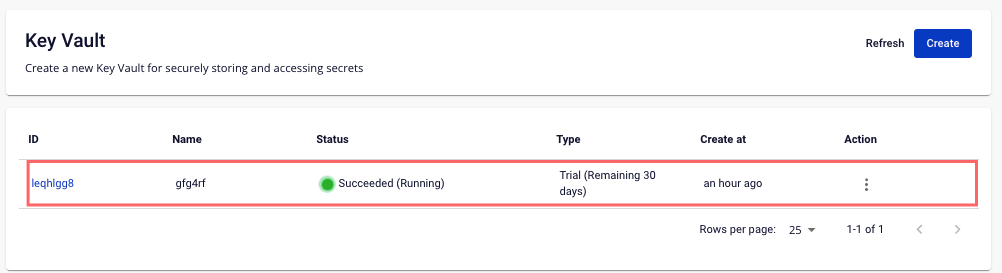
Step 1 : Select the Key Vault to create Policy on the Key Vault Management screen:
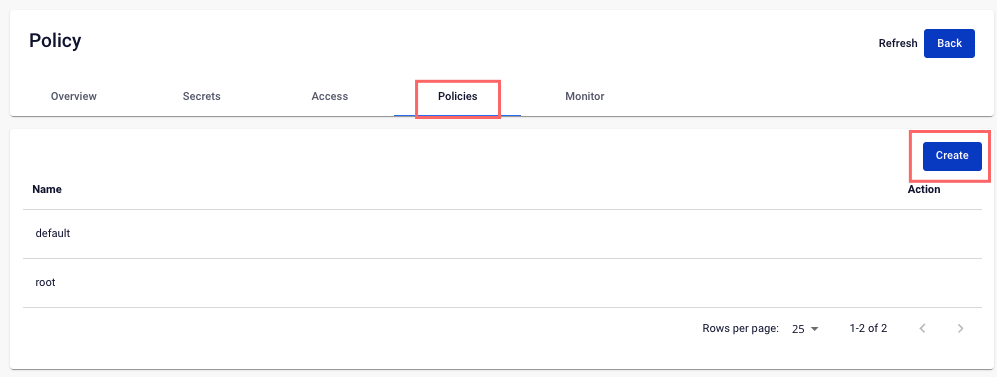
 Step 2 : In the Policies tab, click Create
 Step 3 : In the Create New Policy popup, enter the necessary information
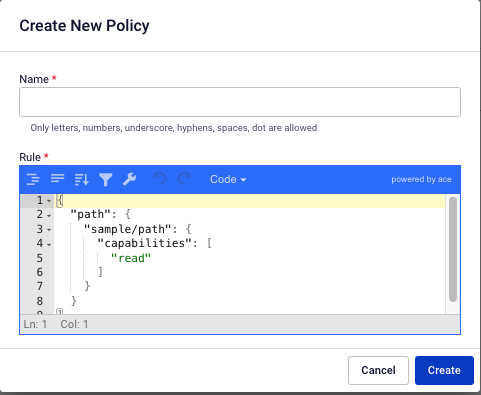
- Name : The name of the Policy
- Rule : Secret path that the user or application can access
Step 4 : Click Create to proceed. The system will check the resource requirement, send a confirmation message and proceed with the process of creating a new Policy based on the information entered.