Create Vault Instance
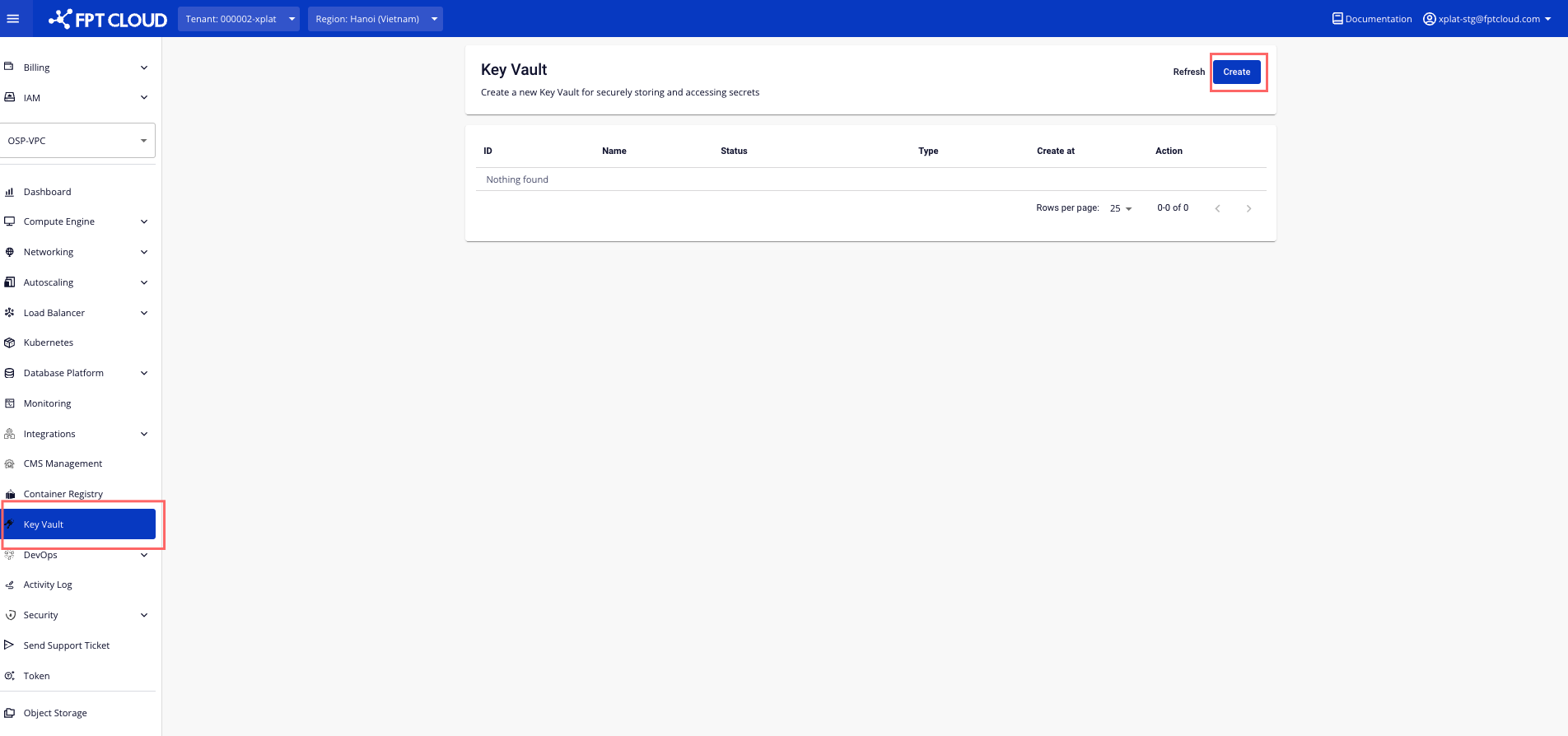
Step 1: In the FPT Portal menu, select Key Vault > Click Create
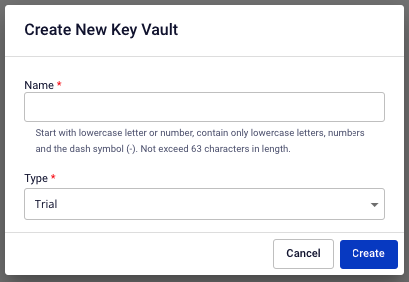
 Step 2 : In the Create Key Vault popup, enter the necessary information:
 Step 3 : Click Create to proceed. The system will check the resource requirement, send a confirmation message and proceed with the process of creating a new Vault Instance based on the information entered.
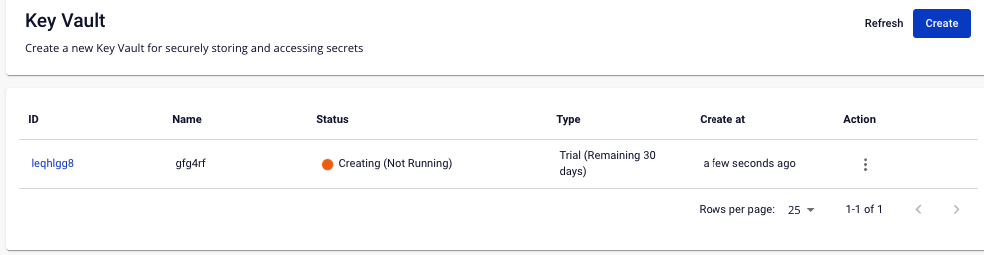
List of Key Vault after success creation:
Step 3 : Click Create to proceed. The system will check the resource requirement, send a confirmation message and proceed with the process of creating a new Vault Instance based on the information entered.
List of Key Vault after success creation: