Docker Login
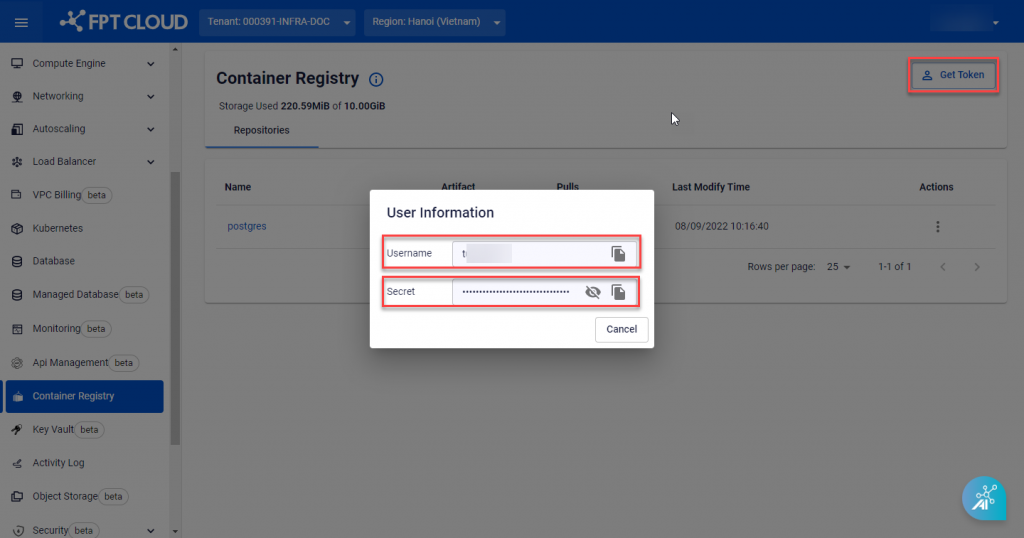
Step 1: On the sidebar menu, choose Container Registry > click Get Token to get the authorization details: Username and Secret Key.
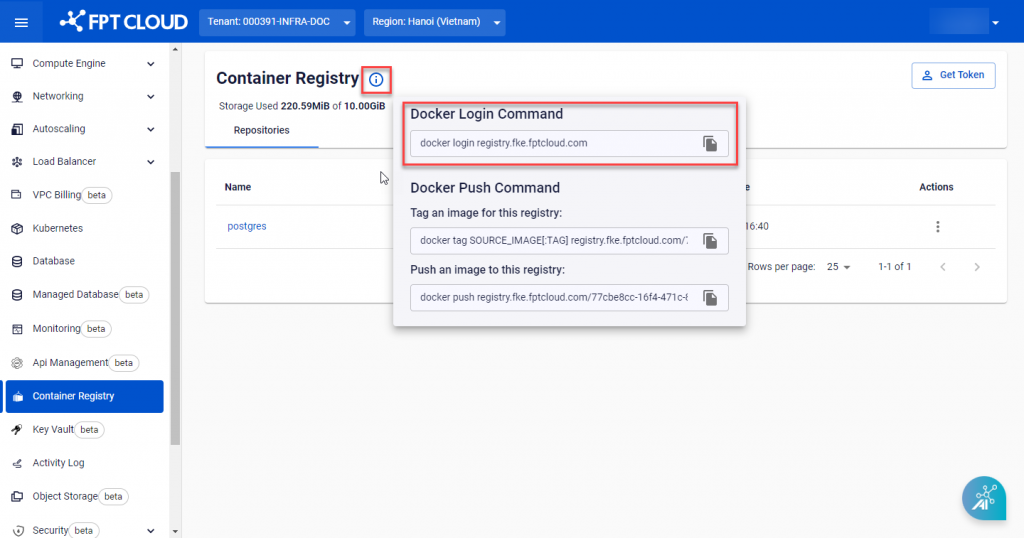
 Step 2 : Hover on the Help Icon to get Docker Login, Tag, and Push image commands:
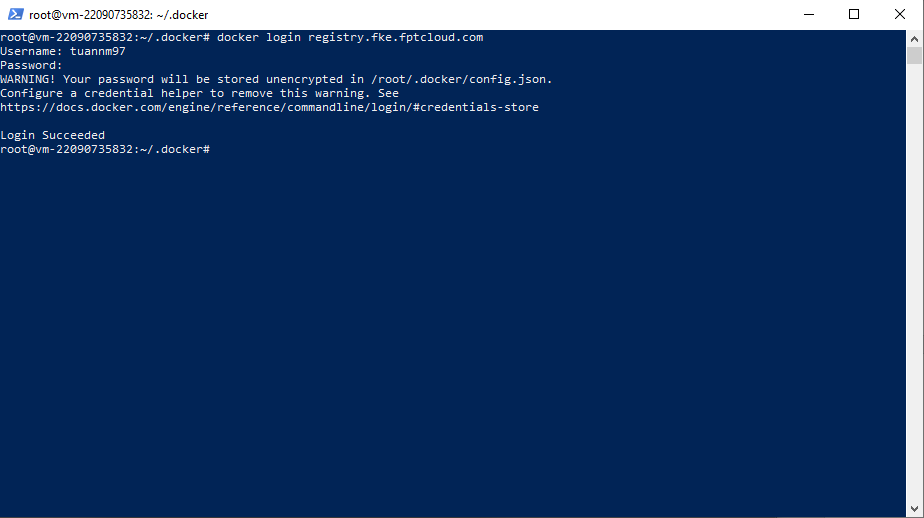
 Step 3 : On the Docker CLI, use the docker login command to sign in with the authorization details above.
Example:
Step 3 : On the Docker CLI, use the docker login command to sign in with the authorization details above.
Example:
Copydocker login registry.fke.fptcloud.com