Tagging And Pushing Images To Fpt Container Registry
Step 1 : Tag the local image with the FPT Container Registry URI with the command:
Copydocker tag SOURCE_IMAGE[:TAG] registry.fke.fptcloud.com/||registry-id||/REPOSITORY[:TAG]
Where ||registry-id|| will be auto-filled if you copied the command from the FPT Cloud Portal.
Example:
Copydocker tag hello-world:latest registry.fke.fptcloud.com/77cbe8cc-16f4-471c-8755-a9482ca01baf/hello-world:latest
Step 2 : Push the image to FPT Container Registry with the command:
Copydocker push registry.fke.fptcloud.com/||registry-id||/REPOSITORY[:TAG]
Where ||registry-id|| will be auto-filled if you copied the command from the FPT Cloud Portal.
Example:
docker push registry.fke.fptcloud.com/77cbe8cc-16f4-471c-8755-a9482ca01baf/hello-world:latest
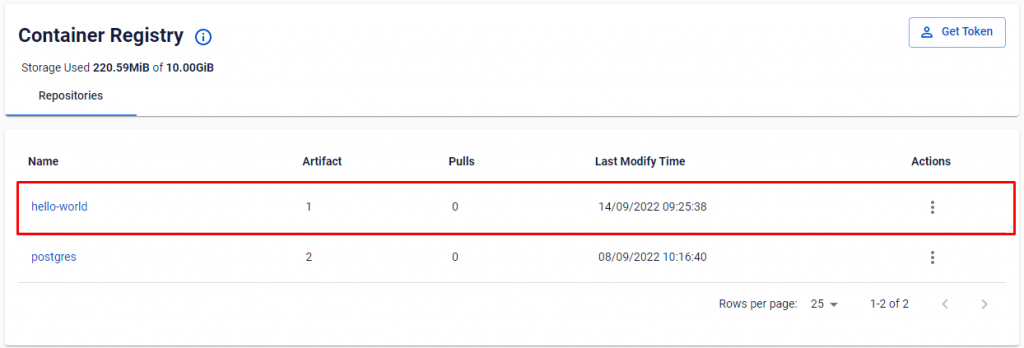
After you have successfully pushed the image, it will show up on the management page: