Managing Products
1. Declare a Product
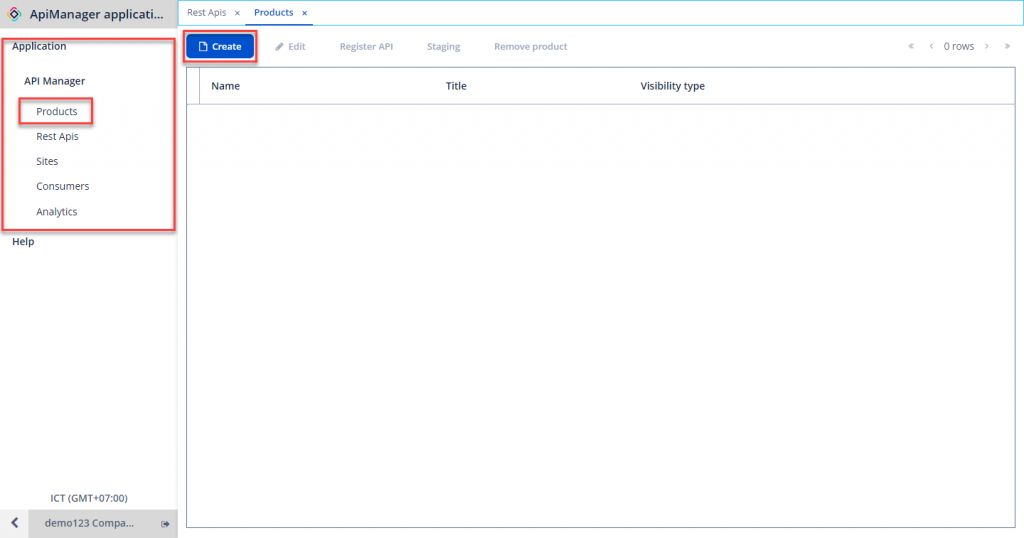
Step 1 : In the Application menu, go to API Manager > Products. Click Create.
 Step 2 : Enter the required information:
- Name : Product name.
- Title : Title for the Product.
- Visibility Type : Product display mode. Options available are Public or Closed.
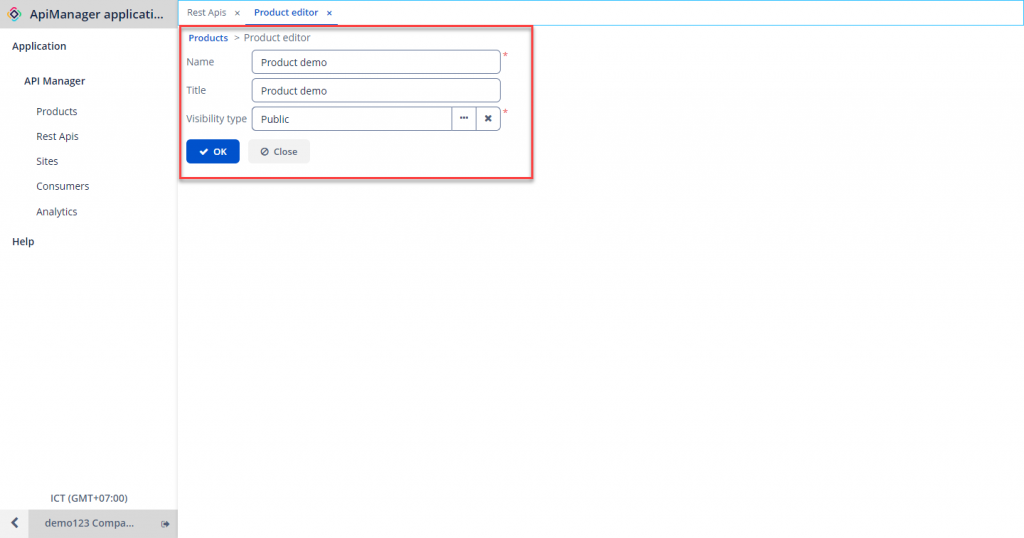 Step 3 : Click OK to create the Product.
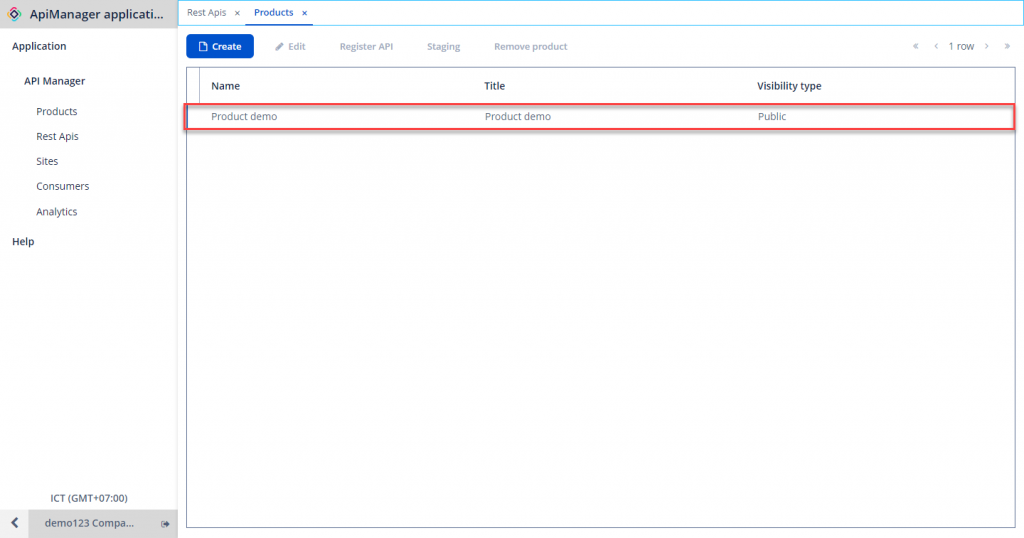 If the Create button is disabled, check your API Management service package. For the Pilot and Normal packages, only a maximum of 1 Product can be created in the system.
2. Edit Product Information
To modify the information about a Product, follow these steps:
Step 1 : In Product Management , choose the Product to modify > Edit.
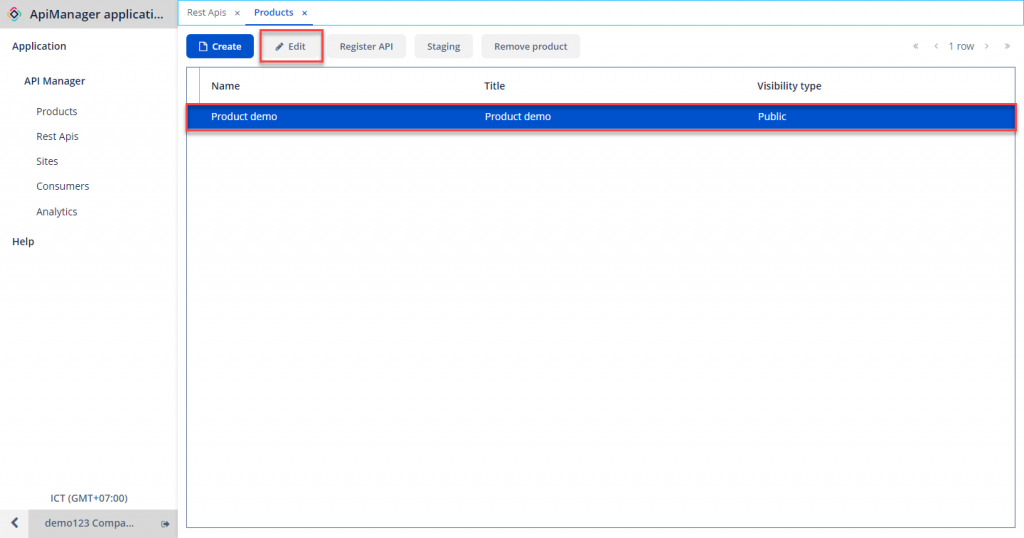 Step 2 : Enter new information and click OK.
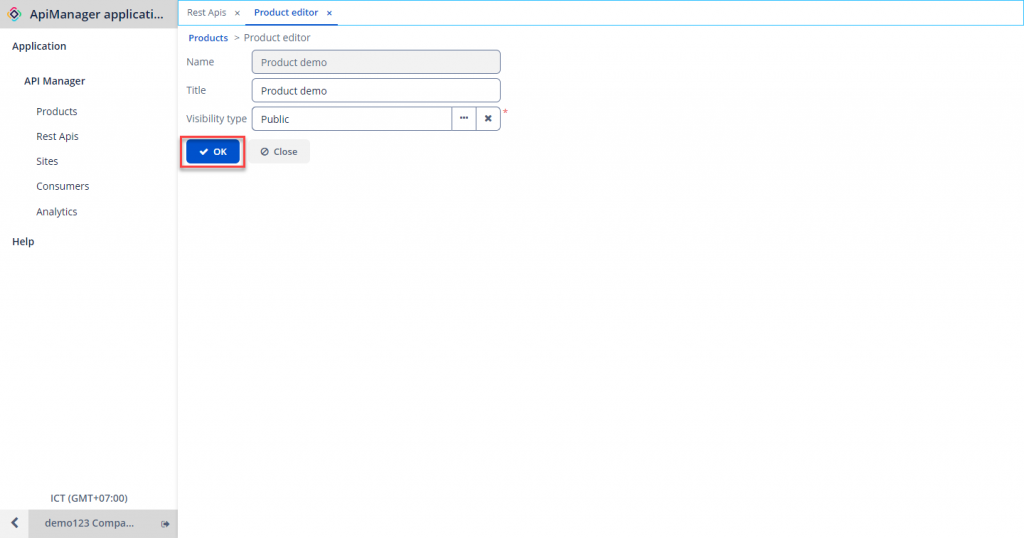
3. Attach APIs to a Product
To attach an API to a Product, follow these steps:
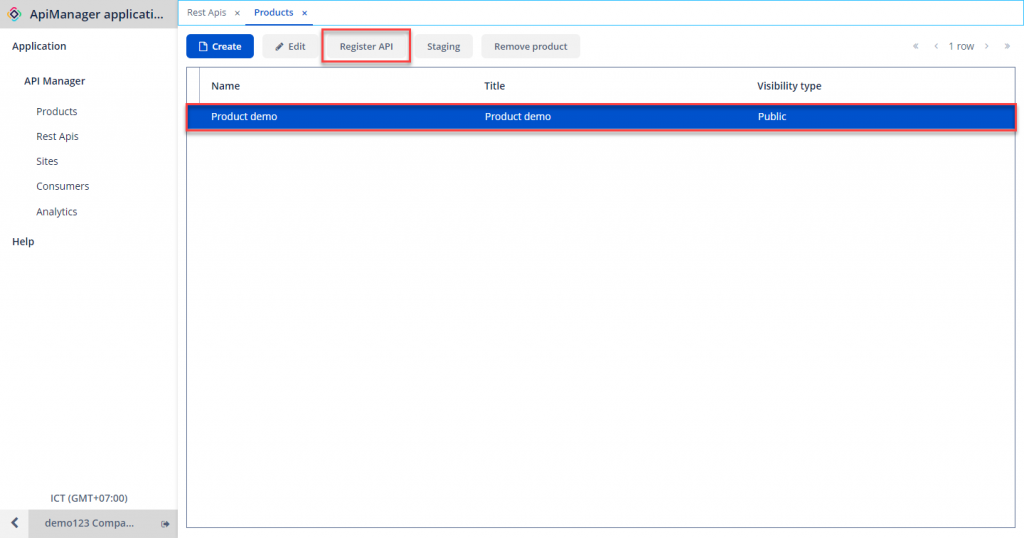
Step 1 : In Product Management , select the Product to which you want to attach an API > Click Register API.
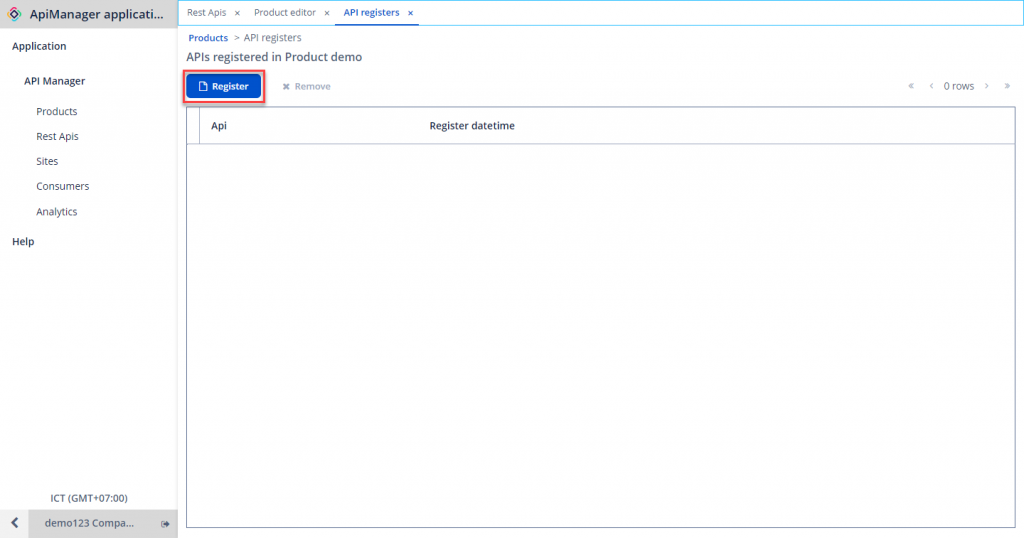
 Step 2 : Click Register.
 Step 3 : Choose the API to assign to the Product and click Select.
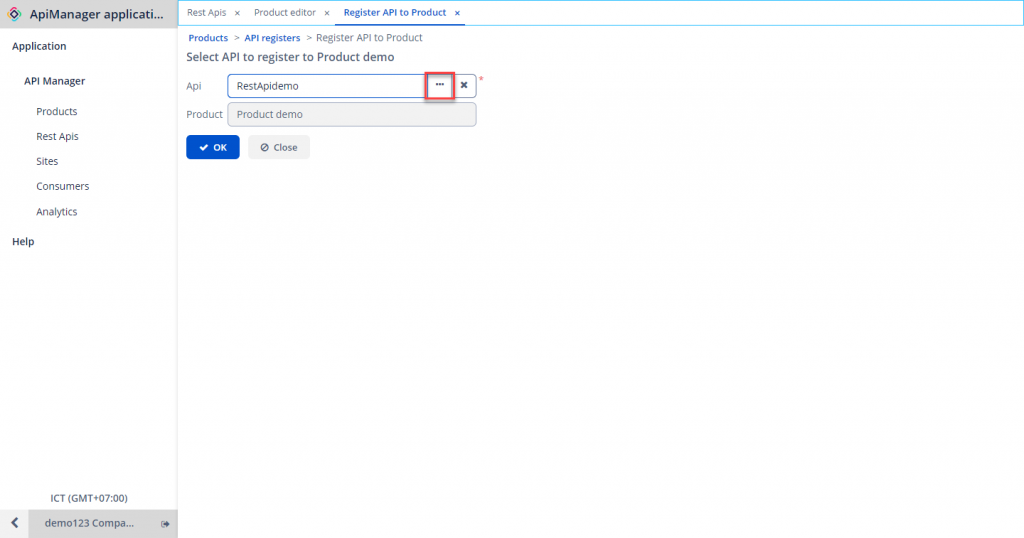 Step 4 : Click OK to save.
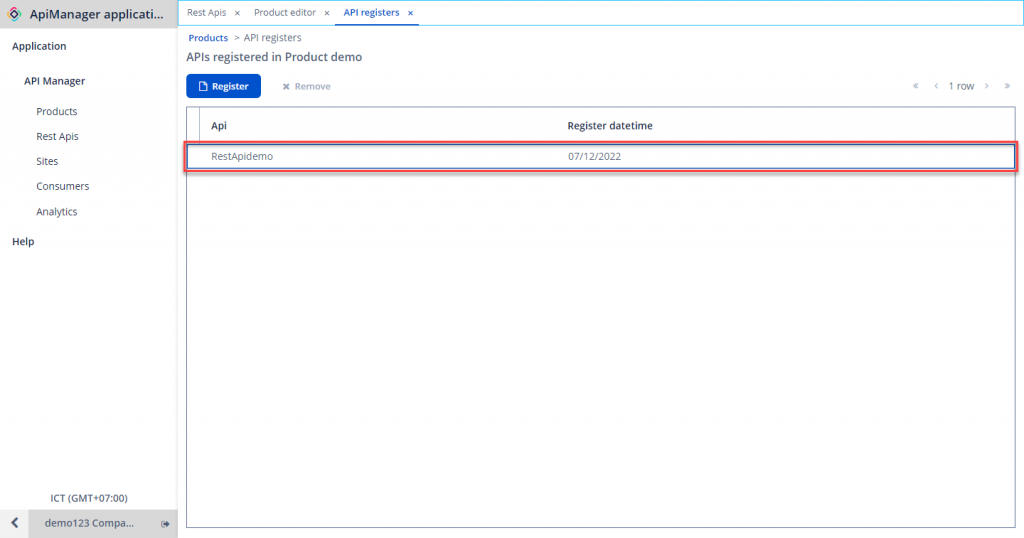 Note :
- Products and APIs are linked in a Many-to-Many relationship. Therefore, a Product can be associated with multiple APIs, and an API can simultaneously attached to multiple Products.
- Products will determine how grouped APIs within the product are published to specific consumer types.
4. Detach APIs from a Product
To detach an API from a Product, follow these steps:
Step 1 : In Product Management , select the Product to which you want to detach an API > Register API.
Step 2 : Choose the API to remove from the Product > Remove.
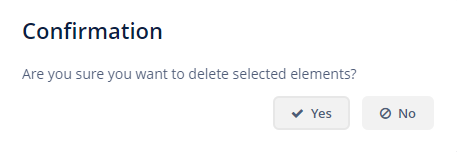
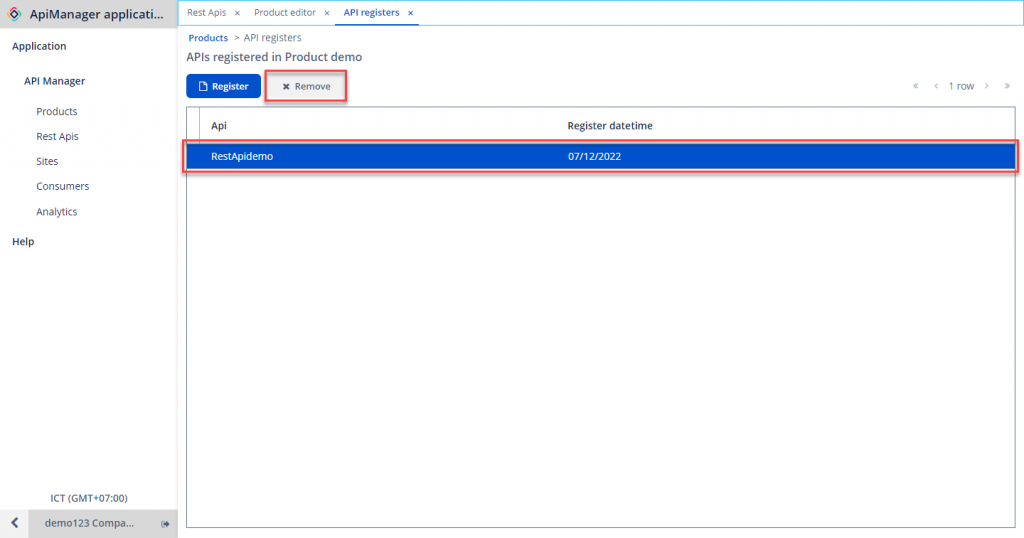 Step 3 : Click Yes to confirm.
5. Delete a Product
To delete a previously declared Product from the system, ensure the Product has no REST APIs associated. To remove REST APIs from a Product, follow the instructions in the Detach APIs from a Product section.
To delete a Product, follow these steps:
Step 1 : In Product Management , choose the Product to delete > Remove Product.
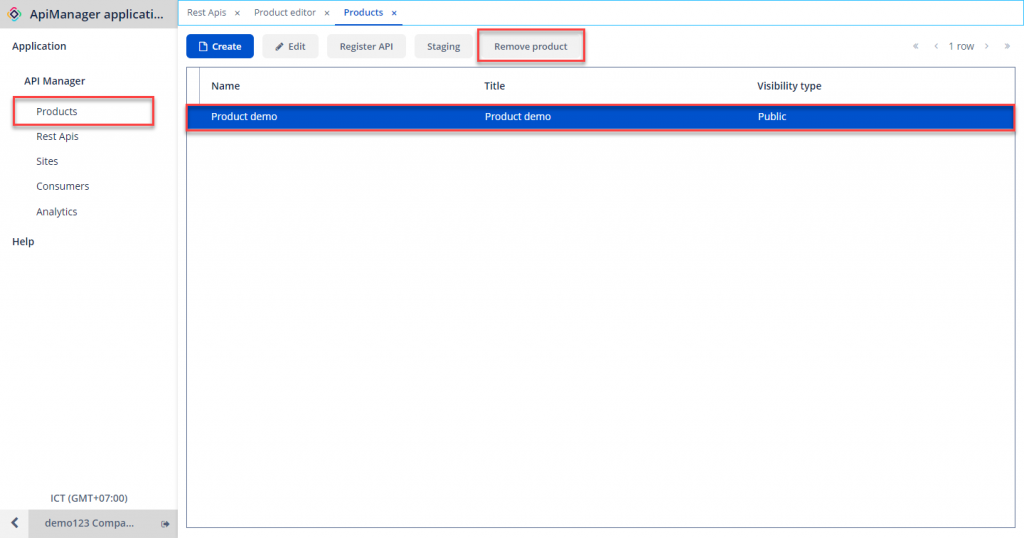 Step 2 : In the confirmation popup, click Yes to proceed.
Note : If you encounter this error: Could not remove that product as there are still APIs in the product! , you need to remove all APIs from that Product before performing this action.
Step 2 : In the confirmation popup, click Yes to proceed.
Note : If you encounter this error: Could not remove that product as there are still APIs in the product! , you need to remove all APIs from that Product before performing this action.