Consumer Api Usage Guide
1. Receiving Information from API Provider
To begin using the APIs, clients will need to acquire the following information:
- API Endpoint : Provided according to the Get Product Endpoint instructions.
- Authorization : Consumer's authentication method. Currently supporting Basic or API Key.
- If the Authorization type is Basic :
- Username : Username follows this structure:
Username = UsernameProvider + site name + usernameConsumer. For example :demo123.sitedemo.demoaccOr as provided in the Consumer's authentication information. - Password : Password of the user declared during Consumer creation.
- Username : Username follows this structure:
- If the Authorization type is API Key :
- Key : The API Key.
- Value : Provided according to the instructions in the
- If the Authorization type is Basic :
2. Using Postman
Once all necessary information is acquired, clients can use Postman to start utilizing APIs provided by API Management.
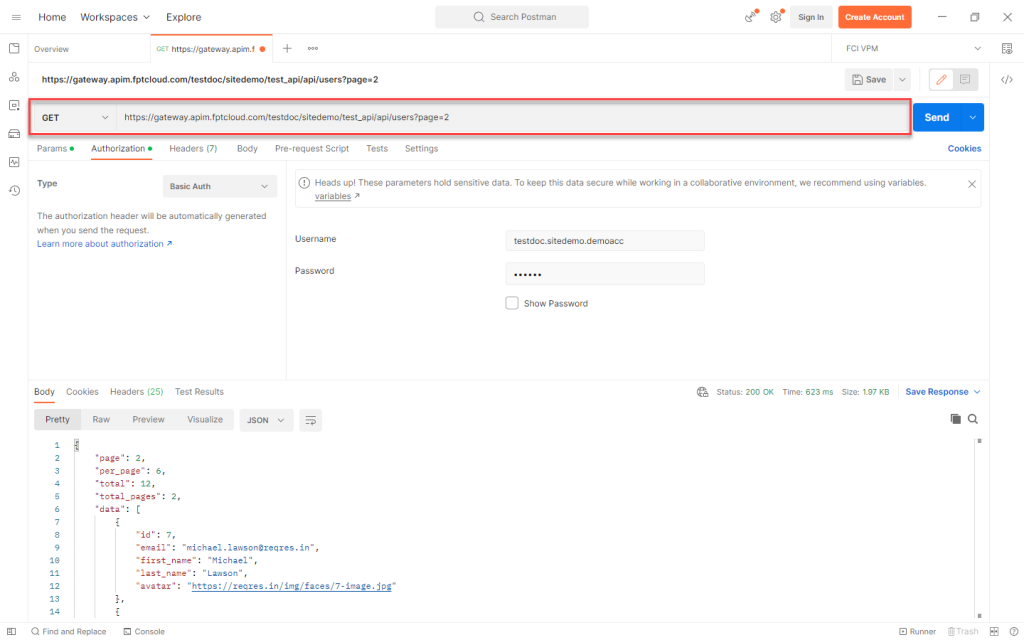
Step 1 : Enter the endpoint and select the API call method.
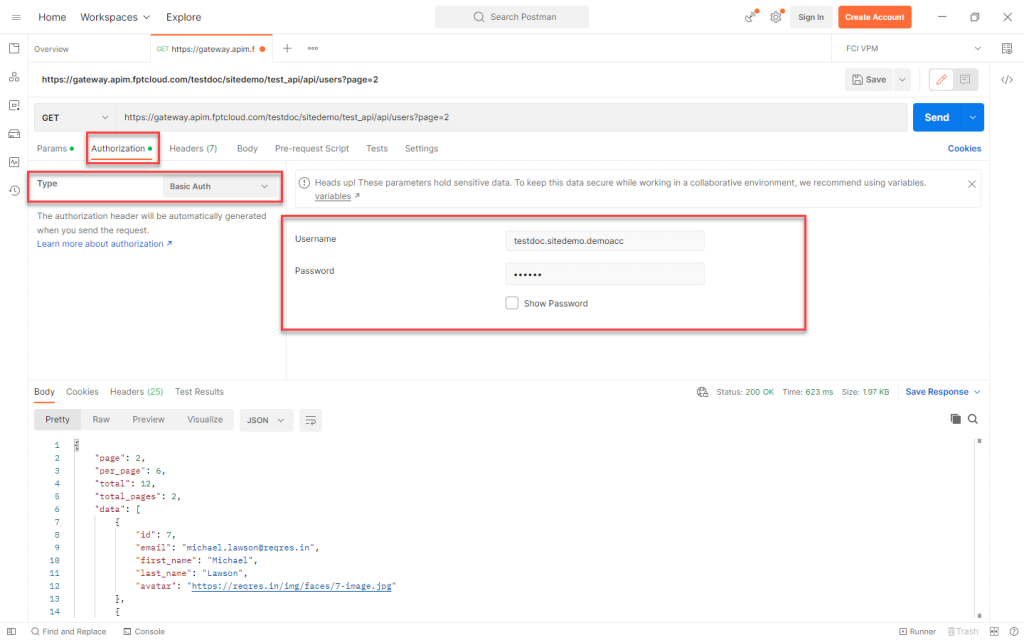
 Step 2 : Enter Authorization Information:
- Select Basic Auth and enter Username/Password if Authorization is Basic.
- Select API Key and enter the key if Authorization is API Key.
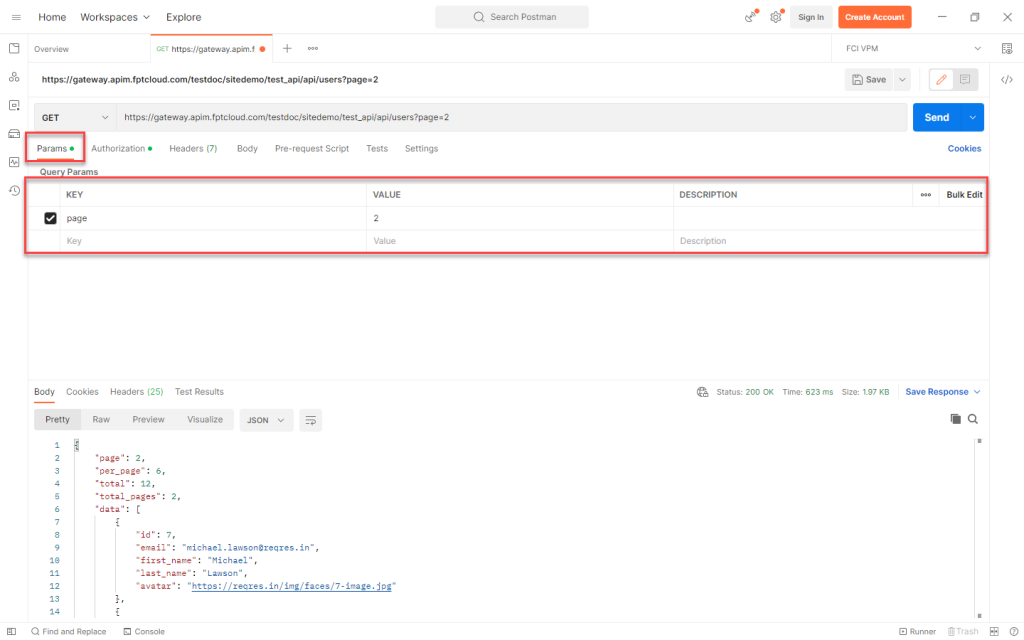
 Step 3 : Enter any request body, or additional parameters for calling the API, and click Send.
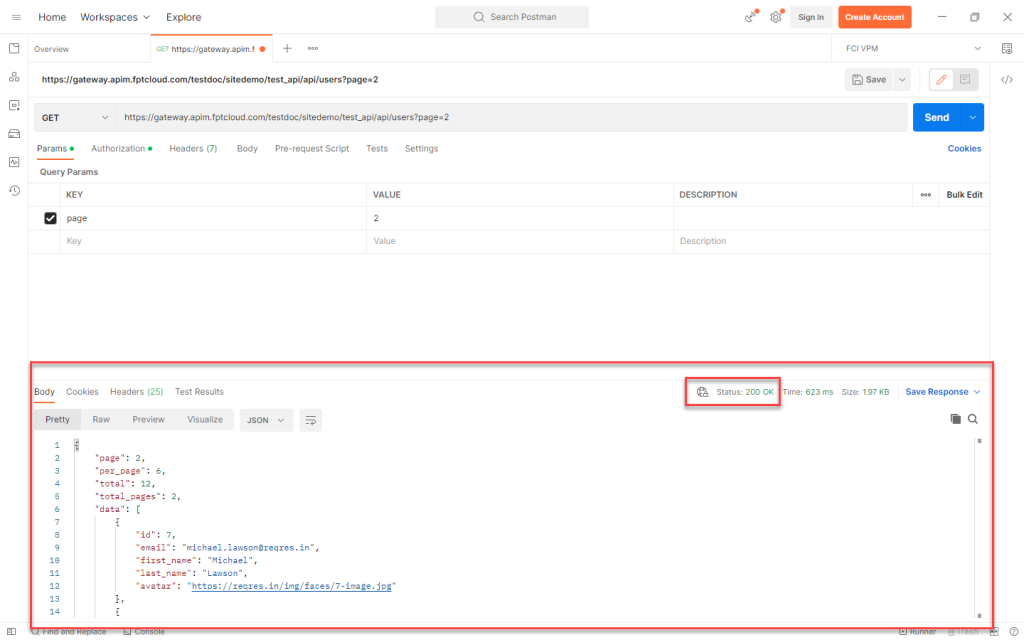
 Step 4 : Receive the response:
- Status code 2xx : Successful API call.
- Status code 4xx – 5xx : Error – report to FCI for assistance.
 Note : The error checklist should be checked sequentially as follows:
- Check username, password.
- Report to API Provider to verify client permissions with the API.
- Check if the API has been correctly declared, any missing headers or parameters?
- Check if the API has an error?
- Report to FCI to verify the gateway.