Create Topics
To create a topic, follow these steps: Step 1 : From the menu, navigate to Application > Topic. click Create. Step 2 : Enter the necessary information:
- Name (required): The name of the topic
- Partitions (required): The number of partitions for the topic
- Replication Factor (required):
- Cleanup Policy (required):
- Advanced Configuration (optional)
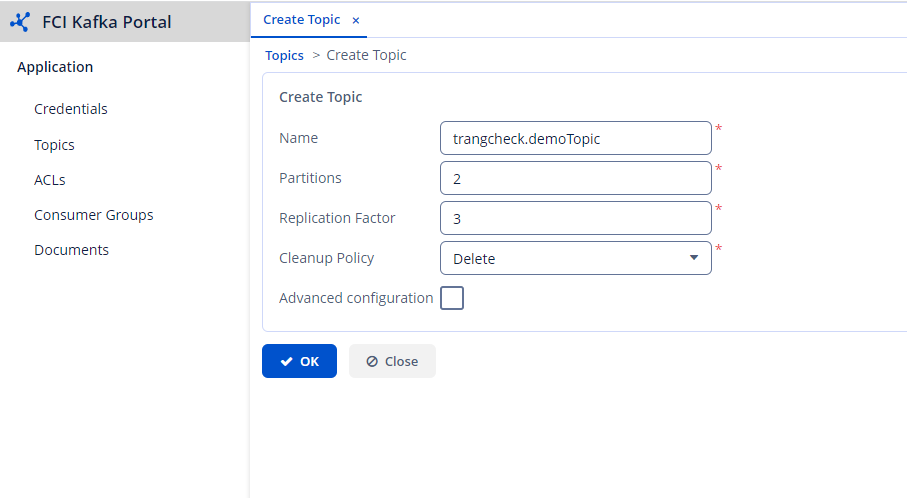 Step 3 : Click OK to proceed with creating the topic.
Note : The topic name must follow the format [prefix].[topic name]
Step 3 : Click OK to proceed with creating the topic.
Note : The topic name must follow the format [prefix].[topic name]