Create Consumer Groups
A consumer group is a group of consumers. A consumer can be any application that has the function of subscribing to a topic and consuming messages. To create a consumer group, do the following: Step 1 : From the menu, navigate to Application > Consumer Groups. Click Create. Step 2 : Enter the necessary information:
- Group Name (required): The name of the group you want to create
- Offset strategy (required)
- Topic (required)
Note : A consumer group can subscribe to multiple topics.
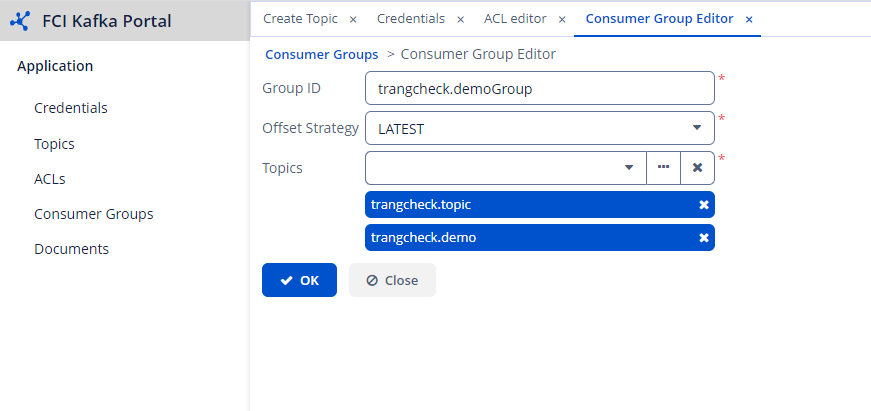 Step 3 : Click OK to successfully create the group.