Edit Topics
The system provides functionality to edit specific topic details, such as adding partitions to a topic and deleting records within a partition, etc.
First, to add partitions to a topic, follow these instructions:
Step 1 : Select the topic to add partitions to > Click Detail.
Step 2 : Switch to Partition tab > Click Add > Click Yes, I understand
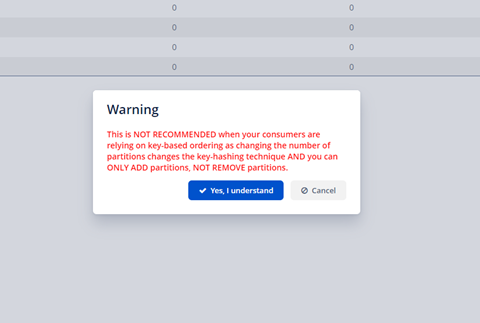 Step 3 : Enter the number of partitions to add
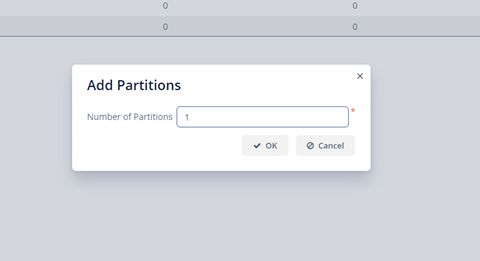 Step 4 : Click OK to complete
Furthermore, if you want to delete records in certain partitions, you can use the Empty function of Kafka.
To do this, follow these steps:
Step 1 : Select the topic to edit > Click Detail.
Step 2 : Switch to Partition tab > Select the partition to delete records from > Click Empty.
Step 4 : Click OK to complete
Furthermore, if you want to delete records in certain partitions, you can use the Empty function of Kafka.
To do this, follow these steps:
Step 1 : Select the topic to edit > Click Detail.
Step 2 : Switch to Partition tab > Select the partition to delete records from > Click Empty.
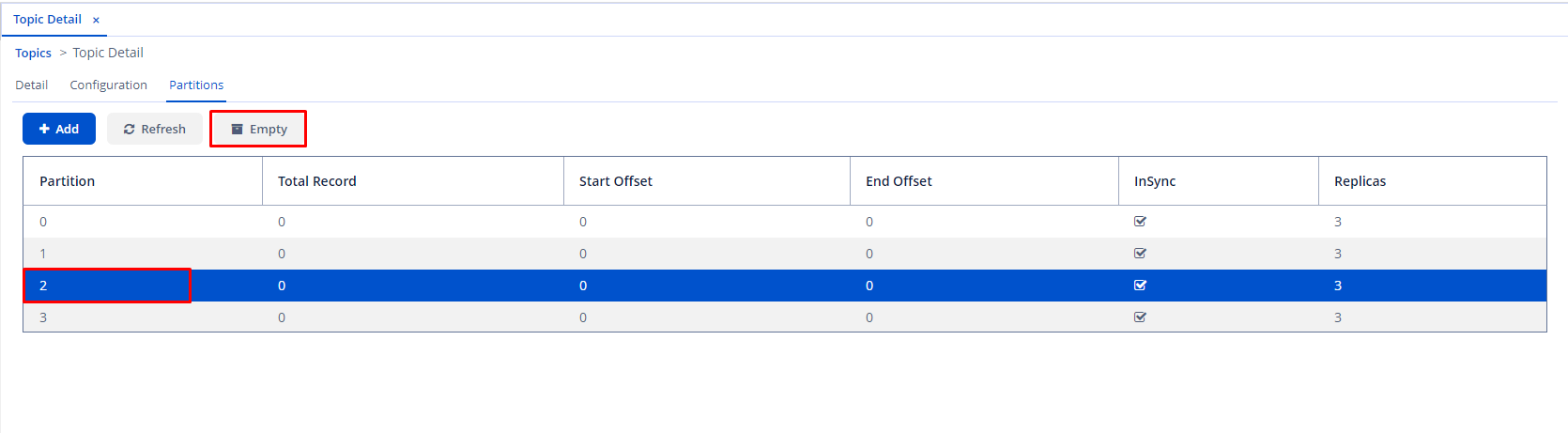 Step 3 : Click Yes in the confirmation dialog to delete
After this action, the total number of records in that partition will be zero.
Additionally, you can delete all records within a topic. Simply choose the topic to erase records > Click Empty to complete the process.
Step 3 : Click Yes in the confirmation dialog to delete
After this action, the total number of records in that partition will be zero.
Additionally, you can delete all records within a topic. Simply choose the topic to erase records > Click Empty to complete the process.
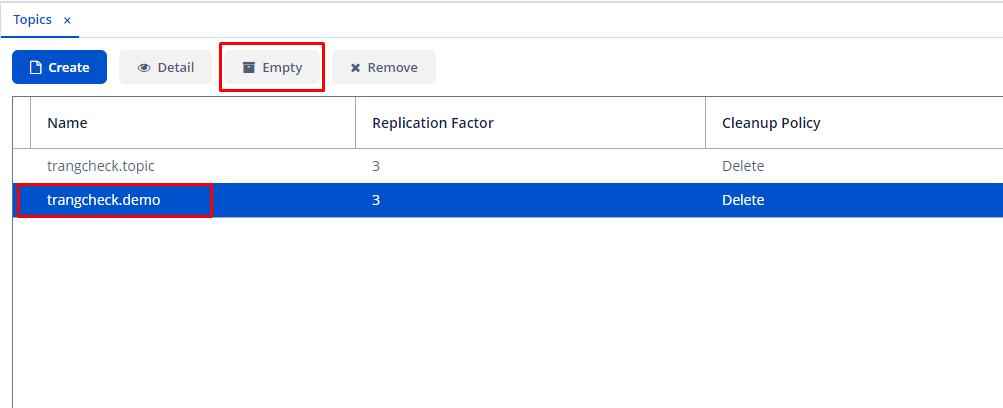 Note that performing this action will erase all records across all partitions of that topic.