Demo
To connect to Kafka, you can refer to the detailed steps in the Document section from the menu.
Part 1: Producer sends message to topic
Step 1 : Create a producer.py file
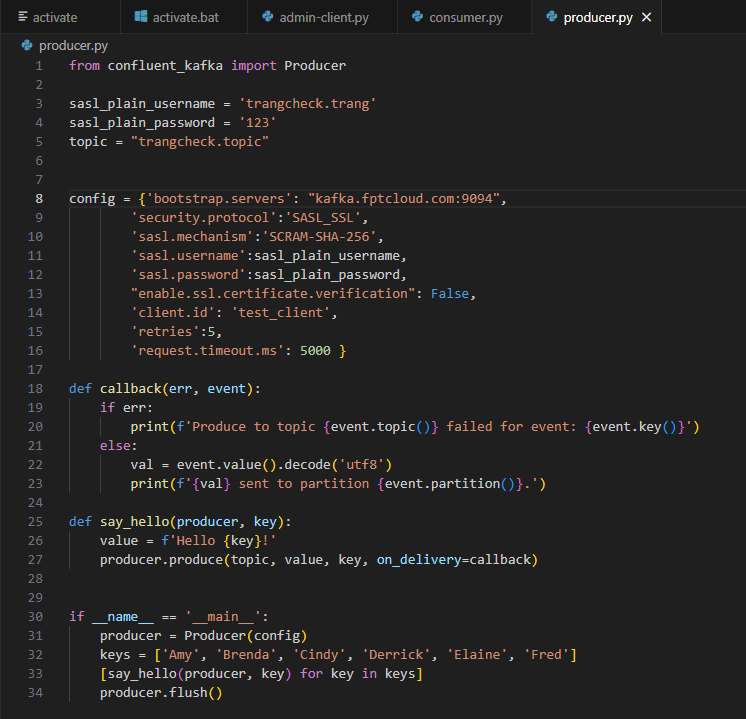 Step 2 : In the file
 producer.py, fill in some informations like:
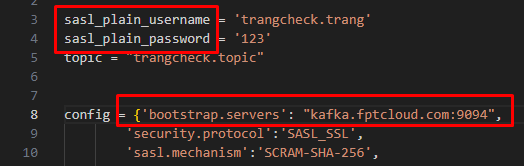
- sasl_plain_username and sasl_plain_password are the username and password of the credentials you have created.
- topic is the name of the topic you have created and previously set permissions for (allow, write topic).
- bootstrap.servers : This is the information of the cluster that the admin has assigned to the user.
Step 3 : After setting up the necessary information, open the terminal and run this command:
Copypython .\producer.py
The result should be as follows:
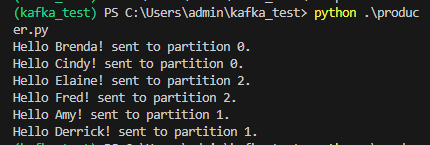 If the output is correct, it means the producer has successfully sent messages to the partitions of the topic.
Part 2: Consumer reads the sent message
Step 1 : First, create a consumer.py file
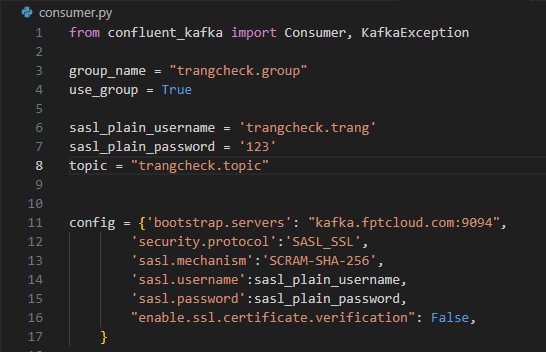
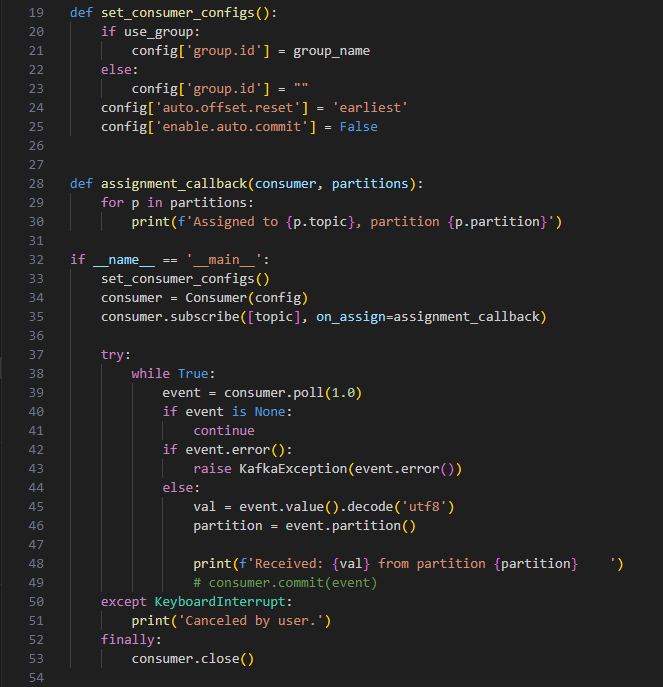 Step 2 : In this
 consumer.py file, fill in some informations like:
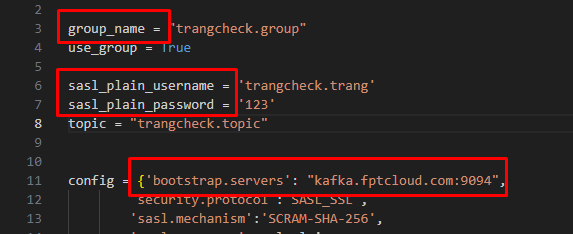
- group_name is the name of the group you have created and previously set permissions for (allow, read topic).
- sasl_plain_username and sasl_plain_password are the username and password of the credentials you have created.
- topic is the name of the topic you have created and previously set permissions for (allow, write topic; allow, read topic).
- bootstrap.servers : This is the information of the cluster that the admin has assigned to the user.
Step 3 : After setting up the necessary information, open the terminal and run this command:
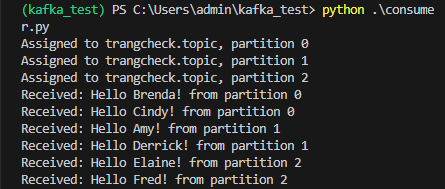
Copypython .\consumer.py
The result should be as follows: