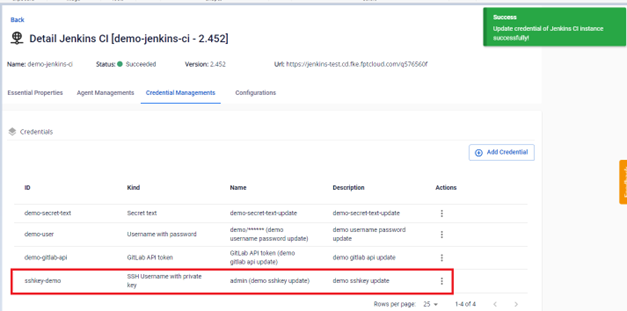
Cap Nhat Mot Credential
Để cập nhật thông tin một credential, người dùng có thể thực hiện như sau:
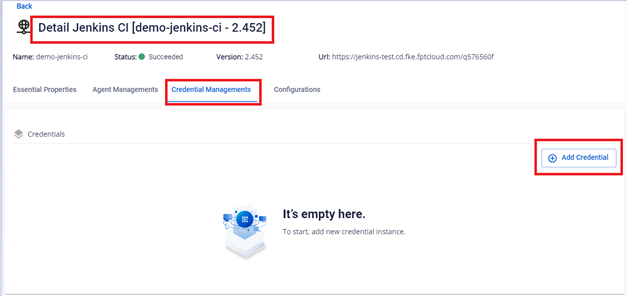
Bước 1. Tại menu FPT Portal > Jenkins CI > Detail Cluster > Credential Managements:
- Cập nhật Credential loại Secret Text
Bước 2. Tại màn Credential Managements > Chọn credential loại Secret Text cần Edit > Actions Edit : 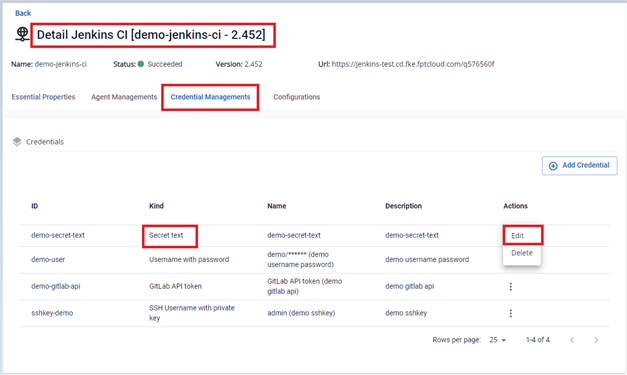 Bước 3. Thực hiện chỉnh sửa các thông tin:
 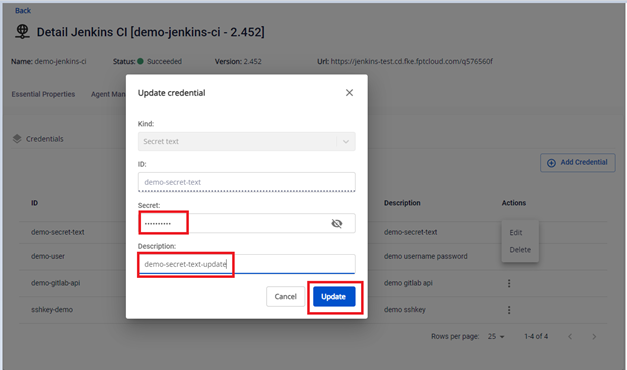 Bước 4. Kết quả sau khi cập nhật thông tin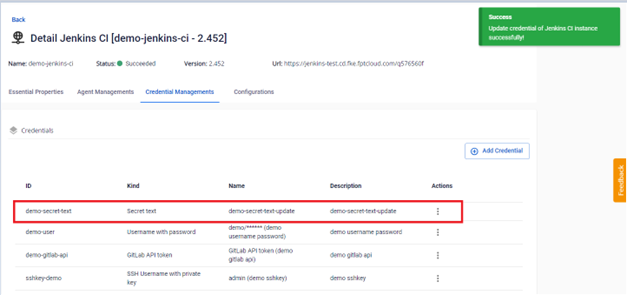
- Cập nhật Credential loại Username with password
Bước 2. Tại màn Credential Managements > Chọn credential loại Username with password cần Edit > Actions Edit : 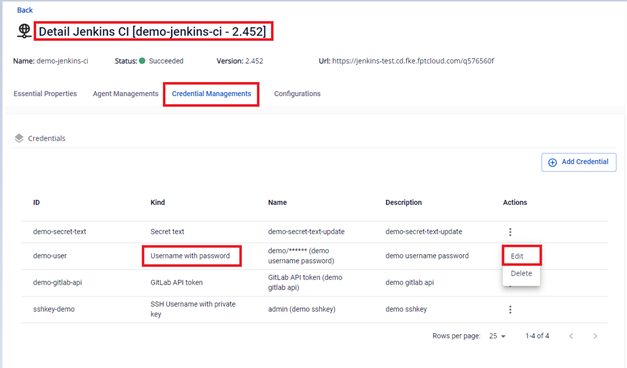 Bước 3. Thực hiện chỉnh sửa các thông tin:
 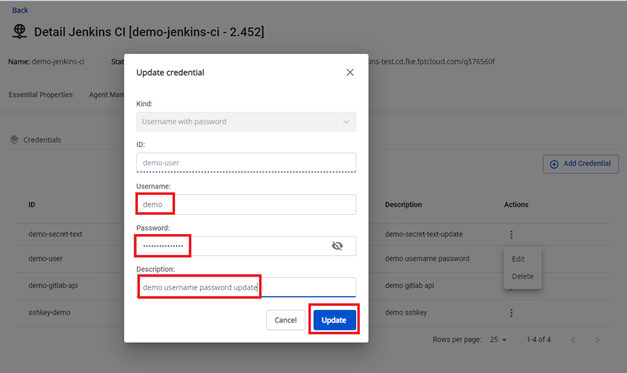 Bước 4. Kết quả sau khi cập nhật thông tin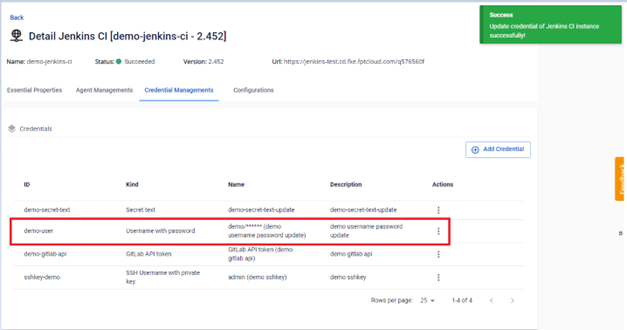
- Cập nhật Credential loại GitLab API token
Bước 2. Tại màn Credential Managements > Chọn credential loại GitLab API token cần Edit > Actions Edit : 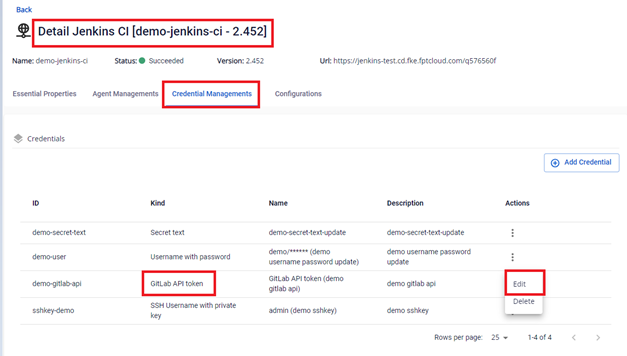 Bước 3. Thực hiện chỉnh sửa các thông tin:
 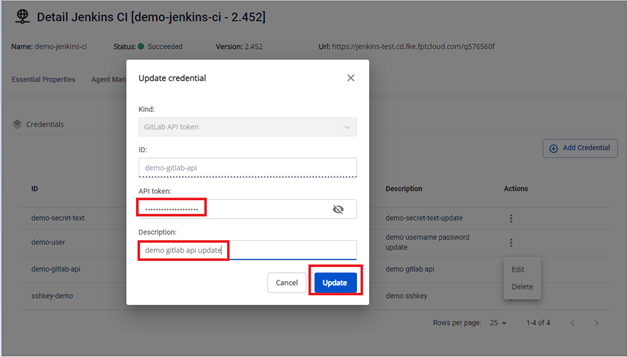 Bước 4. Kết quả sau khi cập nhật thông tin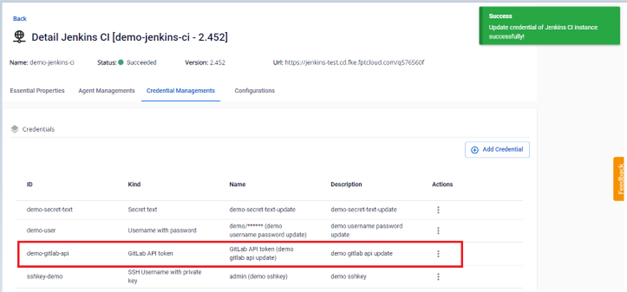
- Cập nhật Credential loại SSH Username with private key
Bước 2. Tại màn Credential Managements > Chọn credential loại SSH Username with private key cần Edit > Actions Edit : 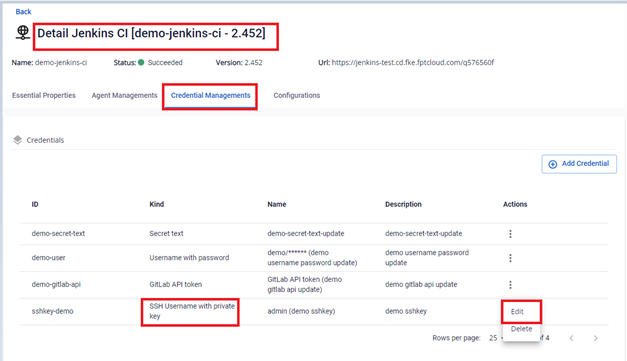 Bước 3. Thực hiện chỉnh sửa các thông tin:
 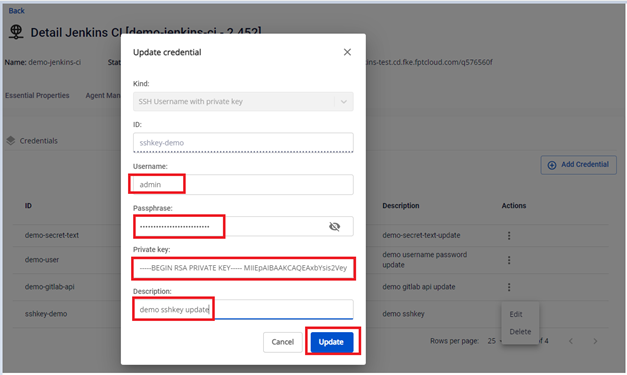 Bước 4. Kết quả sau khi cập nhật thông tin