Register Account
To begin using the FPT Console Portal, you need to sign up for a new account. Follow the steps below to complete the registration process.
Step 1: Access the Sign-Up Page
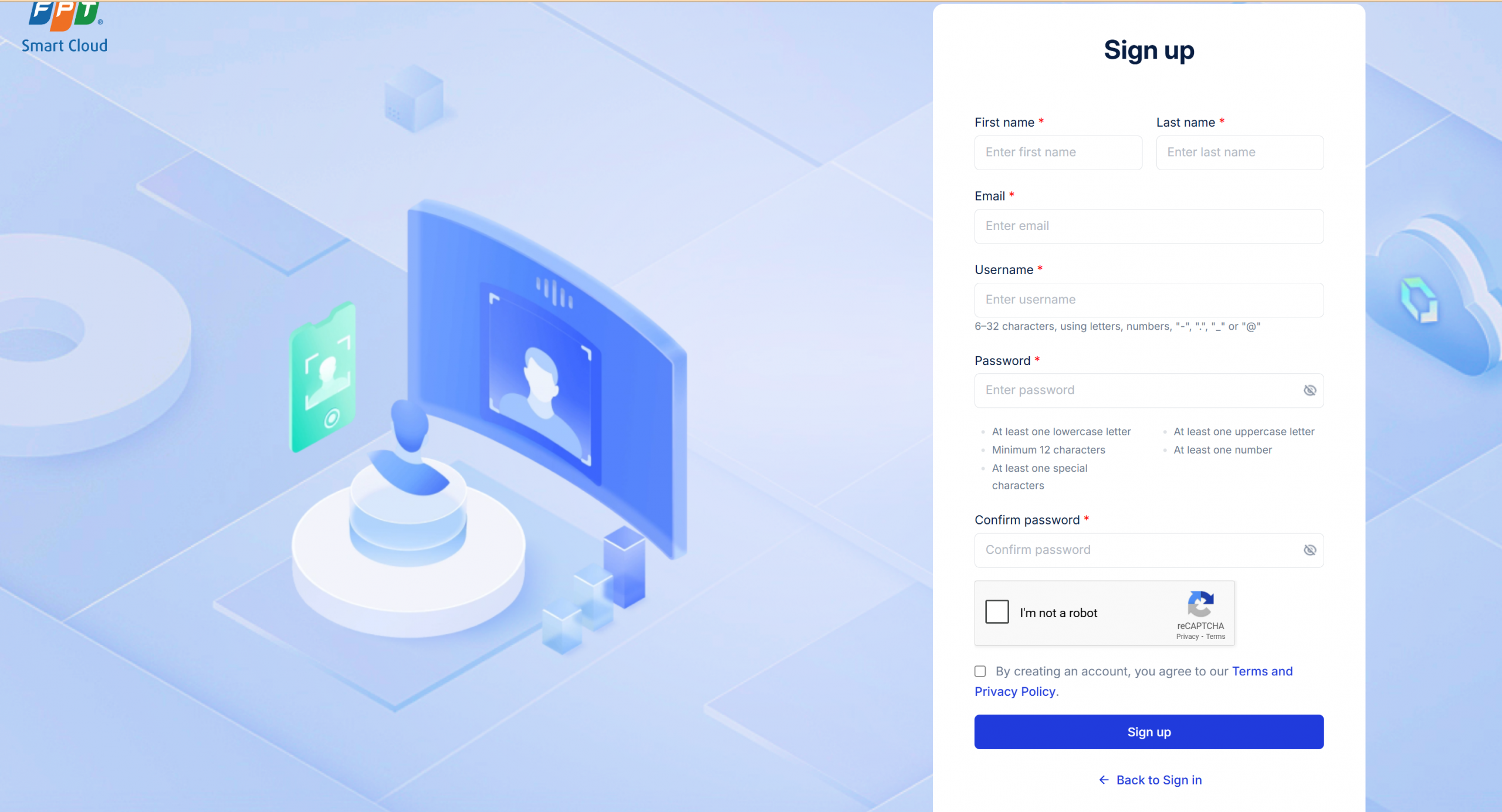
Go to the FPT Cloud homepage at https://fptcloud.com/en/ and click on the Register button to begin the account registration process. The registration screen will appear as follows:
Step 2: Enter Information
On the sign-up page, fill in the following details:
- First Name : Enter your first name.
- Last Name : Enter your last name.
- Email : Enter a valid email address. This email may be used by the system to send notifications related to the service in the future.
- Username : Choose a unique username, with a length between 6 to 32 characters, including: letters, numbers, "-", ".", "_", or "@".
- Password : Create a strong password that meets the following criteria:
- At least one lowercase letter.
- At least one uppercase letter.
- Minimum 12 characters.
- At least one special character (e.g., !, @, #, $, etc.).
- At least one number.
- Confirm Password : Re-enter the password to confirm it.
Step 3: Complete CAPTCHA Verification
To confirm that you are not a robot, check the “I’m not a robot” box and complete the reCAPTCHA challenge (if prompted).
Step 4: Agree to Terms and Privacy Policy
Read and accept the Terms and Privacy Policy by checking the box.
Step 5: Registration Confirmation
Once all fields are completed and verified, click the “Sign up” button to create your account.
Step 6: Account Confirmation
The FPT Cloud Support Team will contact you to verify your details and finalize the account creation process. Once your account is successfully created, you can log in to the FPT Console Portal and start using the services.