Customer Filter
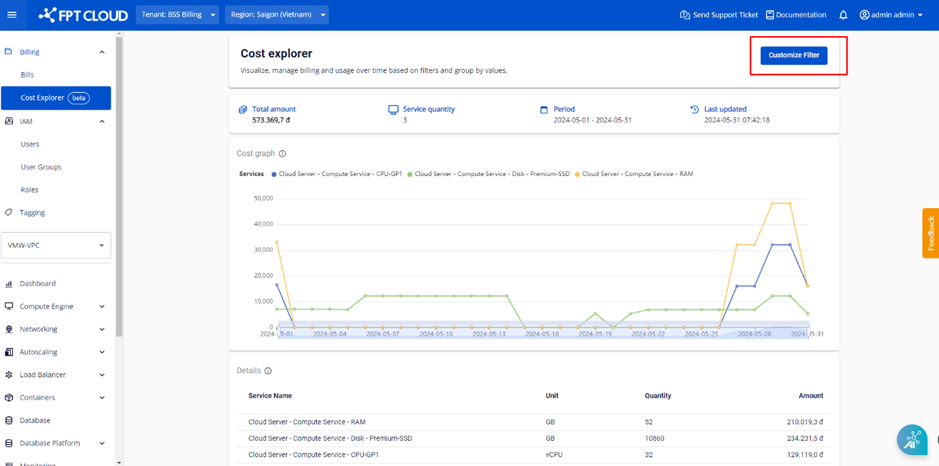
Step 1 : In the tab bar menu, select Billing > select Cost Explorer > select the Customize Filter button.
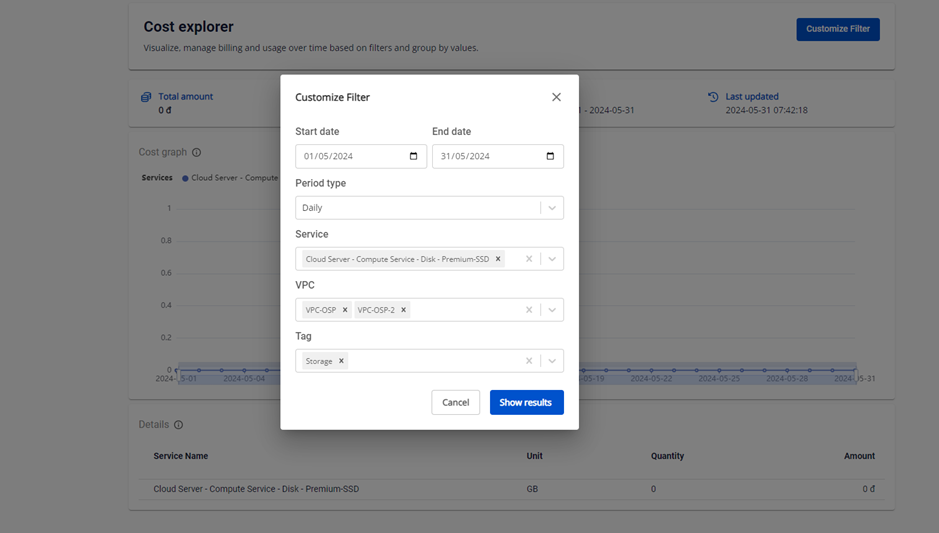
 Step 2: On the Customize Filter dialog box, select a value in 1 or more of the conditions you want to filter.
Filtration conditions include:
Step 2: On the Customize Filter dialog box, select a value in 1 or more of the conditions you want to filter.
Filtration conditions include:
- Duration
- Period type: View a chart of daily or monthly cost movements.
- Service: The services used in the ORG
- VPCs: VPCs in the current ORG
- Tags: Tags are managed on the Portal and assigned to resources.